Introduction
Valerian is free, open-source, GPU-accelerated deep-sky image processing. It takes the subframes you capture of galaxies, nebulae and clusters and turns them into a finished image: calibration, star registration, stacking with outlier rejection, plate solving, gradient removal, photometric colour calibration, stretching and star removal, on Linux, Windows and macOS, on x86_64 and ARM.
Valerian is written in Rust and is the deep-sky sibling of Helia, the solar stacker. The two share their core: file formats, GPU acceleration, the interface and the release pipeline.
Dedication
Valerian is dedicated to my son Xaviar. His middle name is Valerian, because he was a very sleepy child, which suits software made for the long, quiet hours of the night sky.
What works today
This is the foundation milestone. The book grows with the program, and each page says plainly what does not work yet. Today, on the command line and as a library:
valerian calibrate: master bias, dark, flat and dark-flat frames with sigma, winsorised or linear-fit rejection, dark scaling, hot, cold and dead pixel repair, optional demosaicing (see How calibration works);valerian register: star detection, triangle matching with a RANSAC fit (similarity, affine or homography) and resampling onto a reference grid (see How registration works);valerian stack: reference choice, sky and transparency matching, weights by noise and star width, and per-pixel outlier rejection (see How stacking works);valerian background: a polynomial or thin-plate spline fitted to tile samples of the sky, with star and nebula masks, subtracted or divided out; declined when there is no clear sky to measure (see How background extraction works);valerian stretch: levels and a midtone, arcsinh or generalised hyperbolic curve, recorded in the header so it can be undone (see How stretching works);valerian starless: classical star removal, with the stars and the mask kept (see How star removal works);valerian solve: a TAN or TAN-SIP world coordinate system against a bundled Gaia catalogue (see How plate solving works);valerian photocal: white balance fitted against Gaia star colours (see How colour calibration works);valerian drizzle: drizzle for dithered, undersampled frames (see How drizzle works);valerian benchand--backend gpu: GPU kernels for calibration, the registration warp and the stack combiner (see The GPU kernels);valerian info: header, noise and star statistics of FITS files, the build record and the GPU adapter;- a desktop app with the five steps of a session (calibrate, register, stack, process and export) on a rail, an image view with zoom, pan and a histogram, notices while work runs, a red night-vision palette, the tools above in its panels, and the About page (see The desktop app).
Start with Getting started, then a first session, which takes a monochrome and a one-shot-colour session from raw frames to a finished picture with the real output and the real pictures at every step: calibrate, register, stack, background, stretch, star removal, plate solving, colour calibration and drizzle. The quick start is the short version.
Copyright and licence
Copyright (C) 2026 Laurence Horrocks-Barlow. Valerian is free software under the
GNU General Public License, version 3 or (at your option) any later version,
with no warranty, and with the additional terms in ADDITIONAL-TERMS.md that
keep the author's name and this dedication with the program. Valerian is made
by Laurence Horrocks-Barlow. If you are interested in anything else I make,
visit 12hobbies.studio.
LOGO-LICENCE.md is part of 12hobbies.studio.
Getting started
Valerian is at its foundation milestone. This page says what you can do with it today, how to get it and how to check that it runs. The next page, A first session, runs it from raw frames to a finished picture with the real output and the real pictures at every step.
What works today, and what does not
Works, on FITS files, mono or one-shot colour: valerian calibrate, register,
stack, drizzle, background, stretch, starless, solve, photocal, bench and
info. The GPU kernels for calibration, the warp and the stack combiner are used by
--backend gpu (and by stack on a real graphics card; see
The GPU kernels). The desktop app has the five steps (calibrate, register, stack, process, export) with the
tools for stretching, star removal, plate solving, colour calibration, drizzle and the GPU, a
night-vision palette and the About page; its screenshots in this manual are made by its
tests from real data. Not built yet: mosaics, deconvolution, and background extraction in
the window.
See the roadmap.
Install a release
Valerian is a pre-release and is in early access: releases are not public yet, so get in touch through 12hobbies.studio and you will be sent the newest one. Pick one row for your system:
| System | Install with | File | Status |
|---|---|---|---|
| Windows 10 or 11, 64-bit | the installer | valerian-<version>-x86_64-pc-windows-msvc-setup.exe | available |
| Windows | unzip and run | valerian-<version>-x86_64-pc-windows-msvc.zip | available |
| Debian, Ubuntu, Raspberry Pi OS | .deb | valerian_<version>_amd64.deb, valerian_<version>_arm64.deb | available |
| Fedora, RHEL and relatives | .rpm | valerian-<version>-1.x86_64.rpm, valerian-<version>-1.aarch64.rpm | available |
| Any Linux with glibc 2.35 or newer | AppImage | Valerian-<version>-x86_64.AppImage, Valerian-<version>-aarch64.AppImage | available |
| Any Linux | unpack the archive | valerian-<version>-<arch>-unknown-linux-gnu.tar.gz | available |
| macOS | disk image | Valerian-<version>-macos.dmg | coming |
Every file has its line in SHA256SUMS; the Windows files are added by a second
build, so they can appear a little after the Linux ones. Check a download before
you run it:
sha256sum -c SHA256SUMS --ignore-missing
On Windows: (Get-FileHash <file> -Algorithm SHA256).Hash.ToLower() and compare
it with the line in SHA256SUMS, or with the .sha256 file beside the zip.
Windows
Run valerian-<version>-x86_64-pc-windows-msvc-setup.exe.
The first run shows a SmartScreen warning. The installer is not code-signed yet, so Windows says "Windows protected your PC" and "Unknown publisher". After you have checked the checksum, choose More info, then Run anyway.
The installer shows the GPL and the additional terms, then asks Who is this
for? The default, Just for me, installs to
%LOCALAPPDATA%\Programs\Valerian and needs no administrator rights; All
users installs to C:\Program Files\Valerian and asks Windows for permission.
It offers a Start menu shortcut (on), a desktop shortcut (off) and adding the
valerian command to your PATH (off). Valerian appears in Settings > Apps >
Installed apps and uninstalls from there. Double-clicking valerian-gui.exe
opens the window with no console behind it; valerian.exe is the command line
tool and stays a console program.
For many machines, from a terminal: valerian-<version>-x86_64-pc-windows-msvc-setup.exe /S /ADDPATH /DESKTOP.
The switches are /S, /AllUsers (needs an administrator), /ADDPATH, /DESKTOP,
/NOSTART, /NOASSOC and /D=C:\Where\To\Install (last, no quotes).
It also lists Valerian under Open with for .fits, .fit and .fts files (on by
default, never the default program). Uninstall: Settings > Apps > Installed apps >
Valerian > Uninstall. It removes the programs, shortcuts, Open with entries and PATH
entry and leaves your settings (%APPDATA%\valerian) and images alone.
Debian, Ubuntu and Raspberry Pi OS
sudo apt install ./valerian_<version>_amd64.deb # arm64 on a Raspberry Pi
You get valerian and valerian-gui in /usr/bin, a Valerian entry in the
applications menu and Valerian in the Open with list for FITS files. Uninstall: sudo apt remove valerian.
Fedora and other RPM systems
sudo dnf install ./valerian-<version>-1.x86_64.rpm # aarch64 on ARM
Uninstall: sudo dnf remove valerian. The RPM has been unpacked and checked on
Debian but not installed on a Fedora machine, because the project has none;
report what you find.
AppImage
chmod +x Valerian-<version>-x86_64.AppImage
./Valerian-<version>-x86_64.AppImage                  # the app
./Valerian-<version>-x86_64.AppImage --cli --version  # the command line tool
If it says it cannot mount itself, your system lacks FUSE: run it with
APPIMAGE_EXTRACT_AND_RUN=1 or install libfuse2. Uninstall: delete the file.
macOS
macOS builds are made on a Mac mini runner and attached to a release as
Valerian-VERSION-macos.dmg once that release is out (universal, Apple silicon and
Intel); you can also build from source below. The app will not
be signed or notarised until the project has an Apple Developer ID, so Gatekeeper
will say Valerian "cannot be opened because the developer cannot be verified".
To open it the first time: drag Valerian to Applications, right-click (or
Control-click) it and choose Open, then Open again in the dialog; or open
System Settings > Privacy & Security and choose Open Anyway next to the
message about Valerian. You only do this once. Uninstall: drag it to the Bin.
The plain archives
The .tar.gz and .zip archives hold the same programs without an installer:
tar -xzf valerian-<version>-x86_64-unknown-linux-gnu.tar.gz
./valerian-<version>-x86_64-unknown-linux-gnu/valerian --version
Each holds valerian, valerian-gui, the licences (LICENSE,
ADDITIONAL-TERMS.md, LOGO-LICENCE.md, THIRD-PARTY-LICENSES.txt), the README
and the changelog. Every package carries the same licences: in
/usr/share/doc/valerian for the .deb and .rpm, inside the AppImage, in the
install folder on Windows. The Linux downloads need glibc 2.35 or newer (Ubuntu
22.04, Debian 12, Fedora 36 or later) and a Vulkan driver if you want the GPU
adapter report. The window size and the last eight images you opened (the Recent menu
in the top bar) are remembered between runs, and valerian-gui image.fits opens an image.
valerian solve reads a star catalogue, gaia-dr3-g11.vcat (Gaia DR3 to G = 11, 8.7 MB, licence CC BY-SA
3.0 IGO, shipped with its licence text). Every package puts it where the program looks: beside the
programs (Windows, archives), /usr/share/valerian (.deb, .rpm, AppImage). valerian info prints
the catalogue: line it found; if you move the programs elsewhere, copy the file with them or point
VALERIAN_CATALOGUE at it. Or build
it from source, as below.
Build it
You need a current stable Rust (the minimum version is the
rust-version in the root Cargo.toml) and a Vulkan driver if you want the GPU
adapter report. On Linux, the desktop app also needs the windowing development
packages (see Building and testing); the
command line does not.
# unpack the source you were sent (early access), then:
cd valerian
cargo build --release -p valerian-cli
./target/release/valerian --help
The first build needs network access, because Valerian uses Helia's core and GPU crates as pinned git dependencies.
Deep-sky image processing

Usage: valerian <COMMAND>

Commands:
  calibrate   Calibrate light frames with bias, dark, flat and dark-flat frames
  register    Register frames to a reference and write them on its grid
  stack       Register, normalise, weight and combine frames into one image
  drizzle     Combine dithered frames onto a finer grid with drizzle
  bench       Time the GPU kernels against the CPU code and check they agree
  background  Model and remove the sky gradient of an image
  stretch     Stretch a linear image to a viewable one (MTF, arcsinh or GHS)
  starless    Remove or reduce the stars of an image
  solve       Plate-solve an image and write its world coordinate system (TAN-SIP)
  photocal    Calibrate the colour of an image against Gaia star colours
  info        Describe FITS files, or this build and the machine it runs on
  help        Print this message or the help of the given subcommand(s)

Options:
  -h, --help     Print help
  -V, --version  Print version
Check it runs
valerian info
valerian 0.2.0
commit: unknown
built: 2026-10-19 20:20 UTC
profile: release
target: x86_64-unknown-linux-gnu
rust: rustc 1.99.1 (58cf8f9c3 2026-10-13)
wgpu: 30.0.1
With no file, info describes the build. Add --gpu to open the graphics adapter
and report it (or --gpu --software for the software one).
Your frames
Valerian reads FITS files: lights, and, if you have them, darks, flats, dark flats and bias frames. Keep them in folders, one folder per kind; every argument that takes frames takes a file or a folder of files, and can be repeated. If you have no data yet, the first session ends with a small synthetic session you can make with one script and use to try the commands.
The desktop app
cargo run --release -p valerian-gui
opens a window in the night-sky colours (or the red night-vision palette, F2) with a top bar, the workflow rail, the image view and the step's panel, and the About page (F1). See The desktop app and About Valerian.
A first session
This page takes two real sessions from raw frames to a finished picture, one tool at
a time: calibrate, register, stack, remove the sky gradient, stretch, remove the
stars, plate solve, calibrate the colour and drizzle. Every block of terminal output
is real, from the valerian binary of this repository run on a 24-core Linux machine,
and every picture was written by Valerian from the frames named below.
The first session is monochrome, with the calibration frames a cooled camera makes.
The second is one-shot colour, with no calibration frames at all. Between them they
cover every command. The commands are the same wherever you run them; the timings are
that machine's and are not a promise. Every command on this page is checked against
the command line reference by CI (scripts/check_book_commands.py).
Run valerian --help for the list of commands and valerian COMMAND --help for the
options of one.
The two sessions
| Monochrome | One-shot colour | |
|---|---|---|
| Target | the California Nebula, H-alpha | IC 5070 (the Pelican Nebula), light-pollution filter |
| Camera, telescope | ZWO ASI1600MM Pro, Starwatcher Esprit, 840 mm | Seestar S50, 250 mm |
| Frames | 5 lights of 300 s, 10 darks, 30 flats, 30 dark flats | 60 lights of 10 s, no darks or flats |
| Size | 4656 by 3520 pixels, one plane | 1080 by 1920 pixels, raw Bayer (GRBG) |
Put each kind of frame in its own folder. The pages below use lights/, darks/,
flats/ and dark-flats/ for the first session and lights/ for the second.
Every argument that takes frames takes a file or a folder of files and can be
repeated.
Part 1: monochrome, with calibration frames
1. Calibrate
valerian calibrate lights/ \
    --dark darks/ --flat flats/ --dark-flat dark-flats/ \
    -o calibrated --masters masters
compute: CPU (the GPU is slower for this command; --backend gpu forces it)
dark: combined 10 frames with Winsorised { low: 3.0, high: 3.0 } in 616.1ms
dark flat: combined 30 frames with LinearFit { low: 5.0, high: 2.5 } in 1.1s
flat: combined 30 frames with LinearFit { low: 5.0, high: 2.5 } in 2.6s
pixel map: 9925 hot, 22 cold, 0 dead
wrote masters/master_dark.fits
wrote masters/master_dark_flat.fits
wrote masters/master_flat.fits
lights/2023-01-25_20-43-49_Ha_-10.00_300.00s_0000.fits -> calibrated/2023-01-25_20-43-49_Ha_-10.00_300.00s_0000_cal.fits  dark x1.0000, 9947 pixels repaired, 130.0ms
lights/2023-01-25_20-49-13_Ha_-10.00_300.00s_0001.fits -> calibrated/2023-01-25_20-49-13_Ha_-10.00_300.00s_0001_cal.fits  dark x1.0000, 9947 pixels repaired, 129.0ms
...
Read it like this:
- Each set of calibration frames is combined into a master. Ten darks get Winsorised sigma clipping, which copes with few frames; thirty flats get linear-fit clipping, which copes with a flat panel whose brightness drifts (see How calibration works).
- pixel map: 9925 hot, 22 cold is the map of defective pixels built from the master dark: at 300 s this sensor has a lot of them. They are repaired in every light (9947 pixels repaired).
- dark x1.0000 says the dark was subtracted as it is, because the darks and the lights have the same exposure.
--masterskept the three master frames, so the next session can pass--dark masters/master_dark.fitsand skip combining the darks again.
Each light goes to calibrated/ with _cal added to its name, as 32-bit float FITS.
Calibration streams the calibration frames from disk in bands of rows, so memory follows
--memory and not the number of frames.
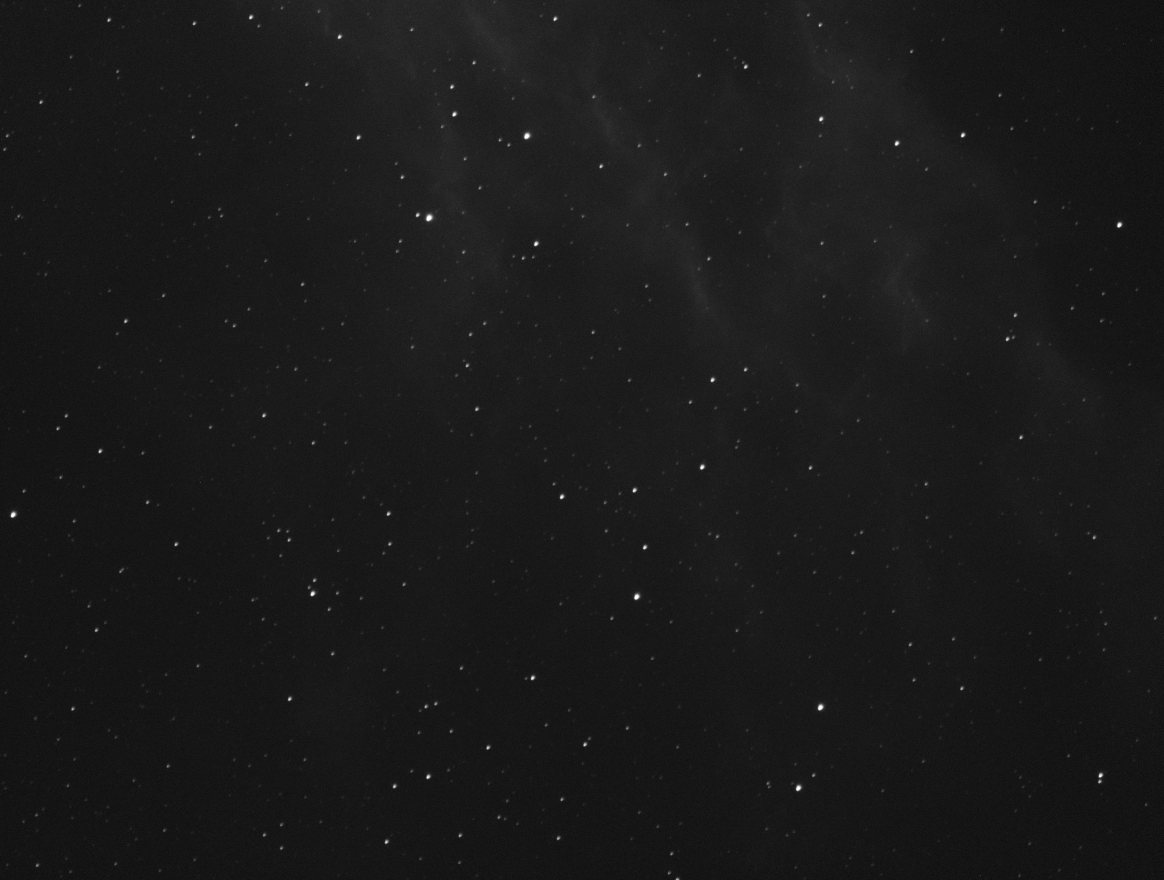
A single calibrated light, stretched for viewing (step 5 explains how), is noisy and has few stars, as a five-minute frame at this focal length does:
2. Register
valerian register calibrated/ -o registered
read 5 frames in 56.2ms
compute: CPU (the GPU is slower for this command; --backend gpu forces it)
reference candidate frame 0: 4 of 4 other frames register
reference: frame 0 (FWHM 8.06 px)
   #  frame                         stars   FWHM  ellip      sky    noise   flux x rms px weight  reject  status
   0  2023-01-25_20-43-49_Ha_-10.0   1000   8.06  0.239     77.7    59.28   1.0000  0.000   0.00   0.00%  reference
   1  2023-01-25_20-49-13_Ha_-10.0   1000   8.22  0.222     77.8    59.31   1.0000  0.438   0.00   0.00%  stacked
...
registered 5 of 5 frames to frame 0; wrote them to registered
register finds the stars in every frame (up to a thousand), chooses the reference (the
sharpest frame that the others register to, here frame 0 with a FWHM of 8.06 pixels)
and fits a transform from each frame to it by matching triangles of stars. rms px is
how far the matched stars are from where the fit puts them: under half a pixel for every
frame here. Each frame is resampled onto the reference grid and written with _reg added
to its name. A frame that cannot be registered (a different field, clouds, too few stars)
is reported as skipped with the reason and left out.
You rarely need register on its own, because stack does it. It is there if you want
registered frames for another tool, or to look at them. See
How registration works.
3. Stack
valerian stack calibrated/ -o stack.fits \
    --report report.txt --coverage coverage.fits
read 5 frames in 59.7ms
compute: GPU: NVIDIA A100 80GB PCIe (Vulkan, DiscreteGpu)
reference candidate frame 0: 4 of 4 other frames register
reference: frame 0 (FWHM 8.06 px)
frame 1: registered, 800 stars matched, rms 0.438 px, shift (7.08, 11.98), rotation -0.0009 deg, flux x0.9974
...
combining 5 frames with Winsorised { low: 3.0, high: 3.0 }, weights NoiseFwhm on GPU: NVIDIA A100 80GB PCIe (Vulkan, DiscreteGpu)
   #  frame                         stars   FWHM  ellip      sky    noise   flux x rms px weight  reject  status
   0  2023-01-25_20-43-49_Ha_-10.0   1000   8.06  0.239     77.7    59.28   1.0000  0.000   1.03   0.66%  reference
   1  2023-01-25_20-49-13_Ha_-10.0   1000   8.22  0.222     77.8    59.31   0.9974  0.438   1.00   0.56%  stacked
   2  2023-01-25_20-54-39_Ha_-10.0   1000   8.58  0.182     75.6    59.02   0.9854  0.448   0.95   0.34%  stacked
   3  2023-01-25_20-59-52_Ha_-10.0   1000   8.09  0.223     75.7    58.78   1.0033  0.436   1.04   0.46%  stacked
   4  2023-01-25_21-05-17_Ha_-10.0   1000   8.27  0.203     74.7    58.92   0.9987  0.442   0.99   0.20%  stacked
5 of 5 frames stacked with Winsorised { low: 3.0, high: 3.0 }, reference frame 0 (2023-01-25_20-43-49_Ha_-10.00_300.00s_0000_cal.fits), 1.6s
wrote stack.fits
wrote coverage.fits
wrote report.txt
The same registration, then the frames are matched in level (sky, flux x), weighted
by noise and star width (weight: the sharper, quieter frames count for more) and combined
with per-pixel outlier rejection (reject is the share of each frame's samples thrown out
as cosmic rays, satellites and the edges of a shifted frame). On a machine with a graphics
card stack uses it by default (compute: GPU: ...); --backend cpu forces the CPU and
the result is the same to within the GPU parity tests' tolerances (see
The GPU kernels). --report keeps the table in a text file and --coverage
writes how many frames contributed to each pixel. See How stacking works.
Look at what you have:
valerian info stack.fits --stats
stack.fits
  size: 4656 x 3520 pixels, 1 plane
  OBJECT    California Nebula Pa
  IMAGETYP  Master Light
  FILTER    Ha
  EXPTIME   300
  EXPOSURE  300
  CCD-TEMP  -10
  SET-TEMP  -10
  GAIN      139
  OFFSET    21
  XBINNING  1
  DATE-OBS  2023-01-25T20:43:49.698
  INSTRUME  ZWO ASI1600MM Pro
  TELESCOP  Starwatcher Esprit 1
  FOCALLEN  840
  NCOMBINE  5
  EXPTOTAL  1500
  plane 0: min -615.6, sky 79.8, noise 39.30, max 68116.2 ADU
  stars: 1000 (median FWHM 8.28 px, ellipticity 0.206)
Five five-minute lights became EXPTOTAL 1500 seconds. The stack is linear, so it looks
almost black until it is stretched.
4. Remove the sky gradient
valerian background stack.fits -o flat.fits --degree 1 --save-model glow.fits
plane 0: 889 samples of 975 tiles (110 px), 16.0% masked, residual rms 13.05, gradient removed 29.6
wrote flat.fits
wrote the background model glow.fits
The image is cut into 110 pixel tiles, each gives the median of its clear pixels, and a
plane (--degree 1) is fitted to the 889 tiles that hold only sky, rejecting the 86 that
stars or the nebula lift. The plane is subtracted and the mean level put back, so the glow
goes and the sky stays where it was. glow.fits is the fitted glow, to look at. This
target fills much of the frame, so a plane, the safest model, is the right choice; see
How background extraction works for polynomials and splines.
5. Look at it: stretch
valerian stretch flat.fits -o stretched.fits --preview stretched.png
black -24.1475, white 22800.3184, Mtf { midtone: 0.04070693853135364 }
plane 0: median 82.9631 -> 0.1000
wrote stretched.fits
wrote preview stretched.png
The black point goes just below the sky, the white point at the 99.995th percentile, and a
midtone transfer function is solved to put the sky at 0.10. --preview writes the result as
a PNG you can open anywhere (add --preview-size for a different size) without committing to
the stretch. The FITS file records the stretch in its header, so
valerian stretch stretched.fits --invert -o linear.fits undoes it. For the curves, see
How stretching works.
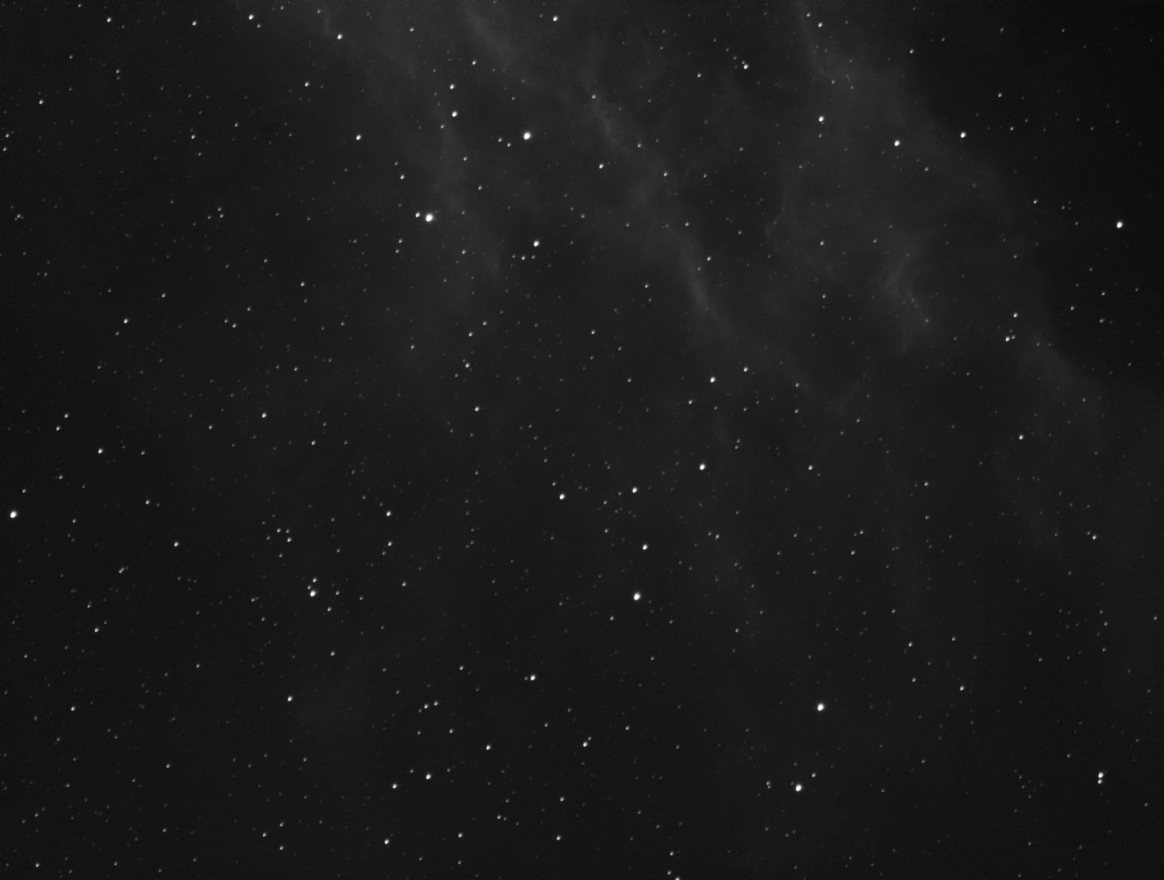
6. Remove the stars
valerian starless flat.fits -o starless.fits --stars-out stars.fits \
    --preview starless.png
2224 stars found, 13.04 % of the pixels filled
wrote starless.fits
wrote stars.fits
wrote preview starless.png
Each star gets a mask disc sized from its brightness and width, and the masked pixels are
filled by diffusion from their surroundings with noise of the local level added. --stars-out
keeps what was taken out (original minus starless), which can be added back later, and
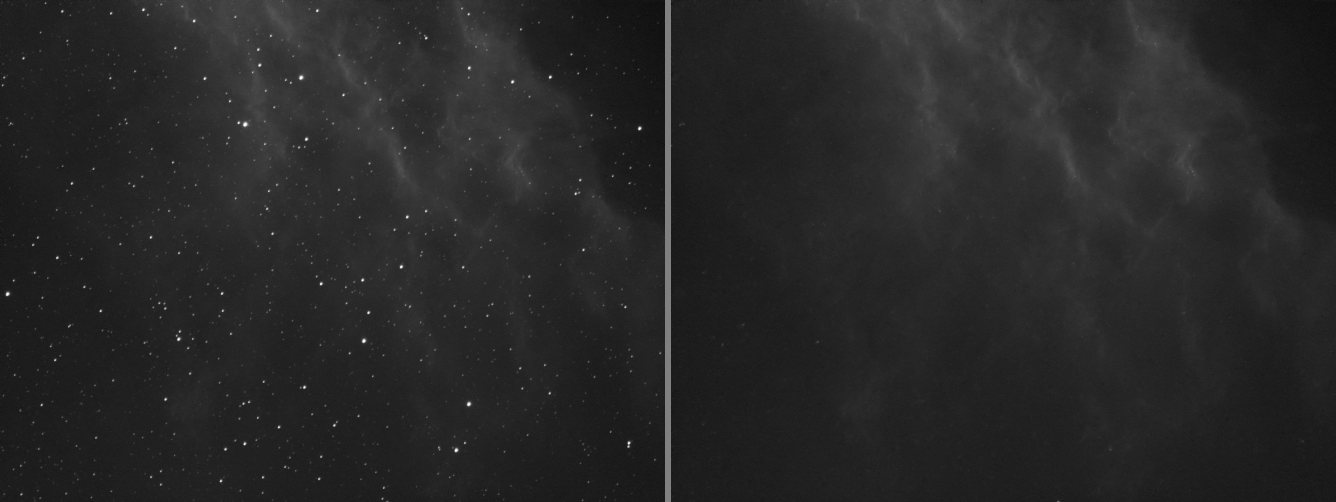
--strength 0.5 would reduce the stars by half instead of removing them. The preview puts the
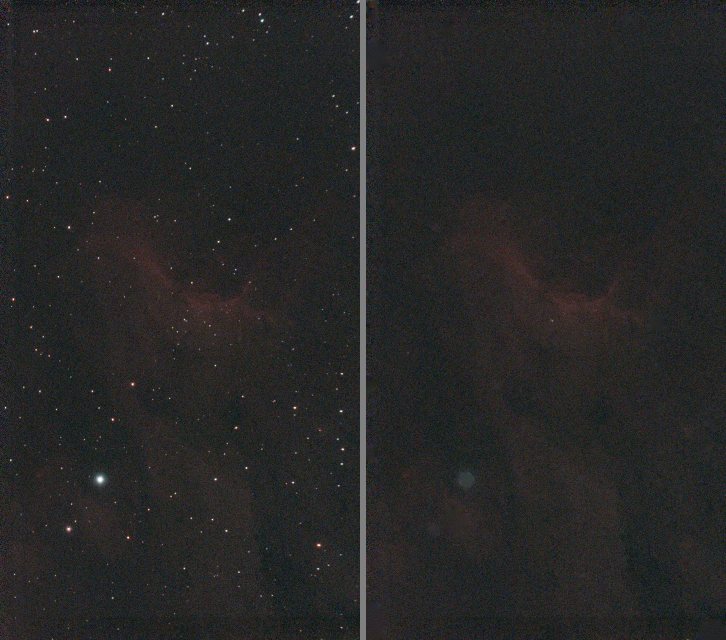
original beside the starless image, both on the same stretch:
It does not recreate texture a bright star hides, and diffraction spikes and stars below the detection limit stay. See How star removal works.
Part 2: one-shot colour, no calibration frames
A Seestar S50 writes raw mosaics. With no darks or flats there is nothing to calibrate against, so go straight to the stack: Valerian demosaics raw Bayer frames itself.
7. Stack sixty frames
valerian stack lights/ -o stack.fits --report report.txt
read 60 frames in 82.6ms
compute: GPU: NVIDIA A100 80GB PCIe (Vulkan, DiscreteGpu)
reference candidate frame 47: 59 of 59 other frames register
reference: frame 47 (FWHM 2.16 px)
...
combining 60 frames with LinearFit { low: 5.0, high: 2.5 }, weights NoiseFwhm on GPU: NVIDIA A100 80GB PCIe (Vulkan, DiscreteGpu)
GPU: 3 calls ran on the device
   #  frame                         stars   FWHM  ellip      sky    noise   flux x rms px weight  reject  status
   0  Light_IC 5070_10.0s_LP_20260    199   2.65  0.300    662.0    54.61   0.9541  0.351   1.18   0.83%  stacked
   1  Light_IC 5070_10.0s_LP_20260    194   2.67  0.313    663.5    54.78   0.9673  0.323   1.12   0.87%  stacked
...
  59  Light_IC 5070_10.0s_LP_20260    117   3.84  0.514    640.0    52.05   1.4967  0.484   0.25   6.43%  stacked
60 of 60 frames stacked with LinearFit { low: 5.0, high: 2.5 }, reference frame 47 (Light_IC 5070_10.0s_LP_20260728-224223.fit), 9.4s
wrote stack.fits
wrote report.txt
With sixty frames Valerian chose linear-fit rejection (--rejection auto: Winsorised below
fifteen frames, sigma clipping to thirty, linear fit above). The weights run from about 2 for the
sharpest, quietest frames down to 0.14 for frame 23, which had lost half its light (it needed a flux
factor of 2.05 to match the reference), and 0.25 for frame 59, whose stars are 3.84 pixels wide and
elongated (ellipticity 0.51): a frame that tracked badly or was dimmed by cloud barely counts. Frame 47,
with the sharpest stars (2.16 pixels), is the reference.
valerian info stack.fits --stats
stack.fits
  size: 1080 x 1920 pixels, 3 planes
  OBJECT    IC 5070
  IMAGETYP  Master Light
  FILTER    LP
  EXPTIME   10
  EXPOSURE  10
  CCD-TEMP  29.125
  GAIN      80
  XBINNING  1
  DATE-OBS  2026-07-28T21:41:58.801919
  INSTRUME  Seestar S50
  TELESCOP  S50_64dbf865
  FOCALLEN  250
  NCOMBINE  60
  EXPTOTAL  600
  plane 0: min 521.4, sky 610.7, noise 12.49, max 74630.9 ADU
  stars: 518 (median FWHM 2.57 px, ellipticity 0.165)
Three planes now: red, green and blue. The header kept the pointing (RA and DEC) and the
optics, which the plate solver will use.
8. Remove the gradient
valerian background stack.fits -o flat.fits --degree 2 --save-model glow.fits
plane 0: 1150 samples of 1258 tiles (33 px), 13.0% masked, residual rms 1.66, gradient removed 15.4
plane 1: 1173 samples of 1245 tiles (33 px), 11.7% masked, residual rms 0.65, gradient removed 8.2
plane 2: 1433 samples of 1470 tiles (33 px), 9.9% masked, residual rms 0.96, gradient removed 9.8
wrote flat.fits
wrote the background model glow.fits
Colour planes are fitted one by one. A light-polluted site has a different glow in each colour, so this is where much of the colour cast goes.
9. Plate solve
Solving needs the star catalogue, a data file next to the program in a release (see
Plate solving). From a source build, point
VALERIAN_CATALOGUE at the one in the repository:
export VALERIAN_CATALOGUE=crates/valerian-core/data/gaia-dr3-g11.vcat
valerian solve flat.fits -o solved.fits
looking within 1.00 deg of RA 313.0583 Dec +44.5044, scale 2.03 to 2.75 arcsec/pixel
solved: centre RA 20h51m16.9s Dec +44d25m25.2s (312.82029, +44.42366 deg)
scale 2.374 arcsec/pixel, field 0.71 x 1.27 deg, rotation 122.34 deg east of north, mirrored
41 of 400 detected stars matched, rms 0.23 arcsec (0.10 px), plain TAN
wrote solved.fits
The position came from the header's RA and DEC, and the pixel scale from FOCALLEN and
XPIXSZ (2.9 micron pixels at 250 mm is 2.39 arcseconds per pixel, searched within 15 per cent either
way). 41 stars agree with the Gaia catalogue to a tenth of a pixel. solved.fits is a copy of the
image with the world coordinate system in its header; the input is never changed. With no position at all
--scale or --scale-range and --blind search the whole sky. See
How plate solving works.
10. Calibrate the colour
valerian photocal solved.fits -o calibrated.fits --stars-out stars.csv
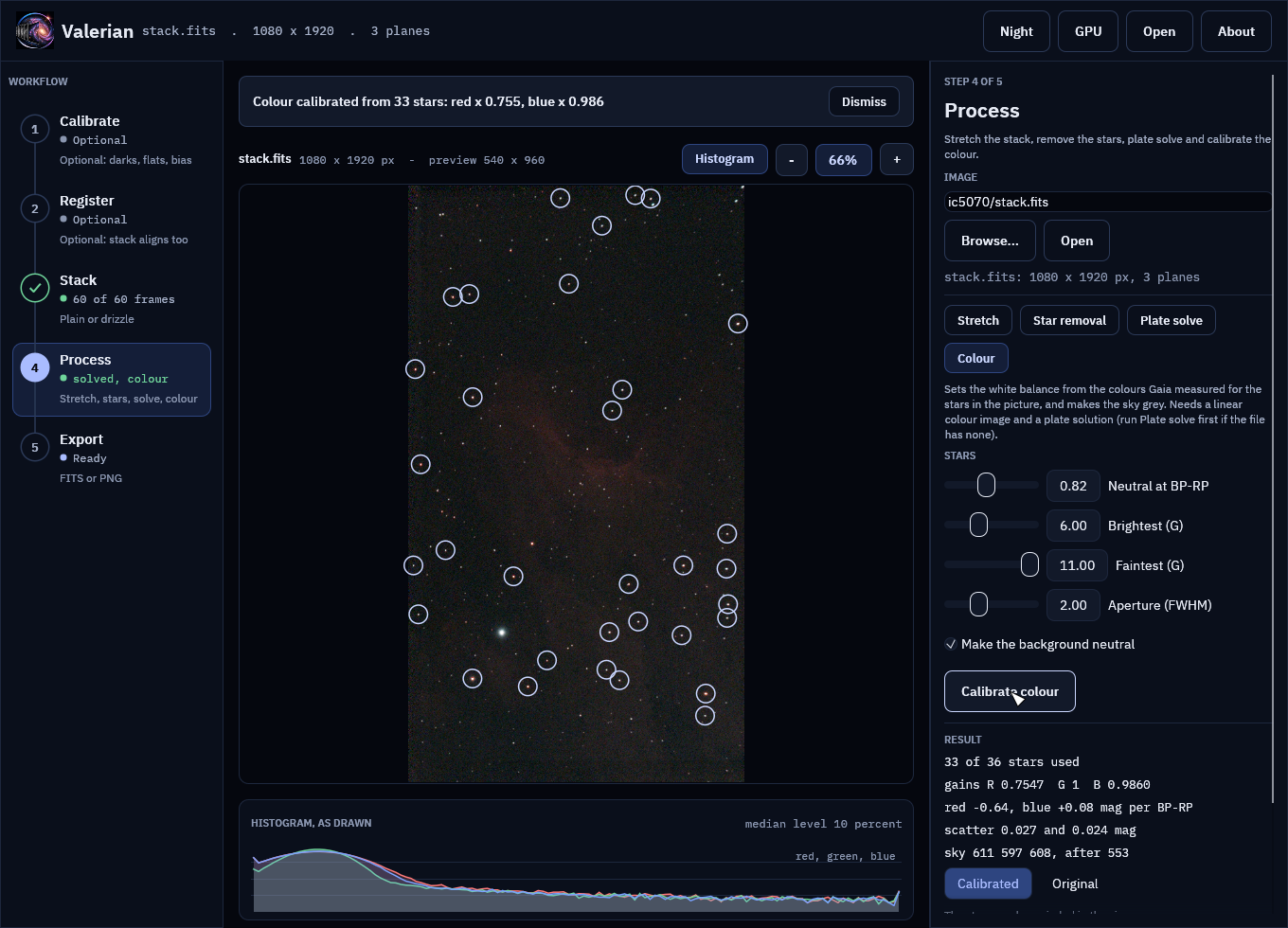
36 Gaia stars measured, 33 used; aperture radius 5.1 px; neutral at BP-RP 0.82
  red against green: slope -0.635 mag per BP-RP, scatter 0.027 mag, gain 0.7547 +/- 0.0032
 blue against green: slope +0.080 mag per BP-RP, scatter 0.024 mag, gain 0.9860 +/- 0.0037
sky before 610.76 597.29 608.32, after 552.68 552.68 552.68 (offsets -91.76 44.61 47.15)
wrote the star table stars.csv
wrote calibrated.fits
The stars of the plate solution are matched to Gaia stars with a known colour (BP-RP), each is
measured through one aperture in red, green and blue, and a line of instrumental colour against
true colour is fitted. The gains make a star like the Sun (BP-RP 0.82) neutral: the red channel is
scaled by 0.7547 and the blue by 0.9860, with green left alone so the brightness stays. The
three planes' sky is then brought to one level, so the background is neutral grey. The gains
and offsets are written to the header as PCCGAINR, PCCGAING, PCCGAINB and the PCCOFF
cards. Do this on a linear image after background extraction and before stretching. See
How colour calibration works.
11. Stretch and remove the stars
valerian stretch calibrated.fits -o stretched.fits --preview stretched.png
valerian starless calibrated.fits -o starless.fits --preview starless.png
black 532.4390, white 5099.4653, Mtf { midtone: 0.0385596760748138 }
plane 0: median 552.7506 -> 0.1002
plane 1: median 552.7175 -> 0.1001
plane 2: median 552.7233 -> 0.1001
wrote stretched.fits
wrote preview stretched.png
684 stars found, 5.62 % of the pixels filled
wrote starless.fits
wrote preview starless.png
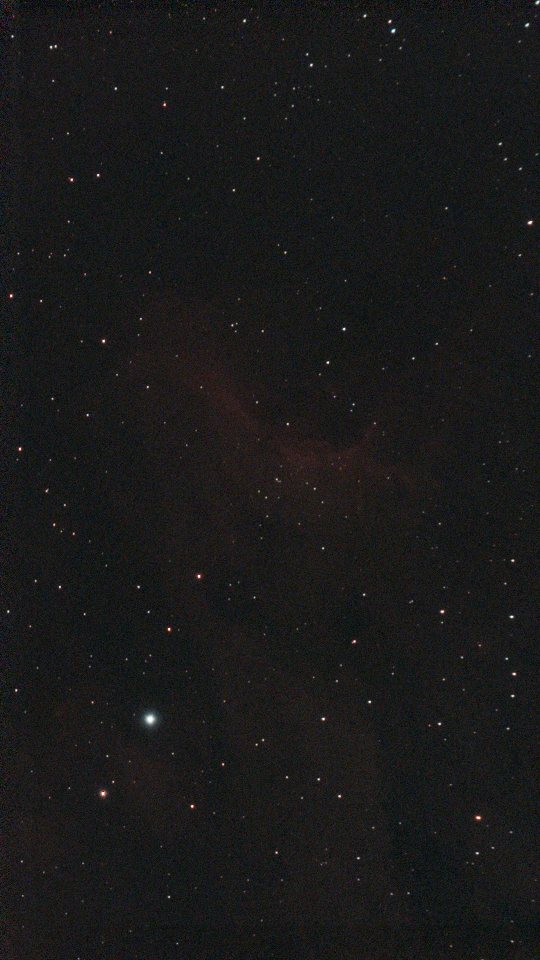
The three planes share one stretch, so the colour balance photocal set is kept and the sky comes out at 0.100 in all three. The sixty-frame stack, plate solved, colour calibrated and stretched:
And with the stars removed:
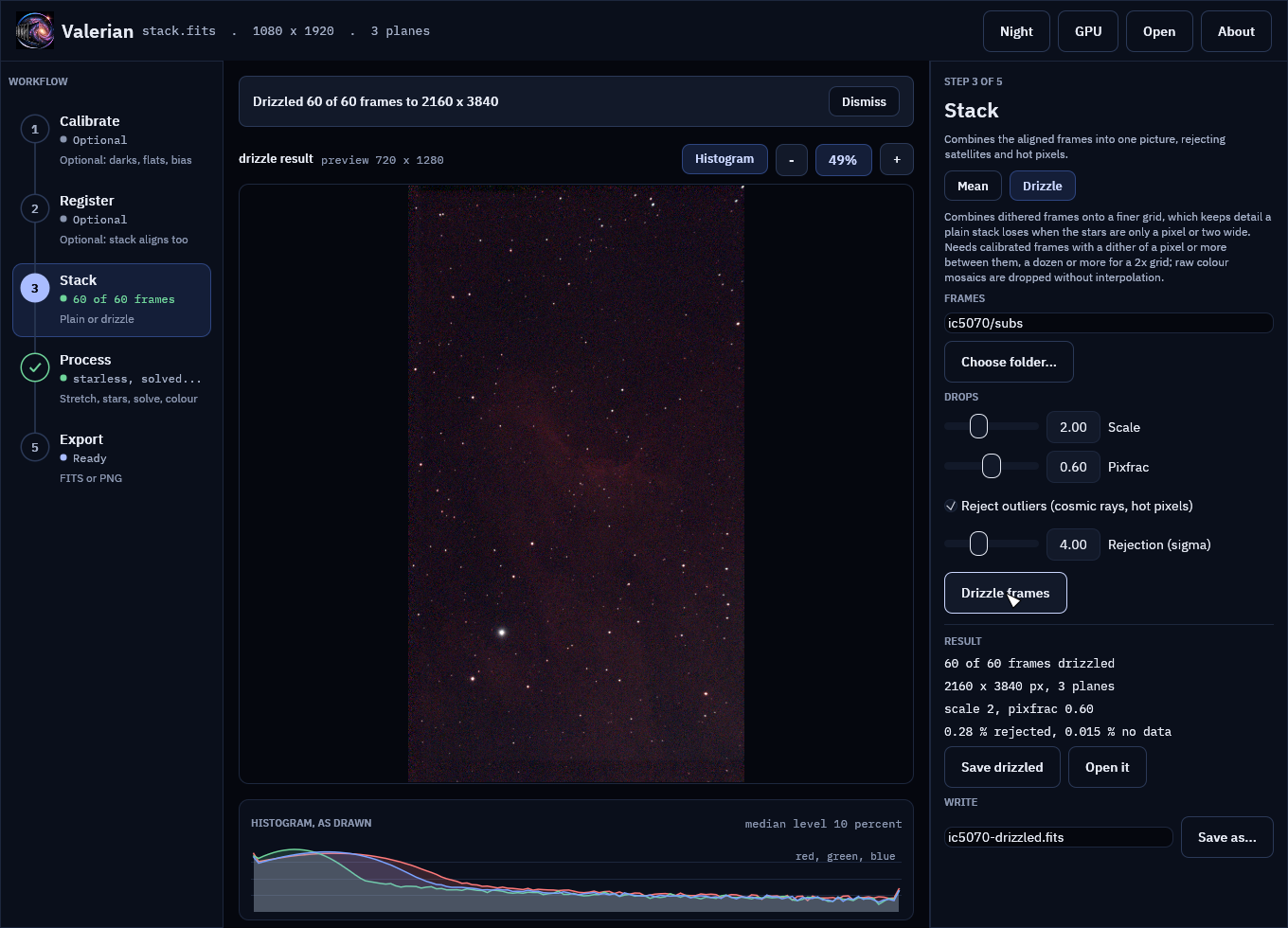
12. Drizzle
The Seestar's frames are dithered, its stars are only about 2.5 pixels wide and a one-shot-colour
sensor samples red and blue at every second pixel: the case drizzle is for. Instead of a plain stack, give drizzle the same
frames, as raw mosaics (it drops each pixel into its own colour plane without interpolating):
valerian drizzle lights/ -o drizzled.fits --scale 2 --pixfrac 0.6 \
    --report drizzle-report.txt
read 60 frames in 88.3ms
registering through demosaiced copies of the mosaics
reference candidate frame 47: 59 of 59 other frames register
reference: frame 47 (FWHM 2.16 px)
drizzling 60 frames onto 2160 x 3840 (scale 2, pixfrac 0.6), raw Grbg mosaics dropped without interpolation
second pass: rejecting input pixels more than 4 sigma from the first result
...
60 of 60 frames drizzled to 2160 x 3840 (scale 2, pixfrac 0.6), reference frame 47 (Light_IC 5070_10.0s_LP_20260728-224223.fit), 0.28 % of the input samples rejected, 0.015 % of the output without data, 9.4s
wrote drizzled.fits
wrote drizzle-report.txt
The result is twice as wide and as tall (2160 by 3840), with 0.015 per cent of the output pixels
no drop reached. It is not colour calibrated yet: solve it (the drizzle removes the WCS) and run
photocal, as in steps 9 and 10. Stretched on its own, it looks like this:
valerian stretch drizzled.fits -o drizzled-stretched.fits --preview drizzled.png
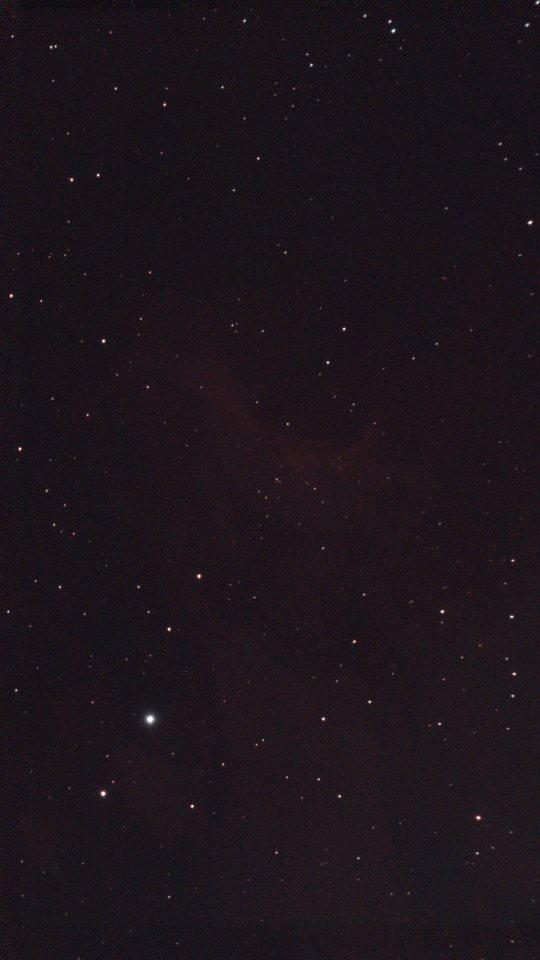
The picture here is shrunk to fit a web page, which hides the detail: open drizzled.fits at full
size next to stack.fits to compare. How much resolution drizzle gains is measured in
How drizzle works, and the nightly Python-parity job in
Building and testing checks it against an independent
measurement. It needs a dither of a pixel or more between frames and a dozen or more of them; with fewer, use a larger
--pixfrac or a smaller --scale.
The same steps in the desktop app
The desktop app (valerian-gui) has every step of this page on its workflow rail:
Calibrate, Register, Stack, Process (Stretch, Star removal, Plate solve and Colour) and
Export, with Drizzle beside Stack. The screenshots below are the real window working on the
frames of this page, drawn by the GUI's own tests (see
Building and testing). Background
extraction (step 4) is on the command line for now.
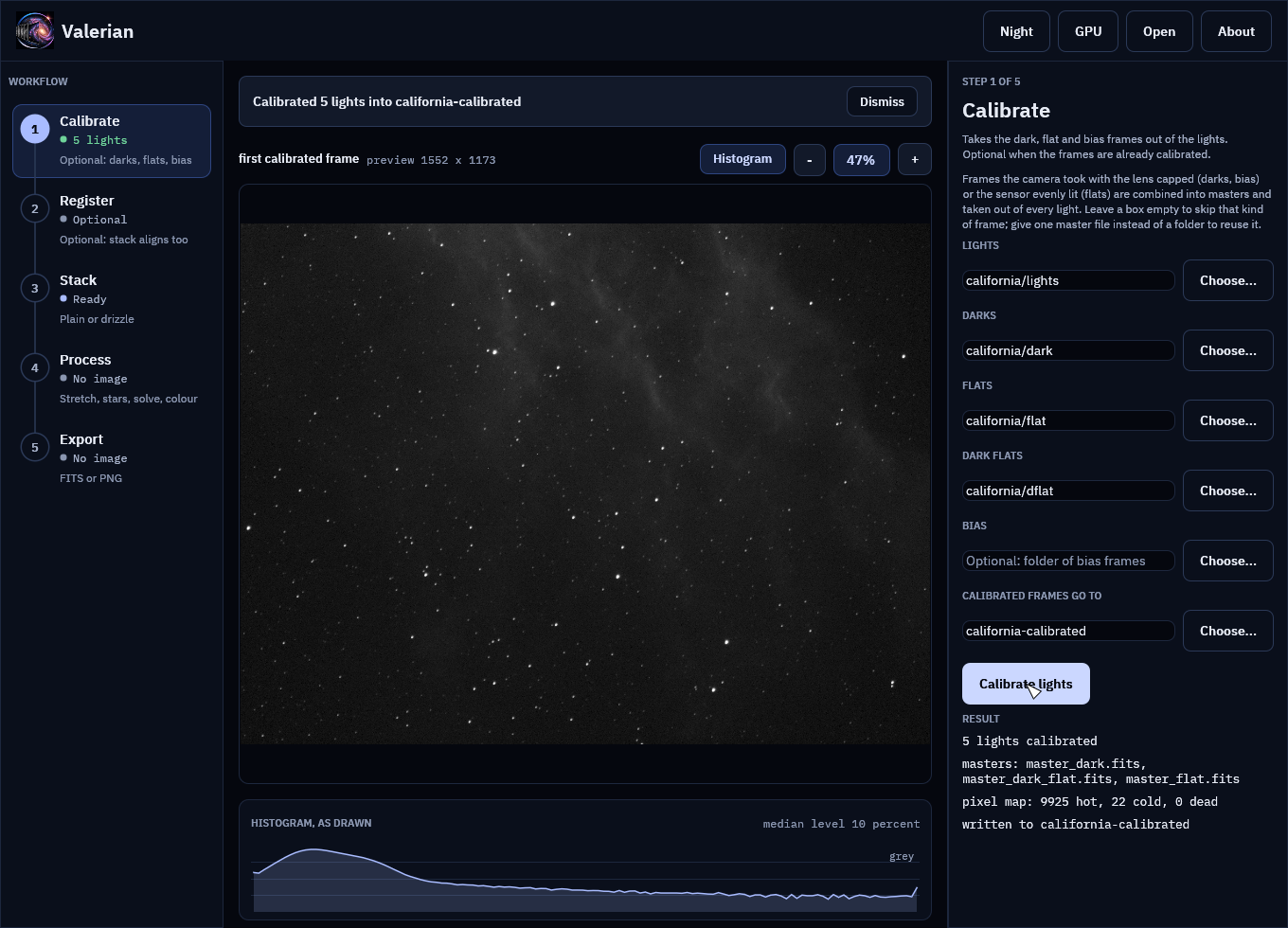
Part 1 in the window: name the lights, darks, flats and dark flats and press Calibrate lights. The viewer shows the first calibrated frame, and the panel says what was made.
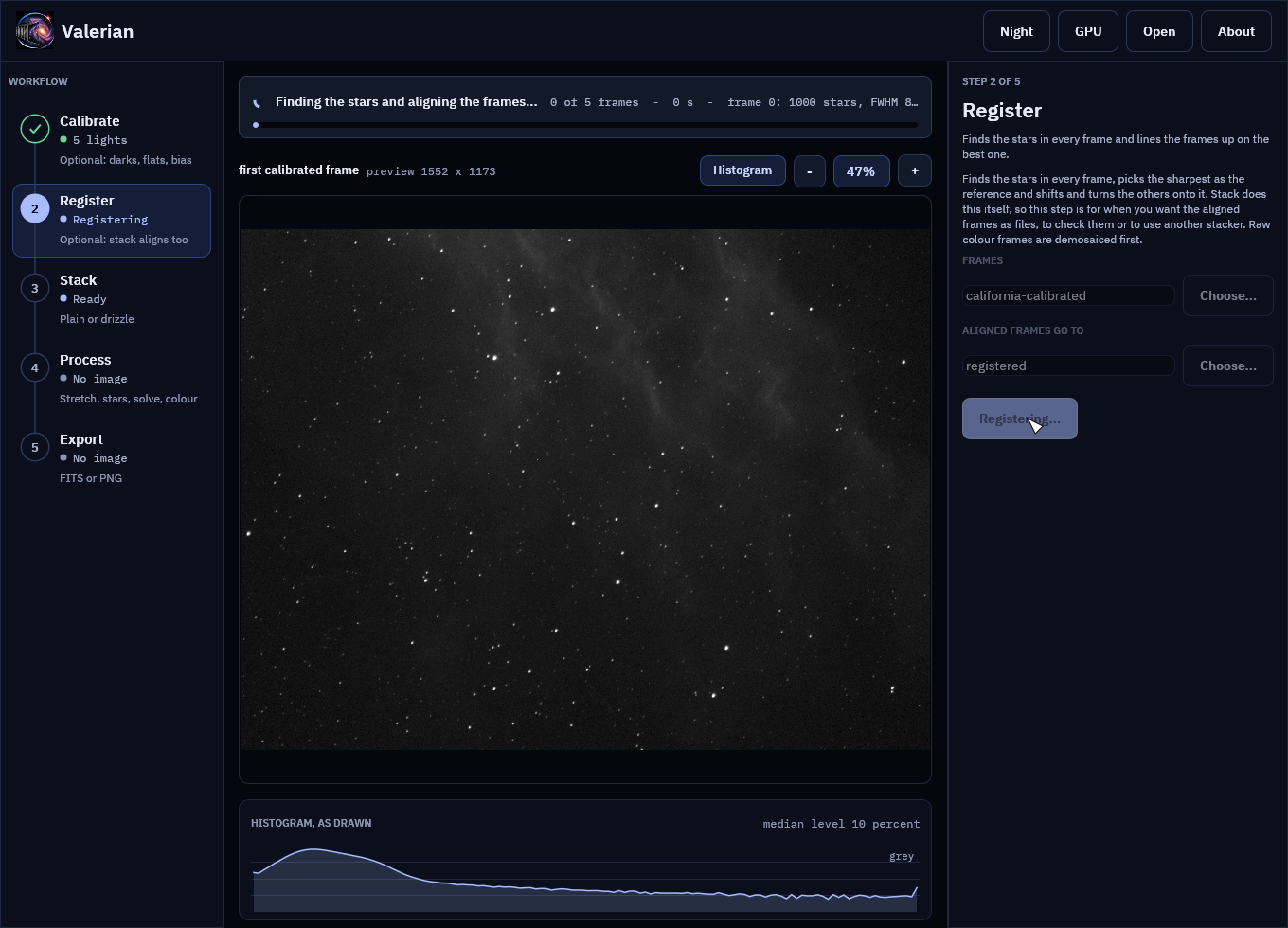
Register frames finds the stars and aligns the frames; the notice above the picture shows the frame it is on, with its star count and seeing, while it works.
Part 2 in the window: Stack frames on the folder of sixty raw Seestar frames registers, combines and opens the stack, ready for the Process step.
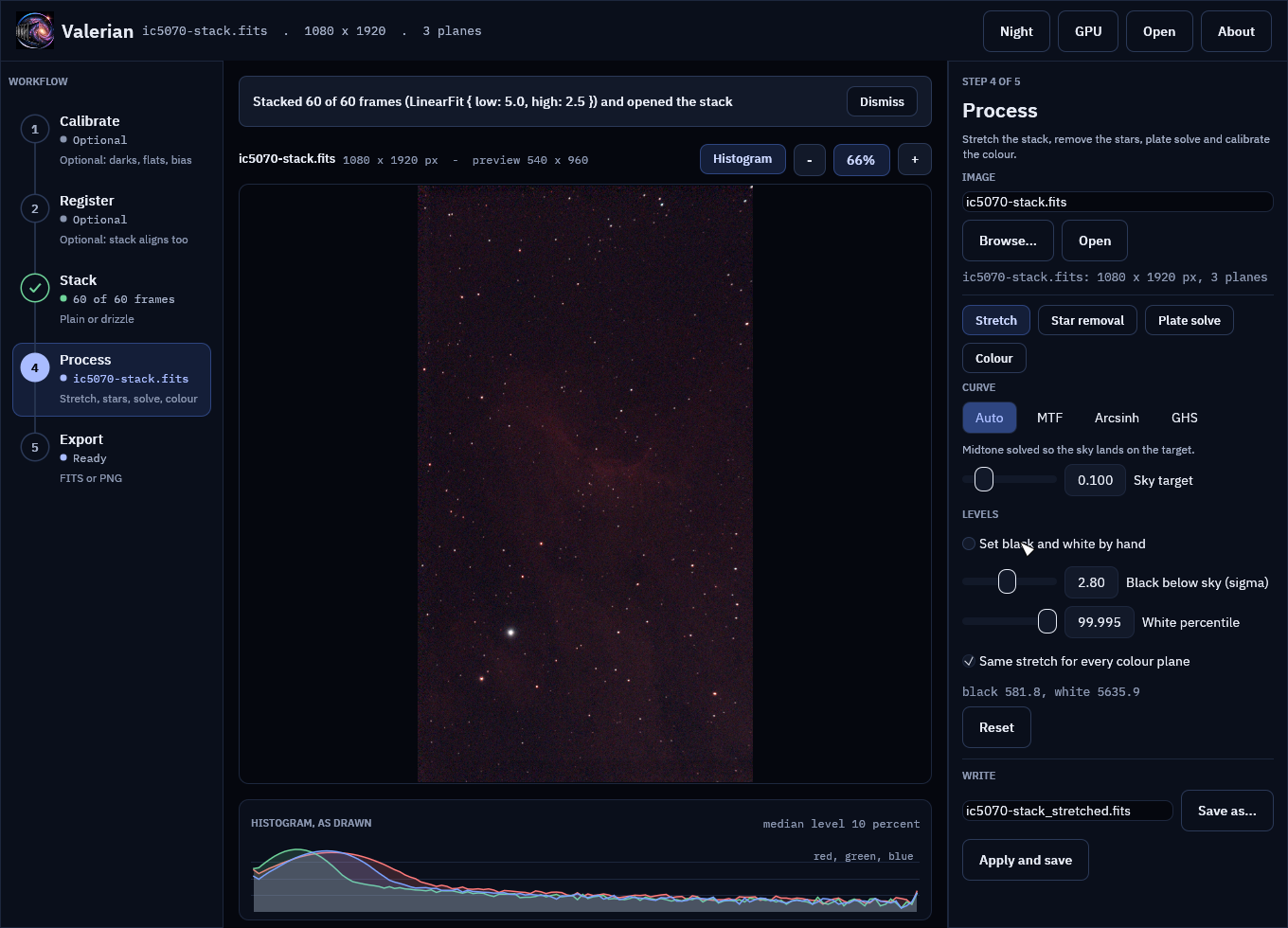
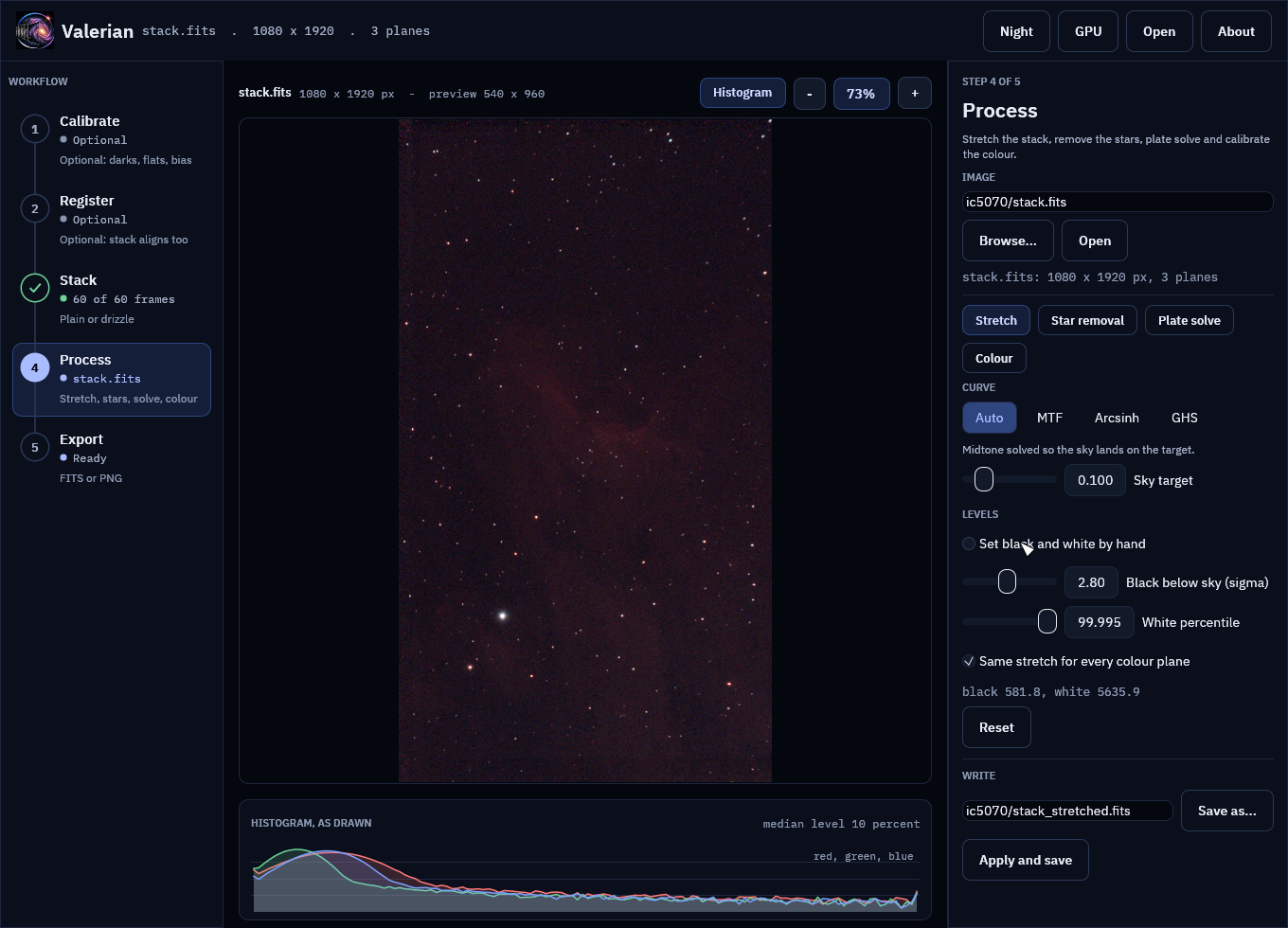
The tools of the Process step work on that stack. Stretch, with the histogram of what is drawn under the picture:
Star removal:
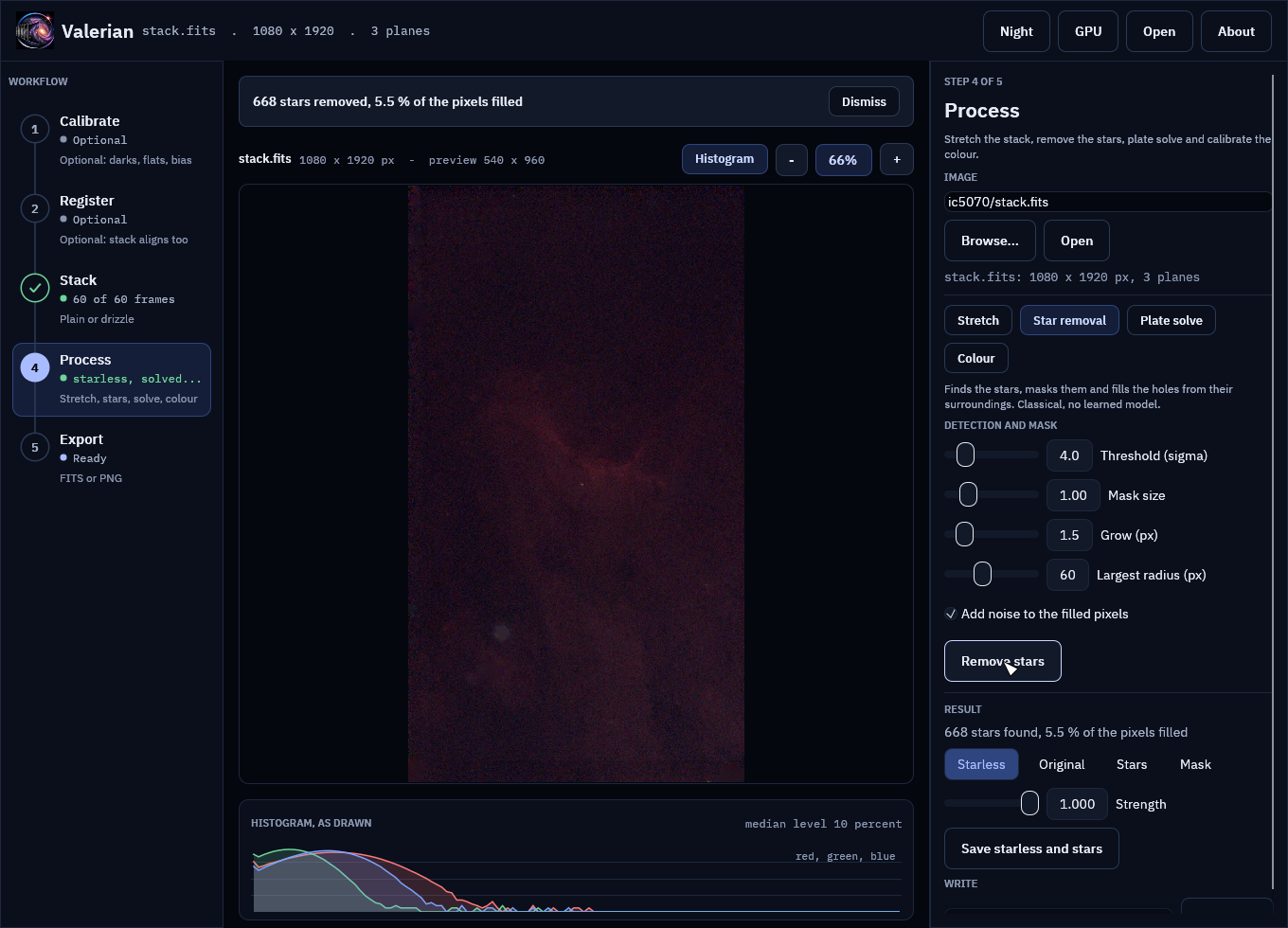
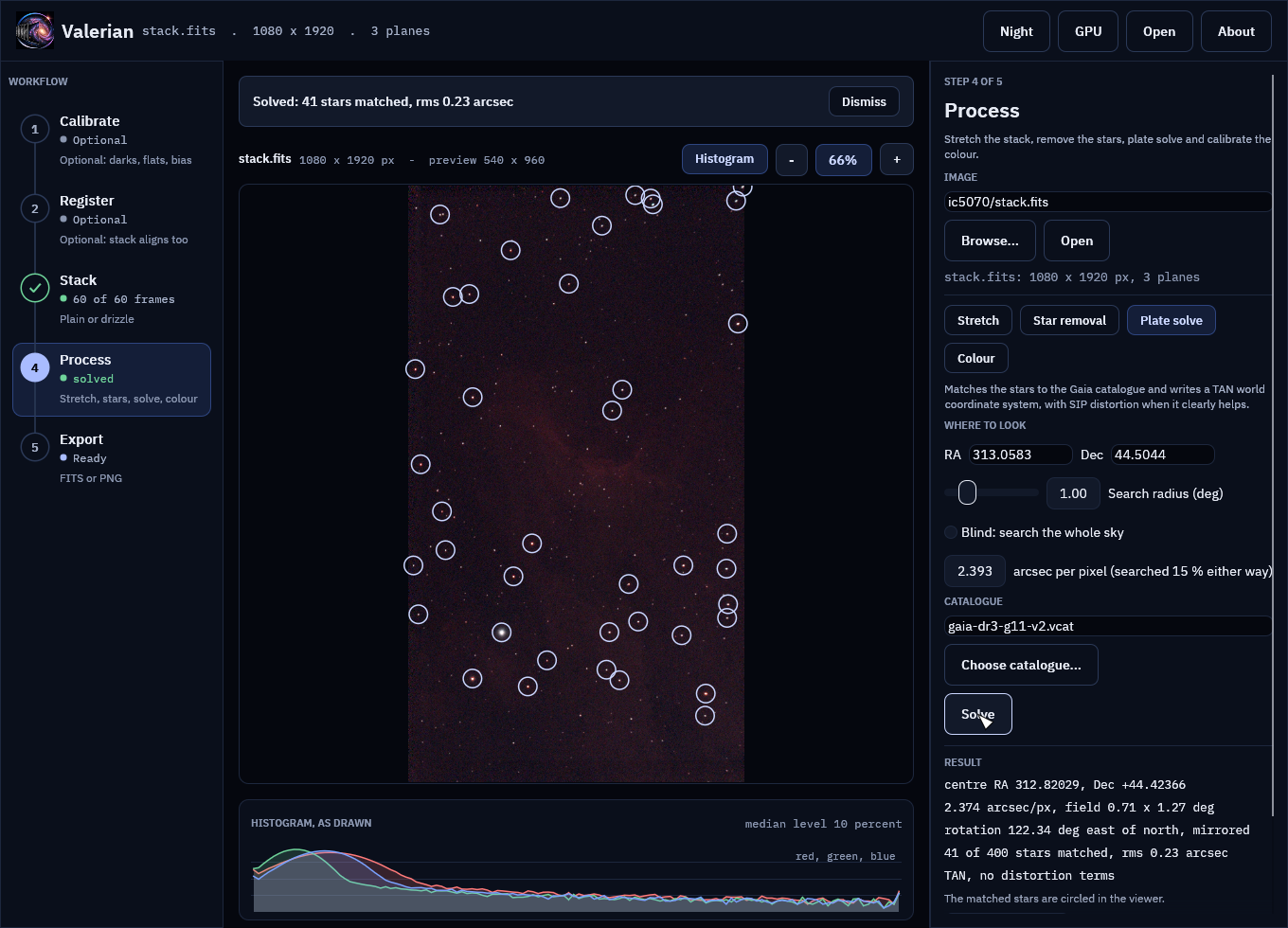
Plate solve, with the matched stars circled:
Colour, calibrated against Gaia star colours:
Drizzle, in the Stack step, on the same sixty frames:
The desktop app describes every step, the notices, the view and the file dialogs.
Without a telescope
If you have no data yet, the repository has a small script that writes a made-up session: a star field that drifts a few pixels from frame to frame, with a bias level, dark current, hot pixels, vignetting, dust, cosmic rays and one frame of poor seeing. It needs only the Python standard library, and the same seed always gives the same files:
python3 scripts/make_synthetic_session.py demo
valerian calibrate demo/lights --dark demo/darks --flat demo/flats --dark-flat demo/dark-flats \
    -o demo/calibrated --masters demo/masters
valerian stack demo/calibrated -o demo/stack.fits --report demo/report.txt
wrote 12 lights, 8 darks, 8 flats and 8 dark flats to demo/
It is a way to try the tools, not a picture of the sky. The poor-seeing frame (frame 7, FWHM 5.9 pixels against 3.4) gets a weight of 0.33 where the sharp frames get 1.1 to 1.2, which is what the weights are for.
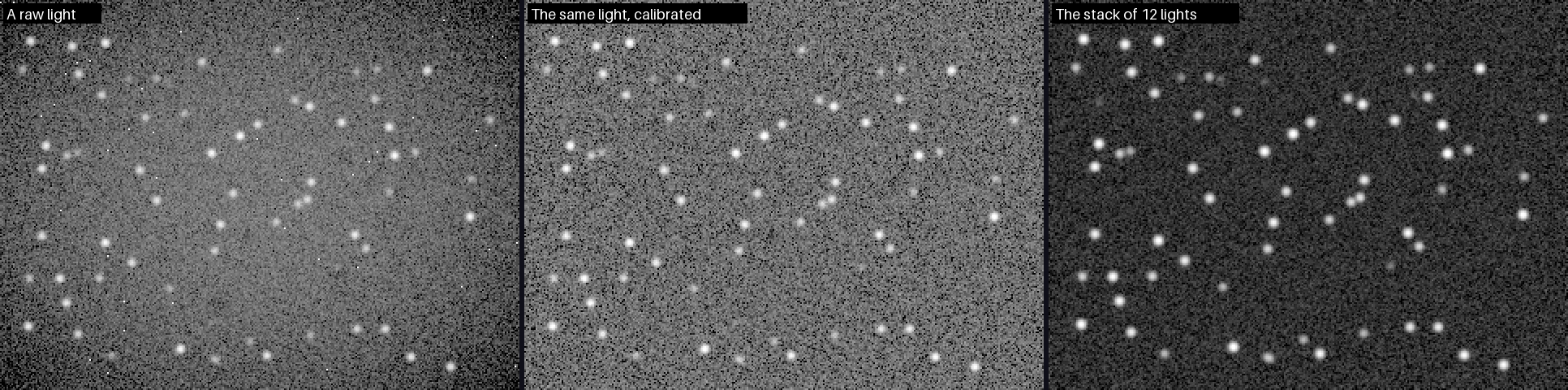
Where next
The quick start is the short version of this page, the CLI reference lists every option, and each tool has a page that explains the method and its limits.
Tutorials
These pages are numbered walk-throughs. Each one has a goal, the data it uses, the exact commands, what the terminal prints (pasted from a real run), a before and after picture, how to tell it worked and what to do when it did not. They follow one thread, so each page starts where the previous one ends.
If you want to know why a step works the way it does, read the matching "How X works" page in the user guide; the tutorials link to it. If you want one page that runs the whole chain once, read A first session. Every option is listed with its range and default in the command line reference.
| # | Tutorial | You will | Data |
|---|---|---|---|
| 1 | Install | get Valerian, check the download, check it runs | none |
| 2 | Calibrate | remove dark current, hot pixels, vignetting and dust | ASI1600MM, H-alpha |
| 3 | Register | line sixty frames up on the sharpest one | Seestar S50, IC 5070 |
| 4 | Stack | combine them with rejection and weights | IC 5070 |
| 5 | Background extraction | take the sky glow out | IC 5070 |
| 6 | Stretch | make the linear stack visible | IC 5070 |
| 7 | Star removal | take the stars out, keep them aside | IC 5070 |
| 8 | Plate solve | find where the picture points | IC 5070, Gaia catalogue |
| 9 | Photometric colour | set the white balance from star colours | IC 5070 |
| 10 | Drizzle | recover resolution from dithered frames | IC 5070 |
| 11 | GPU | check the adapter and measure the speed-up | IC 5070 |
One tutorial is for the desktop app only: Cancelling a running step stops Calibrate, Register, Stack or a Process tool part way and shows that nothing is left behind.
The two captures
IC 5070, the Pelican Nebula (tutorials 3 to 11). Sixty 10-second sub-exposures from a Seestar S50 (250 mm focal length, 1080 by 1920 pixels, raw Bayer data in GRBG order, light pollution filter, 2026-07-28). They are raw mosaics: Valerian demosaics them itself. A Seestar writes no darks or flats, so there is nothing to calibrate against and the thread goes straight from the lights to registration.
The California Nebula in H-alpha (tutorial 2 only). Twenty-five 300-second lights from a
ZWO ASI1600MM Pro (monochrome, 4656 by 3520 pixels, Starwatcher Esprit at 840 mm, -10 C
sensor), ten 300-second darks, thirty 2.04-second flats and thirty 2.04-second dark flats.
This is the capture with a full set of calibration frames. The twenty-five lights are five
panels of five (the header RA and DEC differ between the panels), which tutorial
2 uses to show what a mixed set looks like.
Both are real captures. You do not need them: every command takes your own folders.
How the numbers and pictures were made
Every block of terminal output is pasted from a run of the valerian binary built from
this repository on a 32-core AMD EPYC 7543 Linux server with an NVIDIA A100 (the machine is
shared, so times vary by a few seconds from run to run, and are not a promise for your
computer). Where a page quotes a time, it says which run it came from.
Each picture is a crop or a reduction of a real output file, written by a small script that reads the FITS file, applies the stated stretch and saves the result. Linear data has to be stretched to be seen, so every linear image on these pages has a screen stretch applied and the page says so: black point at the sky level minus 2.8 robust sigma, white point at the 99.9th percentile, and a midtone transfer function that puts the sky at 20 per cent grey. Pictures of data that Valerian has already stretched are shown as they are. Photographs are saved as JPEG to keep the book small, and black-and-white pictures as PNG.
Folders used on these pages
lights/        the raw light frames (FITS)
darks/         dark frames          (tutorial 2 only)
flats/         flat frames          (tutorial 2 only)
dark-flats/    dark flats           (tutorial 2 only)
Each tutorial names the files it writes in the folder you run it from, so that the next one can read them.
The desktop app
The desktop app does the same steps in a window, apart from background extraction. The tutorials give the command line, which is where every option is spelled out, and end each page with a short note that names the matching step or tool of the app and links to its reference. The app has its own walk-through: a session in the desktop app.
Tutorial 1: Install Valerian
Goal: have a valerian you have checked, that opens, finds its star catalogue and can see
your graphics card (if you have one). It takes about five minutes and needs no data.
What you need: a Windows 10 or 11 (64-bit) PC, or a 64-bit Linux with glibc 2.35 or newer (Ubuntu 22.04, Debian 12, Fedora 36 or later), and a release file (early access: releases are not public yet, so contact 12hobbies.studio). The Linux and Windows steps below were run on release 0.2.0: Windows 11 for the Windows steps, a 64-bit Linux server for the Linux ones.
The full table of packages (.deb, .rpm, AppImage, the Windows installer and the
archives) is on the getting started page; this tutorial follows
the two archive routes because they work the same everywhere, and says what differs for the
installers.
Step 1: Download the file and its checksum
From the 0.2.0 release page download two things into one folder:
| System | File |
|---|---|
| Windows | valerian-0.2.0-x86_64-pc-windows-msvc.zip (or the -setup.exe installer) |
| Linux, x86-64 | valerian-0.2.0-x86_64-unknown-linux-gnu.tar.gz |
| Linux, ARM (Raspberry Pi 4 or 5 on a 64-bit system) | valerian-0.2.0-aarch64-unknown-linux-gnu.tar.gz |
and SHA256SUMS. SHA256SUMS has one line per file in the release: the checksum, two
spaces, the file name.
Step 2: Check the download
A checksum catches a download that was cut short, corrupted or swapped. Do this before you run anything.
Linux:
sha256sum -c SHA256SUMS --ignore-missing
valerian-0.2.0-x86_64-unknown-linux-gnu.tar.gz: OK
--ignore-missing is there because SHA256SUMS lists every file of the release and you
downloaded one. The word to look for is OK. To see what a bad download looks like, this is
the same check on a copy with one byte added to the end:
bad.tar.gz: FAILED
sha256sum: WARNING: 1 computed checksum did NOT match
Delete a file that says FAILED and download it again. Do not run it.
Windows (PowerShell):
(Get-FileHash valerian-0.2.0-x86_64-pc-windows-msvc.zip -Algorithm SHA256).Hash.ToLower()
9609fa94d721bd04f0c4fbd8260db02706cf18dcfd13b1889d08c9d53a8c813e
Open SHA256SUMS and compare it with the line for the same file name; they must be the same
64 characters (here the line begins 9609fa94d721...). The Windows files also have a small
.sha256 file beside them with the same value. The Windows files are added to a release by a
second build, so they can appear a little after the Linux ones.
Step 3: Install it
Windows, zip. Right-click the zip, choose Extract All, and open the folder. It holds
valerian.exe (the command line tool), valerian-gui.exe (the desktop app), the star
catalogue gaia-dr3-g11.vcat and the licences. Nothing is installed and nothing is written
to the registry: delete the folder to remove it.
Windows, installer. Run valerian-0.2.0-x86_64-pc-windows-msvc-setup.exe. The installer is
not code-signed yet, so Windows shows "Windows protected your PC" with "Unknown publisher":
after the checksum matched, choose More info, then Run anyway. The default, Just for
me, installs to %LOCALAPPDATA%\Programs\Valerian and needs no administrator rights. The installer
offers to add the valerian command to your PATH, which you want if you intend to type valerian
in any terminal; it is off by default.
Linux, archive:
tar -xzf valerian-0.2.0-x86_64-unknown-linux-gnu.tar.gz
cd valerian-0.2.0-x86_64-unknown-linux-gnu
ls
ADDITIONAL-TERMS.md
CC-BY-SA-3.0-IGO.txt
CHANGELOG.md
gaia-dr3-g11.vcat
LICENSE
LOGO-LICENCE.md
README.md
share
THIRD-PARTY-LICENSES.txt
valerian
valerian-gui
valerian is the command line tool, valerian-gui the desktop app and gaia-dr3-g11.vcat
the catalogue of 1,247,240 stars that plate solving needs. Keep the three
together. To type valerian anywhere, copy the folder somewhere permanent and add it to your
PATH, or install the .deb (sudo apt install ./valerian_0.2.0_amd64.deb) or .rpm
(sudo dnf install ./valerian-0.2.0-1.x86_64.rpm), which put the programs in /usr/bin and
the catalogue in /usr/share/valerian. On other distributions the AppImage runs without
installing: chmod +x Valerian-0.2.0-x86_64.AppImage, then
./Valerian-0.2.0-x86_64.AppImage --cli --version.
Step 4: Check it runs
From the extracted folder (on Windows, in PowerShell inside the folder, as .\valerian.exe):
valerian --version
valerian 0.2.0
commit: a7ed5a9a
built: 2026-10-20 17:37 UTC
profile: release
target: x86_64-unknown-linux-gnu
rust: rustc 1.99.1 (58cf8f9c3 2026-10-13)
wgpu: 30.0.1

Copyright (C) 2026 Laurence Horrocks-Barlow
Licence: GPL-3.0-or-later
...
The first line is the version, commit and built identify the exact build, and target is
the platform (x86_64-pc-windows-msvc on Windows). The licence text that follows is part of
the output on purpose: the additional terms ask that it stays. A development
build says commit: unknown if it was made outside a git checkout.
If you are not in the folder, type the path: ./valerian on Linux, .\valerian.exe on
Windows, or the full path. Now look at the machine:
valerian info --gpu
valerian 0.2.0
commit: a7ed5a9a
built: 2026-10-20 17:37 UTC
profile: release
target: x86_64-unknown-linux-gnu
rust: rustc 1.99.1 (58cf8f9c3 2026-10-13)
wgpu: 30.0.1
catalogue: /opt/valerian-0.2.0-x86_64-unknown-linux-gnu/gaia-dr3-g11.vcat (1247240 stars)
gpu: NVIDIA A100 80GB PCIe (Vulkan, DiscreteGpu)
On the Windows 11 laptop the last two lines were:
catalogue: C:\...\valerian-0.2.0-x86_64-pc-windows-msvc\gaia-dr3-g11.vcat (1247240 stars)
gpu: NVIDIA GeForce RTX 3050 Ti Laptop GPU (Vulkan, DiscreteGpu)
Two lines matter:
catalogue:says the star catalogue was found beside the program, with its star count.valerian solveandvalerian photocalneed it.gpu:says which graphics adapter Valerian opened, the graphics interface it used (Vulkan, or Dx12 on Windows) and its type.DiscreteGpuis a graphics card. A type ofCpumeans a software adapter that runs on the processor, which is slower than Valerian's own CPU code; see tutorial 11.
Finally, list the commands:
valerian --help
Deep-sky image processing

Usage: valerian <COMMAND>

Commands:
  calibrate   Calibrate light frames with bias, dark, flat and dark-flat frames
  register    Register frames to a reference and write them on its grid
  stack       Register, normalise, weight and combine frames into one image
  drizzle     Combine dithered frames onto a finer grid with drizzle
  bench       Time the GPU kernels against the CPU code and check they agree
  background  Model and remove the sky gradient of an image
  stretch     Stretch a linear image to a viewable one (MTF, arcsinh or GHS)
  starless    Remove or reduce the stars of an image
  solve       Plate-solve an image and write its world coordinate system (TAN-SIP)
  photocal    Calibrate the colour of an image against Gaia star colours
  info        Describe FITS files, or this build and the machine it runs on
  help        Print this message or the help of the given subcommand(s)

Options:
  -h, --help     Print help
  -V, --version  Print version
valerian COMMAND --help lists the options of one command.
Settings and environment
| Setting | What it does | Default |
|---|---|---|
valerian --version, -V | build information and the licence text | |
valerian info | the same build information plus catalogue:; no file needed | |
valerian info --gpu | also opens the graphics adapter and reports it, or says why it could not | off |
valerian info --gpu --software | opens the software (fallback) adapter instead: lavapipe on Linux, WARP on Windows | off |
VALERIAN_CATALOGUE | environment variable: full path of the star catalogue, when it is not beside the program | unset |
How to tell it worked
sha256sum -cprintsOK(or the PowerShell hash is the one inSHA256SUMS).valerian --versionprintsvalerian 0.2.0or newer.valerian infoprints acatalogue:line with a path and(1247240 stars).
Troubleshooting
FAILED from sha256sum, or a hash that does not match. The file is damaged or is not
the one the release published. Download it again, in a browser or with a tool that follows
redirects, and check again. A hash that differs only in letter case is the same hash (the
Windows command above lower-cases it for that reason).
valerian: command not found (Linux) or valerian is not recognised (Windows). The
program is not on your PATH. That is the default for both archives and for the Windows
installer unless you chose to add the command to your PATH in the installer. Run it by its path
(./valerian, .\valerian.exe), or add its folder to PATH. On Windows, open a new
terminal after you change PATH; terminals that were already open do not see it.
catalogue: not found in valerian info, or valerian: no star catalogue found; looked for gaia-dr3-g11.vcat in: ... from valerian solve. The catalogue is not beside the
program. This was reproduced by copying valerian alone into an empty folder; the error lists
every place it looked (beside the program, in a data folder there, in ../share/valerian,
and in VALERIAN_CATALOGUE). Copy gaia-dr3-g11.vcat next to the program, or set
VALERIAN_CATALOGUE to its full path (export VALERIAN_CATALOGUE=/path/gaia-dr3-g11.vcat, or
$env:VALERIAN_CATALOGUE = 'C:\path\gaia-dr3-g11.vcat' in PowerShell). Then
valerian info shows the path it uses.
gpu: unavailable (could not open GPU device: ...). No graphics driver that supports
Vulkan (or DirectX 12 on Windows) was found. Valerian still works: commands choose the CPU
(compute: CPU (no GPU: ...)). To use a graphics card, install the vendor's current driver. On
a Linux server, check vulkaninfo --summary lists your card. See tutorial 11.
Windows says "Windows protected your PC". The installer and the executables are not code-signed yet. After you have checked the checksum, More info, then Run anyway.
The AppImage says it cannot mount itself. The system has no FUSE. Run it with
APPIMAGE_EXTRACT_AND_RUN=1 ./Valerian-0.2.0-x86_64.AppImage, or install libfuse2.
An error naming GLIBC_2.35 on Linux ("version `GLIBC_2.35' not found"). The system's C library is older than the build
machine's. Use a newer distribution release, or build from source.
The desktop app
valerian-gui (the Start menu entry Valerian on Windows) opens the window. Its About page (F1) shows the version and build lines, and its button that opens the GPU adapter adds it, the
same facts as valerian info --gpu. See The desktop app.
Where next
Tutorial 2 calibrates a set of mono frames with darks, flats and dark flats; if you shoot with a Seestar or any camera that has no calibration frames, skip to tutorial 3.
Tutorial 2: Calibrate
Goal: turn raw light frames into calibrated ones: subtract the dark current and the electronic offset, divide out vignetting and dust, and repair the hot pixels. You finish with one calibrated frame per light and three master frames you can reuse.
Data: the ASI1600MM H-alpha capture of the California Nebula (see the two captures): 25 lights of 300 s, 10 darks of 300 s, 30 flats of 2.04 s and 30 dark flats of 2.04 s, all at -10 C and gain 139. It is the one capture in these tutorials with a full set of calibration frames. If you have no darks or flats (a Seestar, or any camera that writes none), skip this tutorial: the raw frames go straight to tutorial 3.
Why these frames. The darks match the lights in exposure (300 s), temperature (-10 C) and
gain, so the dark can be subtracted as it is. The flats are short (2.04 s), so the thing to
subtract from them is a dark flat of the same 2.04 s, not the 300 s dark. If you have bias
frames instead of dark flats, pass them with --bias. For the method, see
How calibration works.
Step 1: Put the frames in folders
One folder per kind of frame:
lights/        25 files   2023-01-25_20-43-49_Ha_-10.00_300.00s_0000.fits ...
darks/         10 files   2023-01-26_14-29-21_Ha_-10.00_300.00s_0000.fits ...
flats/         30 files   2023-01-25_17-55-32_Ha_-10.00_2.04s_0000.fits ...
dark-flats/    30 files   2023-01-25_18-21-01_Ha_-10.00_2.04s_0000.fits ...
Valerian does not read the file names to tell the kinds apart: it uses the option you give
each folder (--dark, --flat, ...). Check that a folder holds what you think with info:
valerian info darks/2023-01-26_14-29-21_Ha_-10.00_300.00s_0000.fits
darks/2023-01-26_14-29-21_Ha_-10.00_300.00s_0000.fits
  IMAGETYP  DARK
  FILTER    Ha
  EXPTIME   300
  EXPOSURE  300
  CCD-TEMP  -10
  SET-TEMP  -10
  GAIN      139
  OFFSET    21
  XBINNING  1
  DATE-OBS  2023-01-26T14:29:21.050
  INSTRUME  ZWO ASI1600MM Pro
  TELESCOP  Starwatcher Esprit 1
  FOCALLEN  840
Compare EXPTIME, CCD-TEMP, GAIN and OFFSET with a light's: the darks must agree with
the lights, and the flats must agree with the dark flats.
Step 2: Calibrate
valerian calibrate lights/ \
    --dark darks/ --flat flats/ --dark-flat dark-flats/ \
    -o calibrated --masters masters
compute: CPU (the GPU is slower for this command; --backend gpu forces it)
dark: combined 10 frames with Winsorised { low: 3.0, high: 3.0 } in 1.1s
dark flat: combined 30 frames with LinearFit { low: 5.0, high: 2.5 } in 3.8s
flat: combined 30 frames with LinearFit { low: 5.0, high: 2.5 } in 4.6s
pixel map: 9925 hot, 22 cold, 0 dead
wrote masters/master_dark.fits
wrote masters/master_dark_flat.fits
wrote masters/master_flat.fits
lights/2023-01-25_20-43-49_Ha_-10.00_300.00s_0000.fits -> calibrated/2023-01-25_20-43-49_Ha_-10.00_300.00s_0000_cal.fits  dark x1.0000, 9947 pixels repaired, 247.2ms
lights/2023-01-25_20-49-13_Ha_-10.00_300.00s_0001.fits -> calibrated/2023-01-25_20-49-13_Ha_-10.00_300.00s_0001_cal.fits  dark x1.0000, 9947 pixels repaired, 153.7ms
...
lights/2023-01-26_00-02-41_Ha_-10.00_300.00s_0004.fits -> calibrated/2023-01-26_00-02-41_Ha_-10.00_300.00s_0004_cal.fits  dark x1.0000, 9947 pixels repaired, 106.9ms
The whole run took 14 s on the server, 25 lights of 4656 by 3520 pixels. Read the output line by line:
compute: CPU (...). Calibration runs on the processor by default, because for one stage alone the copy to the graphics card costs more than the card saves (tutorial 11 has the numbers).--backend gpuforces the card.dark: combined 10 frames with Winsorised {low: 3.0, high: 3.0}. The ten darks became one master dark. With fewer than 15 frames--rejection autopicks Winsorised sigma clipping, which copes with a few frames; the 30 flats get linear-fit clipping, which copes with a panel whose brightness drifts. Each master takes only the seconds shown.pixel map: 9925 hot, 22 cold, 0 dead. The defective pixels found in the master dark. At 300 s this sensor has about 1 pixel in 1,600 hot (at the default 40-sigma limit).dark x1.0000. The dark was subtracted as it is (the dark scale is 1), which is the default (--scale-dark off) and right here because the darks and lights agree in exposure.9947 pixels repaired. The 9925 hot and 22 cold pixels, replaced in every light by the median of their good neighbours.
Three master frames are in masters/ and 25 files in calibrated/, each light with _cal
added to its name and stored as a 32-bit float FITS file (65 MB each, so 25 lights is
1.6 GB: check you have the disk space).
Step 3: Look at the result
Open masters/master_flat.fits in any FITS viewer, or look at the picture below, where the
master dark (left) and master flat (right) each have a screen stretch applied:
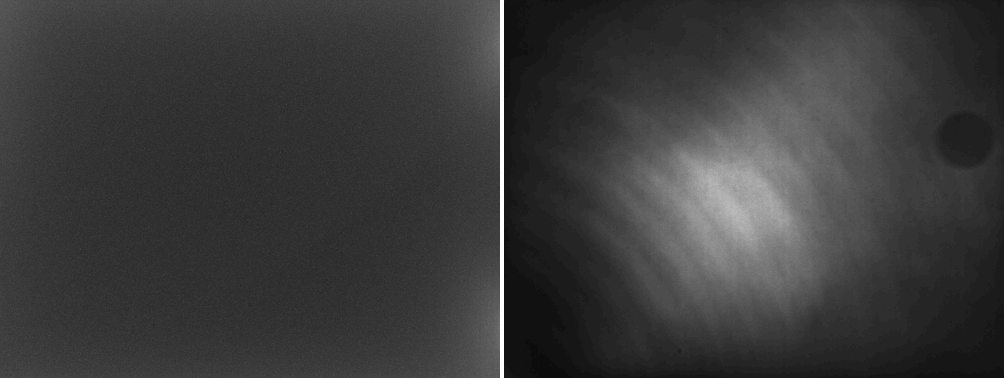
The flat is the sensor's response, normalised to a mean of one (info --stats gives the sky
as 1.0 and the brightest pixel as 1.1): brighter in the middle, dark in the corners (vignetting) and with a dust shadow at the top right. Dividing the light by it flattens
the sky. The ring is where dust sat on the sensor window; dust never moves between the flats
and the lights if you did not touch the camera, which is why flats are taken in the same
session.
Now one light, before and after (left: raw lights/..._0000.fits; right:
calibrated/..._0000_cal.fits; each with its own screen stretch, shown at 1000 pixels wide):
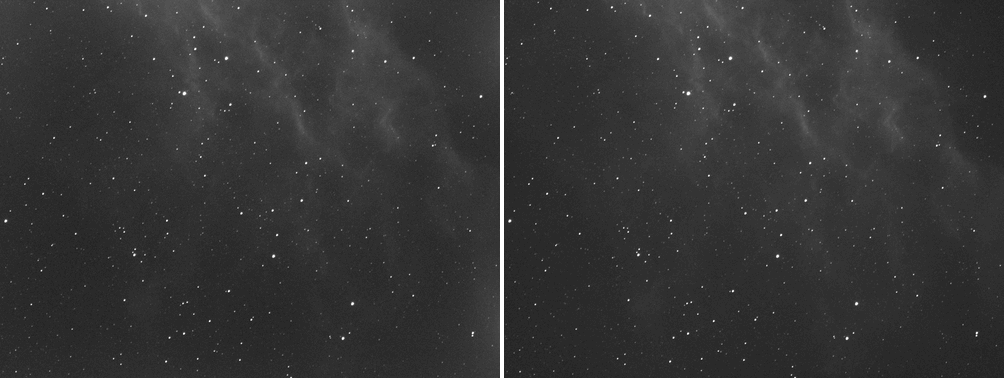
At this scale the difference is the flatter field. At full size, the hot pixels show. This is a crop of 360 by 300 pixels at full resolution, raw on the left and calibrated on the right:
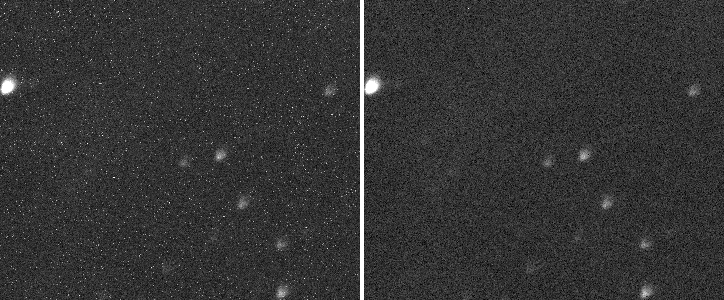
The numbers say the same thing. valerian info --stats on the raw and calibrated light:
lights/2023-01-25_20-43-49_Ha_-10.00_300.00s_0000.fits
  size: 4656 x 3520 pixels, 1 plane
  IMAGETYP  LIGHT
  plane 0: min 16.0, sky 464.0, noise 71.16, max 65504.0 ADU
  stars: 1000 (median FWHM 8.28 px, ellipticity 0.241)
calibrated/2023-01-25_20-43-49_Ha_-10.00_300.00s_0000_cal.fits
  size: 4656 x 3520 pixels, 1 plane
  IMAGETYP  Calibrated Light
  plane 0: min -987.1, sky 84.4, noise 68.36, max 68358.3 ADU
  stars: 1000 (median FWHM 8.06 px, ellipticity 0.239)
The sky level fell from 464 to 84 ADU: the offset and dark current are gone, and what is left is
the sky glow plus the nebula. The min is now negative, as it should be for a frame with the
offset taken out (noise goes below zero). The star count is unchanged: calibration must not
change the stars.
Step 4: Reuse the masters next time
--masters masters kept the three master frames. Next session you can skip combining the darks
and flats by passing the masters themselves:
valerian calibrate lights/ --dark masters/master_dark.fits --flat masters/master_flat.fits -o calibrated
compute: CPU (the GPU is slower for this command; --backend gpu forces it)
dark: using the master masters/master_dark.fits
flat: using the master masters/master_flat.fits
pixel map: 9925 hot, 22 cold, 0 dead
A single file whose IMAGETYP says it is a master is used as it is. The pixel map is built
again from the master dark.
Options used
All are in the command line reference.
| Option | What it does | Range or values | Default |
|---|---|---|---|
<LIGHTS>... | light frames: files or folders | one or more | required |
-o, --output <DIR> | folder for the calibrated frames | a folder | required |
--dark, --flat, --bias, --dark-flat <PATH> | calibration frames, or a master; each may be repeated | file or folder | none (at least one of bias, dark or flat is needed) |
--masters <DIR> | also write the master frames here | a folder | not written |
--scale-dark | how the dark is scaled to each light | off, exposure, optimise | off |
--rejection | how calibration frames are combined | auto, none, minmax, sigma, winsorised, linear-fit | auto (Winsorised below 15 frames, sigma clipping to 30, linear fit above) |
--memory <MIB> | memory used to combine calibration frames, read a band of rows at a time | MiB | 1024 |
--hot-sigma <SIGMA> | a pixel this many sigmas above its neighbours in the master dark is hot | sigmas | 40 |
--cold-sigma <SIGMA> | the same, below | sigmas | 12 |
--auto-cosmetic | without a dark, find isolated hot and cold pixels in each light; enough on its own | on or off | off |
--flat-per-channel | normalise the flat per Bayer colour: corrects vignetting and dust but not colour balance | on or off | off |
--debayer | demosaic the calibrated frames | auto, none, mhc, bilinear | none here (a raw mosaic stays a mosaic) |
--backend | the engine for the per-pixel stages | auto, cpu, gpu | auto (the CPU, for this command) |
How to tell it worked
- The summary line reads
pixel map: N hot, M cold, K deadwithNin the thousands for a long exposure on a CMOS sensor, and every light line endspixels repairedwith the same figure. dark x1.0000appears on every light (with--scale-dark off).calibrated/holds as many_cal.fitsfiles as you gave lights.- In
info --statstheskyfalls to a small value (here 84 ADU against 464) and the star count is unchanged. - The flat is smooth and the picture of the master flat shows the vignetting and the dust you know about, and nothing that looks like stars.
Troubleshooting
valerian: nothing to calibrate with: give at least one of --bias, --dark and --flat.
You gave lights and no calibration frames and no --auto-cosmetic. On a Seestar capture
valerian calibrate lights/ --auto-cosmetic -o calibrated is enough: it runs a cosmetic-only
pass that repairs isolated hot and cold pixels in each light and subtracts nothing (before
the fix for issue 60 this was
refused). With a flat but no dark,
add --auto-cosmetic to the flat: valerian calibrate lights/ --flat flats/ --dark-flat dark-flats/ --auto-cosmetic -o calibrated ran and repaired 97,879 isolated pixels in the first
light, which is 0.6 per cent of the frame and shows how crude the heuristic is. A master dark
is better.
valerian: a master frame differs in size from the light. A calibration frame has a
different width or height than the lights: usually from another camera, another binning or
a sensor readout mode. It was reproduced by giving the ASI1600 flats to the Seestar lights.
Take the calibration frames in the same mode as the lights and check size: in info.
valerian: nonexist/ does not exist or valerian: tr/empty contains no FITS files. A
path is wrong or the folder holds no .fits, .fit or .fts files. Valerian checks every
path before it starts the long work.
valerian: dark scaling needs a master dark made with a master bias. You asked for
--scale-dark exposure or optimise, but the dark was made without a bias. Scaling needs the
bias taken out first so that only dark current is scaled: add --bias, or leave
--scale-dark at off and take darks at the lights' exposure.
The flat made the picture worse (new bright or dark patches, or a gradient). The flats were taken in a different state: a camera rotated or refocused, dust that has moved, or flats that were not exposed to about half full well. Retake them in the same session as the lights, with the same optical train. Dividing by a bad flat adds a pattern instead of removing one.
All 25 lights are calibrated, but registering them finds only some of them. This is not a calibration problem: the 25 lights are five mosaic panels. See Tutorial 3, troubleshooting.
The desktop app
In the desktop app this is step 1, Calibrate: fill in the Lights, Darks, Flats, Dark flats and Bias boxes and press Calibrate lights. The app's own walk-through is the desktop tutorial; every control is in the desktop app reference.
Where next
The calibrated frames are in calibrated/. For one panel of five of these
frames, tutorial 3 registers them. The tutorial thread continues with the
Seestar capture, because that data set has sixty frames and a colour sensor, which shows more.
Tutorial 3: Register
Goal: line the sixty frames up on one another, so the same star sits on the same pixel in every one of them. You finish with sixty registered frames and a table that tells you which frames are good.
Data: the IC 5070 capture from the Seestar S50: sixty 10-second lights, raw Bayer mosaics
(1080 by 1920 pixels, GRBG), in a folder called lights/. A Seestar writes no darks or flats,
so there is nothing to calibrate and the raw lights go straight in; register demosaics the
raw frames itself. (If you followed tutorial 2 with your own data, give
register the calibrated/ folder instead.)
Why register on its own? The next step, stack, registers by itself, so you
do not need to run register first. Run it when you want to look at the alignment, want to
check the frames before spending time on the stack, or want registered frames for another
program. Registering also shows you which frames Valerian thinks are poor.
For the method (star detection, triangle matching, the transform models) see How registration works.
Step 1: Register
valerian register lights/ -o registered
read 60 frames in 342.5ms
compute: CPU (the GPU is slower for this command; --backend gpu forces it)
frame 0: 199 stars, FWHM 2.65 px, ellipticity 0.300, sky 662.0, noise 54.61
frame 1: 194 stars, FWHM 2.67 px, ellipticity 0.313, sky 663.5, noise 54.78
...
frame 59: 117 stars, FWHM 3.84 px, ellipticity 0.514, sky 640.0, noise 52.05
reference candidate frame 47: 59 of 59 other frames register
reference: frame 47 (FWHM 2.16 px)
frame 0: registered, 172 stars matched, rms 0.351 px, shift (19.20, 22.52), rotation -0.1567 deg, flux x1.0000
frame 1: registered, 166 stars matched, rms 0.323 px, shift (16.65, 23.80), rotation -0.1513 deg, flux x1.0000
...
   #  frame                         stars   FWHM  ellip      sky    noise   flux x rms px weight  reject  status
   0  Light_IC 5070_10.0s_LP_20260    199   2.65  0.300    662.0    54.61   1.0000  0.351   0.00   0.00%  stacked
   1  Light_IC 5070_10.0s_LP_20260    194   2.67  0.313    663.5    54.78   1.0000  0.323   0.00   0.00%  stacked
...
  23  Light_IC 5070_10.0s_LP_20260     77   3.23  0.420    739.8    61.48   1.0000  0.482   0.00   0.00%  stacked
...
  47  Light_IC 5070_10.0s_LP_20260    208   2.16  0.206    606.1    48.15   1.0000  0.000   0.00   0.00%  reference
...
  59  Light_IC 5070_10.0s_LP_20260    117   3.84  0.514    640.0    52.05   1.0000  0.484   0.00   0.00%  stacked
registered 60 of 60 frames to frame 47; wrote them to registered
It took 19 s on the server (the work is on the processor: see tutorial 11). The output has four parts.
1. Star detection, one line per frame. 199 stars, FWHM 2.65 px, ellipticity 0.300: how
many stars Valerian found (up to 1000), the median width of the stars (the full width at half
maximum) and how elongated they are (0 round, 1 a line). sky and noise are the background
level and its scatter in ADU. These numbers are what picks the reference and, later, the
weights.
2. The reference. reference candidate frame 47: 59 of 59 other frames register says
the sharpest frame, number 47, is registrable to all 59 others, so it is the reference (FWHM
2.16 pixels, against 2.65 for frame 0). The other frames are moved onto frame 47's pixel grid.
Counting is from 0, in sorted file name order. To choose your own, --reference 0.
3. The fit, one line per frame. 172 stars matched, rms 0.351 px, shift (19.20, 22.52), rotation -0.1567 deg: the transform found for frame 0 uses 172 matched stars, which land
within 0.351 pixel (rms) of their places in frame 47; to line it up, frame 0 moves by 19.20 and
22.52 pixels and rotates by -0.16 degrees. Over all 59 frames the rms is between 0.300 and
0.585 pixel and between 20 and 182 stars match. Seestar frames drift and are dithered: the
shifts here go up to about 70 pixels, which is why aligning is needed at all. flux x1.0000 is 1
because register does not match the levels of the frames; stack measures and applies it
(tutorial 4).
4. The table. One row per frame with the detection figures, the fit residual (rms px),
and a status: reference, stacked (it registered and would be used) or skipped with a
reason. weight and reject are filled in by stack; here they are 0.
The sixty files are in registered/, each with _reg added to its name: for example
registered/Light_IC 5070_10.0s_LP_20260728-222713_reg.fits. They are 32-bit float,
three planes (red, green and blue), because --debayer auto demosaiced the raw mosaics
with the Malvar-He-Cutler method before registering, and the header says
HISTORY demosaiced by Valerian. Sixty frames of 1080 by 1920 by 3 floats are 1.4 GB: check
the disk space.
Step 2: Check the alignment
The proof of registration is a star that stays put. Left to right: the same 120 by 120 pixel patch around a bright star, shown at twice its size, from raw frame 0 and raw frame 59, and from registered frame 0 and registered frame 59. The raw frames are mosaics, so they are shown in grey with the checkerboard of the colour filters; the registered ones are the demosaiced colour. A screen stretch with the same black and white point is used on all four.
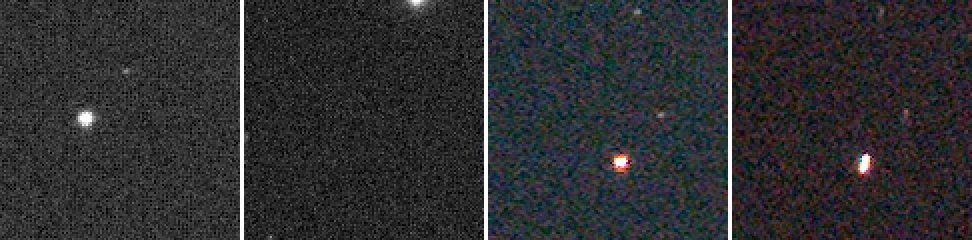
In the raw frames the bright star is at different places. After registration it is at the same place in both (the centre of the patch) and the sky around it fills in. Frame 59 is a worse frame: its star is stretched (ellipticity 0.514 in the table), which registration does not fix. That is information for the next step, which gives such a frame a low weight.
Registered frames are on the reference grid, so pixels the frame did not cover are NaN
(not a number), not zero. Registered frame 0, moved by 19 by 23 pixels, has 3.1 per cent of its
pixels as NaN; the reference has none. stack reads NaN as "no data".
Options used
All options are in the command line reference.
| Option | What it does | Range or values | Default |
|---|---|---|---|
<FRAMES>... | frames to register: files or folders | one or more | required |
-o, --output <DIR> | folder for the registered frames | a folder | required |
--reference <N> | the reference frame, counted from 0 in sorted order | 0 to frames minus 1 | the sharpest |
--model | the transform to fit | similarity (4 parameters: rotation, scale, shift), affine (6), homography (8) | similarity |
--interpolation | how pixels are resampled | bilinear, bicubic, lanczos3 | bicubic |
--debayer | demosaic raw Bayer frames | auto (Malvar-He-Cutler for Bayer data), none, mhc, bilinear | auto |
--threshold <SIGMA> | star detection threshold in sigmas of the smoothed noise | sigmas | 5 |
--backend | the engine for the resampling | auto (the CPU, for this command), cpu, gpu | auto |
What the options change, measured on eight of the frames (the 8 first files, which Valerian registers to their sharpest, frame 4):
--threshold: 3 finds the maximum of 1000 stars in frame 0 and matches 178 of them (rms 0.372 px); the default 5 finds 199 and matches 150 (rms 0.326 px); 10 finds 112 and matches 87 (rms 0.210 px). A lower threshold finds fainter stars, including noise, so the fit uses more but worse stars. The shifts agree to 0.05 pixel in all three, so the default is robust; change it only for frames with very few or very many stars.--model: on this datasimilarity,affineandhomographygive the same shifts to 0.1 pixel and the same rms to 0.01 pixel. Keepsimilarity: the extra freedom only helps with field rotation, or with wide fields and many stars.--interpolation: the registration is the same for all three; the whole command on the eight frames took 1.4 s withbilinear, 1.6 s withbicubicand 2.0 s withlanczos3.lanczos3is the sharpest and can ring around bright stars;bilinearis smooth and slightly blurs.--reference 0makes frame 0 the reference. The shifts then reverse sign relative to frame 4, as expected.
How to tell it worked
- The last line says
registered 60 of 60 frames to frame 47. A smaller first number means some frames were skipped: look forskippedin thestatuscolumn. rms pxis below about 0.6 for every frame (here 0.300 to 0.585). A frame whose rms is 1 pixel or more has a poor fit even though it registered.- The stars in the picture above stay put.
registered/has one file per registered frame.
Troubleshooting
registered 10 of 25 frames to frame 13, with skipped: registration failed: best hypothesis matches only 3 stars (need 6). The frames do not share a field. This is the
25-light ASI1600MM set from tutorial 2: it is five panels of five (the
header RA and DEC differ by up to about two degrees between panels), and the panels overlap too little for
their stars to match. The output says so:
reference candidate frame 13: 9 of 24 other frames register
...
no frame registers with most of the others (several fields?); using frame 13, which 9 register to
reference: frame 13 (FWHM 6.66 px)
...
  10  2023-01-25_21-57-02_Ha_-10.0   1000   7.66  0.265     67.2    57.29   1.0000  0.385   0.00   0.00%  stacked
...
registered 10 of 25 frames to frame 13; wrote them to registered
Register one panel at a time (put each panel in its own folder), or register everything and
treat skipped as the list of frames from other panels. Mosaics are not stitched yet.
valerian: registration failed: frame 25 has 3 planes, the first has 1. You mixed
mono and colour frames in one command (here the 25 mono ASI1600 frames and the 60 colour
Seestar frames). Run each camera separately.
valerian: registration failed: fewer than two frames registered; nothing to stack. There
is only one frame, or none of the others matched it. A single frame gives reference candidate frame 0: 0 of 0 other frames register. Give it at least two frames of the same field, taken
with the same camera and focal length.
Frames are skipped with only N stars or registration failed. Cloud, bad focus,
tracking trouble or a short exposure leave too few stars. The limit is --min-stars (default
20) for stack; register reports any frame whose stars it cannot match. Lowering
--threshold finds fainter stars and can rescue a thin frame, at the cost of a noisier fit.
The output folder is full. registered/ is about 1.4 GB for sixty Seestar frames and
65 MB per ASI1600 frame. Point -o at a disk with room, or skip register and run
stack straight from the calibrated frames, which needs no registered copies.
The desktop app
In the desktop app this is step 2, Register; see the desktop tutorial and the reference.
Where next
Tutorial 4 combines the frames. It registers them again from the originals (it does
not read registered/), so you can delete registered/ now.
Tutorial 4: Stack
Goal: combine sixty 10-second frames into one image with much lower noise, throwing away
cosmic rays and satellite trails and giving the frames that are sharp and quiet more say than
the poor ones. You finish with stack.fits, a report that explains how each frame was treated
and a map of how many frames contributed to each pixel.
Data: the same sixty IC 5070 Seestar lights as tutorial 3, in lights/.
stack registers the frames itself, so it needs the original files and not the registered/
folder.
What happens. Valerian finds the stars, picks the sharpest frame as the reference, registers all the others to it, matches their sky levels and their transparency, weights each frame by how noisy and how sharp it is, and combines the frames pixel by pixel with outlier rejection. For the method see How stacking works.
Step 1: Stack
valerian stack lights/ -o stack.fits --report report.txt --coverage coverage.fits
read 60 frames in 196.9ms
compute: GPU: NVIDIA A100 80GB PCIe (Vulkan, DiscreteGpu)
frame 0: 199 stars, FWHM 2.65 px, ellipticity 0.300, sky 662.0, noise 54.61
...
reference candidate frame 47: 59 of 59 other frames register
reference: frame 47 (FWHM 2.16 px)
...
combining 60 frames with LinearFit { low: 5.0, high: 2.5 }, weights NoiseFwhm on GPU: NVIDIA A100 80GB PCIe (Vulkan, DiscreteGpu)
   #  frame                         stars   FWHM  ellip      sky    noise   flux x rms px weight  reject  status
   0  Light_IC 5070_10.0s_LP_20260    199   2.65  0.300    662.0    54.61   0.9541  0.351   1.18   0.83%  stacked
...
  13  Light_IC 5070_10.0s_LP_20260    213   2.17  0.183    639.5    52.08   0.9904  0.300   1.80   0.79%  stacked
...
  23  Light_IC 5070_10.0s_LP_20260     77   3.23  0.420    739.8    61.48   2.0532  0.482   0.14  16.85%  stacked
...
  28  Light_IC 5070_10.0s_LP_20260     53   2.72  0.244    743.7    61.40   4.0757  0.411   0.05  41.87%  stacked
...
  47  Light_IC 5070_10.0s_LP_20260    208   2.16  0.206    606.1    48.15   1.0000  0.000   2.07   0.92%  reference
...
  59  Light_IC 5070_10.0s_LP_20260    117   3.84  0.514    640.0    52.05   1.4967  0.484   0.25   6.43%  stacked
60 of 60 frames stacked with LinearFit { low: 5.0, high: 2.5 }, reference frame 47 (Light_IC 5070_10.0s_LP_20260728-224223.fit), 12.2s
wrote stack.fits
wrote coverage.fits
wrote report.txt
The stack took 12.2 s on the A100 (the same run on the processor alone took 25 to 28 s: see
tutorial 11). With no usable graphics card the second line reads compute: CPU and
the result is the same to within the GPU tolerance.
Reading it:
- The first block is registration, as in tutorial 3, and is the same.
combining 60 frames with LinearFit {low: 5.0, high: 2.5}, weights NoiseFwhm.--rejection autochose linear-fit clipping for a stack of more than 30 frames (Winsorised sigma clipping for fewer than 15, plain sigma clipping up to 30). Linear fit copes with frames whose level changes during the night, as these do (skyruns from 600 to 830). The limits are in sigmas: a pixel more than 5 sigma below, or 2.5 sigma above, the line fitted through its stack of values is thrown out. so a bright outlier is rejected more readily than a dim one.weights NoiseFwhm. The weight of a frame is one over (its noise squared times its star FWHM squared): the weighting that gives the best signal-to-noise for stars.flux x. The brightness scale matched to the reference, from the stars the two frames share. Frame 28 needed 4.08 times: it caught a quarter of the reference's light (cloud or dew are the usual causes). Frame 23 needed 2.05.weight. The result: frame 47, the reference, has 2.07; the typical good frame about 1; frame 23 with its cloud and 77 stars only 0.14; frame 28 with 53 stars 0.05; frame 59, with elongated stars (ellipticity 0.514), 0.25.reject. The share of that frame's pixels that the rejection threw out: 0.8 per cent for a normal frame, and 41.87 per cent for frame 28. A high figure is the signature of a frame that was bad as a whole (cloud, wind, a bump); here it is also why its weight is so small. The reference and good frames lose under 1 per cent.status.stackedmeans used. A frame that could not be used saysskipped: ...and is left out of the sum (see the troubleshooting below).
Step 2: Look at what you have
valerian info stack.fits --stats
stack.fits
  size: 1080 x 1920 pixels, 3 planes
  OBJECT    IC 5070
  IMAGETYP  Master Light
  FILTER    LP
  EXPTIME   10
  EXPOSURE  10
  CCD-TEMP  29.125
  GAIN      80
  XBINNING  1
  DATE-OBS  2026-07-28T21:41:58.801919
  INSTRUME  Seestar S50
  TELESCOP  S50_64dbf865
  FOCALLEN  250
  NCOMBINE  60
  EXPTOTAL  600
  plane 0: min 521.4, sky 610.7, noise 12.49, max 74630.9 ADU
  plane 1: min -7.4, sky 597.3, noise 7.47, max 56987.8 ADU
  plane 2: min 139.8, sky 608.3, noise 10.12, max 70726.4 ADU
  stars: 518 (median FWHM 2.57 px, ellipticity 0.165)
- Three planes, red, green and blue, because the raw mosaics were demosaiced on the way in.
NCOMBINE 60andEXPTOTAL 600: sixty frames of 10 s, 600 s of light in total. The header also carriesSTACKREF 47andSTACKALG(the rejection and the weights), for the record.- Noise per plane is 12.49, 7.47 and 10.12 ADU. A single registered frame (number 47, the sharpest) measured with the same tool has 68.20, 45.40 and 59.30. The stack has 5.5 times less noise in red, 6.1 times in green and 5.9 times in blue. Averaging 60 equal frames would give 7.7 times (the square root of 60); the weights, the poorer frames and the smoothing of resampling account for the difference, and the weighting is a good trade: see the table below.
- Stars found: 518 in the stack against 208 in the best single frame; the faint ones have come out of the noise. Median FWHM 2.57 pixels (the average of the sharp and the soft frames, weighted).
- Sky 610.7, 597.3, 608.3: the three planes are not balanced, and a sky gradient is still in the picture. That is the job of the next two tutorials.
The linear stack looks almost black when displayed. This picture is a 300 by 300 pixel crop at full size of registered frame 0 (left) and of the stack (right), each with a screen stretch applied (black point at the sky minus 2.8 sigma, white point at the 99.9th percentile, midtone solved to put the sky at 20 per cent). The stack is much cleaner, shows more stars and the red nebulosity.
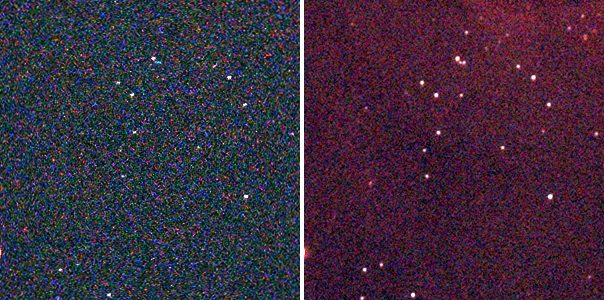
The coverage map says how many frames each pixel got: valerian info coverage.fits --stats
gives min 2, median (sky) 57 and max 60. The edges, where the dithered frames do not overlap,
have a few frames; the middle has them all, and the stack is therefore a little noisier at the
border. You can crop the border or ignore it.
Step 3: Try the other settings
The stack above uses the defaults. Here is what each choice does to the noise on the same
sixty frames (plane 0, red; lower is cleaner; each is a full rerun of stack):
| Command differs by | Noise, plane 0 | Remark |
|---|---|---|
| nothing (defaults) | 12.49 | linear fit, noise-and-FWHM weights, sky and flux matched |
--weights equal | 16.20 | every frame counts the same: the cloudy and soft frames drag it |
--rejection none | 13.01 | nothing is rejected: satellite trails and cosmic rays stay in |
--rejection sigma | 12.43 | plain sigma clipping, 3 and 3: as good here |
--rejection minmax | 12.86 | drops the highest and lowest value of each pixel only |
--normalisation none | 12.87 | levels not matched: the sky is 631 instead of 611 |
--rejection linear-fit --low 2 --high 2 | 15.05 | limits too tight: good data thrown away |
--weights equal --rejection none --normalisation none | 16.11 | a plain average |
The defaults are within half a per cent of the best here. The numbers are specific to this data; the pattern
(weights matter most, rejection matters to the cosmic rays more than to the noise figure) is
general. Note that --low and --high apply to whichever scheme is in use: with the default
auto they change the limits of the scheme auto picks for the frame count (linear fit for these
60 frames). Older builds ignored them without --rejection (issue 62); they are now honoured.
With none or minmax the command prints a note that they have no effect.
Options used
All options are in the command line reference. Those
shared with register (--reference, --model, --interpolation, --debayer, --threshold)
are in tutorial 3.
| Option | What it does | Range or values | Default |
|---|---|---|---|
<FRAMES>... | frames to stack: files or folders | one or more | required |
-o, --output <FILE> | the stacked FITS file | a file | required |
--report <FILE> | also write the per-frame table to a text file | a file | not written |
--coverage <FILE> | also write the per-pixel count of frames used | a file | not written |
--rejection | rejection scheme | auto, none, minmax, sigma, winsorised, linear-fit | auto |
--low, --high <SIGMA> | rejection limits in sigmas, where the scheme has them (with --rejection auto they change the limits of the scheme auto picks) | sigmas | the scheme's own: 3 and 3 for sigma and Winsorised, 5 and 2.5 for linear fit |
--weights | frame weights | equal, noise, fwhm, noise-fwhm | noise-fwhm |
--normalisation | level matching | none, additive, additive-scaling | additive-scaling (sky level and the flux ratio of matched stars) |
--min-stars <N> | leave out frames with fewer stars | count | 20 |
--max-fwhm-ratio <RATIO> | leave out frames whose FWHM is more than this multiple of the reference's | ratio of 1 or more | no limit |
--backend | the engine for the resampling and combine | auto (a real graphics card if there is one), cpu, gpu | auto |
How to tell it worked
- The last line says
60 of 60 frames stacked(or says how many were left out, and the table says why). NCOMBINEandEXPTOTALin the header say the number of frames and the total seconds.- Noise is much lower than in one frame (here 5.5 to 6.1 times) and stars you could not see in a single frame are there.
- The weights are bigger for the sharp, quiet frames and small for the poor ones, and the
rejectcolumn is small (under a few per cent) except for frames you know were bad. - The coverage map's median is close to the number of frames.
Troubleshooting
frame 23: skipped, only 77 stars. --min-stars 150 was given: any frame with fewer
stars is left out. The default is 20, so by default these frames are in and given a small
weight. Frames with few stars are usually clouded; leaving them out costs little. With
--max-fwhm-ratio 1.3, frames 12, 19, 20 and 21 (FWHM 3.59 to 4.02 px against 2.16 for the
reference) were left out as skipped, FWHM 3.59 px is too soft.
59 of 60 frames stacked with a different reference, and a frame skipped: only 18 stars. With
--threshold 12 (a high detection threshold) a frame with few bright stars drops below the
minimum and the sharpest remaining frame (13, not 47) becomes the reference. If the
reference changes unexpectedly, the detection settings changed: look at the stars column.
valerian: stacking failed: registration failed: fewer than two frames registered; nothing to stack. There is one frame, or the others did not match it (a different field or camera).
valerian: stacking failed: reference frame 99 out of range (60 frames). --reference
counts from 0 in sorted file name order, so the largest valid value is the number of frames minus
one.
The stack is darker, or its edge is noisier or has a visible border. The edges are covered
by fewer frames (coverage.fits min 2, here). Crop the border. If a whole frame was wrongly
bright, check its flux x and reject columns: a frame that needed flux x of 4 was
heavily dimmed.
A satellite trail or hot pixels are still in the stack. The rejection scheme was none
or the limits were too wide (--high 5 and above). The defaults remove them. With few frames
(under about 10) rejection has little to work with: take more frames, and dither.
stack is slow or runs out of memory. A stack holds all frames in memory at once (about one
copy of the set). Sixty Seestar frames are 1.4 GB demosaiced. Close other programs or
stack in groups.
The desktop app
In the desktop app this is step 3, Stack, which opens the result in the Process step; see the desktop tutorial and the reference.
Where next
stack.fits is linear and has a sky gradient. Tutorial 5 takes it out, starting
from stack.fits.
Tutorial 5: Background extraction
Goal: take the smooth glow out of the sky (light pollution, moonlight, a gradient from the horizon) without taking the nebula with it, and keep the average sky level where it was.
Data: stack.fits, the sixty-frame IC 5070 stack from tutorial 4: linear,
three planes, 1080 by 1920 pixels. It has a gradient: its glow differs by 15 ADU across the
frame in red, which is about 2.5 per cent of the sky level, and the nebula fills much of the
frame, which makes the job harder than on an empty field.
When. Do this on the linear stack, after stacking and before stretching, colour calibration or star removal. The method (tiles, polynomial and spline fits, star masking, rounds of refinement) is in How background extraction works.
Step 1: Remove the gradient
valerian background stack.fits -o flat.fits --degree 2 --save-model glow.fits
plane 0: 1150 samples of 1258 tiles (33 px), 13.0% masked, residual rms 1.66, gradient removed 15.4
plane 1: 1173 samples of 1245 tiles (33 px), 11.7% masked, residual rms 0.65, gradient removed 8.2
plane 2: 1433 samples of 1470 tiles (33 px), 9.9% masked, residual rms 0.96, gradient removed 9.8
wrote flat.fits
wrote the background model glow.fits
The run takes under a second (0.43 s). One line per colour plane, because the three colours have different glows:
1150 samples of 1258 tiles (33 px). The image is cut into square tiles (33 pixels: the default is a thirty-second of the short side, 1080 divided by 32, and at least 32). Each tile gives one measure of the sky, the median of its clear pixels. Of 1258 tiles, 1150 were kept as samples; the others were rejected as stars, nebulosity or the target.13.0% masked. The share of the pixels that were masked as stars before the fit (anything 3 sigma above the surface, grown by 3 pixels).residual rms 1.66. How far the samples are from the fitted surface, in ADU. The sky noise of one 33-pixel tile is a fraction of the pixel noise (12.5 here), so 1.66 is a good fit: the surface explains the samples.gradient removed 15.4. The size of the fitted surface from its lowest to its highest point, in ADU: how much glow was taken out. The red plane had 15.4 ADU of glow, the green 8.2 and the blue 9.8: the glow is red, which is why the unprocessed stack has a colour cast.
Two files are written. flat.fits is the corrected stack. glow.fits is the model that was subtracted,
one plane per colour. Its range in info --stats is 600.5 to 615.9 ADU in red: the surface
is the sky level, brighter at one corner than the other. The glow is brightest towards the bottom right
of the frame:

Step 2: Check the result
The level of the sky is kept (--level preserve is the default), so the numbers barely
change; the surface is flat:
valerian info flat.fits --stats
flat.fits
  size: 1080 x 1920 pixels, 3 planes
  plane 0: min 526.3, sky 610.8, noise 11.93, max 74631.3 ADU
  plane 1: min -7.3, sky 597.3, noise 7.26, max 56987.6 ADU
  plane 2: min 139.8, sky 608.3, noise 9.92, max 70726.0 ADU
  stars: 521 (median FWHM 2.57 px, ellipticity 0.165)
The sky is 610.8, 597.3 and 608.3, against 610.7, 597.3 and 608.3 before: unchanged, which is the
point of preserve. The stars are unchanged (518 against 521: the detection sees
a flatter sky). The picture below is the stack (left) and the corrected image (right), both at
full size reduced three times and with one shared screen stretch. The darker left edge and the
lighter right and lower corner of the stack have evened out, and the nebula is intact.
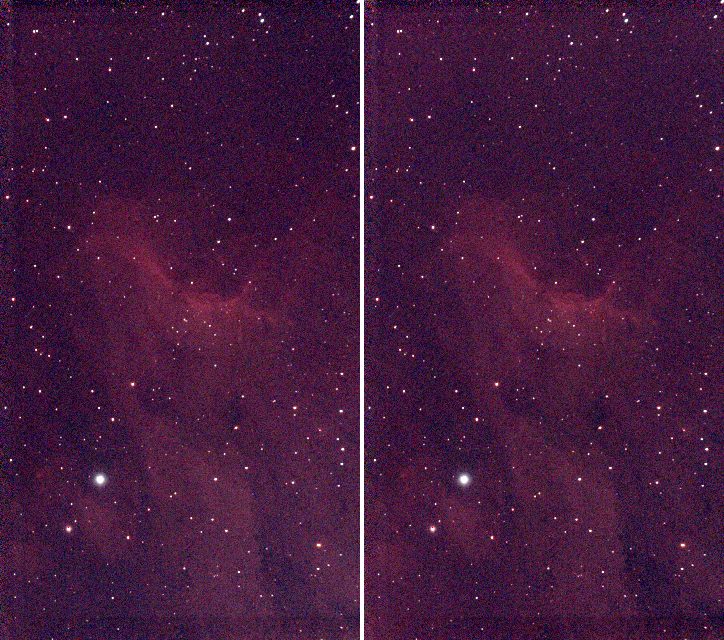
Step 3: Choose the model for your data
The surface is a polynomial of the --degree you choose, or a thin-plate spline. This target fills
the frame, so the choice matters. The same stack with three models, left to right: --degree 1
(a tilted plane), the --degree 2 above, and --model spline:
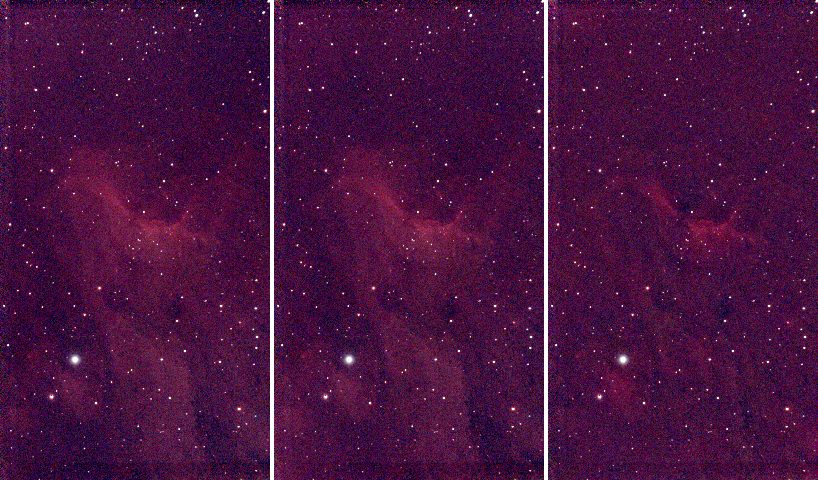
| Command | Residual rms (R, G, B) | Gradient removed (R, G, B) | Result |
|---|---|---|---|
--degree 1 | 2.50, 0.97, 1.14 | 11.7, 6.3, 8.6 | keeps the nebula; leaves a little of the glow |
--degree 2 (default) | 1.66, 0.65, 0.96 | 15.4, 8.2, 9.8 | keeps the nebula; removes the glow |
--degree 6 | 1.23, 0.48, 0.84 | 20.1, 11.4, 10.9 | starts to follow the nebula |
--model spline | 0.48, 0.22, 0.30 | 26.5, 10.9, 14.9 | removes part of the nebula |
A lower residual is not better here: the more flexible the surface, the closer it gets to the
samples, and when the target fills the frame the samples include the nebula. A spline (or a high
degree) that reaches 0.48 residual has learnt the nebula as "background" and subtracted it,
which is the right-hand picture. Prefer the lowest degree that flattens your sky: 1 or 2 for a
gradient, more only for a field with clear sky all round. The spline is for a complex gradient on
an empty field. The correct check is to look at glow.fits: it must be smooth, with no
structure that looks like your target.
Options used
All options are in the command line reference.
| Option | What it does | Range or values | Default |
|---|---|---|---|
<INPUT> | the stacked FITS image, mono or colour planes (not a raw mosaic) | a file | required |
-o, --output <FILE> | the corrected image | a file | required |
--save-model <FILE> | also write the fitted background, one plane per input plane | a file | not written |
--model | the surface | polynomial, spline | polynomial |
--degree <N> | polynomial degree (1 is a plane) | 0 to 6 | 2 |
--smoothing <S> | spline smoothing; larger tends to a plane | about 0.001 to 0.01 for a hundred tiles | 0.005 |
--mode | subtract light pollution, or divide by vignetting and falloff | subtract, divide | subtract |
--level | keep the mean level, or remove the whole surface | preserve, zero | preserve |
--tile <PX> | tile size in pixels | 0 for automatic, else pixels | 0 (a thirty-second of the short side, at least 32) |
--star-sigma <SIGMA> | mask pixels this many robust sigmas above the surface as stars | sigmas | 3 |
--mask-grow <PX> | grow the star mask | pixels | 3 |
--clip-low <SIGMA>, --clip-high <SIGMA> | reject tile samples this many sigmas below, above the fit | sigmas | 3 low, 2 high |
--rounds <N> | rounds of mask refinement after the first fit | count | 3 |
--exclude-target | leave out the bright central target, sized from the data | on or off | off |
Measured on this stack:
--level zeroremoves the whole surface instead of keeping the mean: the sky goes from 610.8 to 2.3 ADU in red (0.7 and 0.6 in green and blue). Use it if a later tool expects a sky at zero.--tile 64gives 290 tiles: 260 samples, residual rms 1.31, gradient removed 15.6: the same glow from fewer, larger samples. A smaller tile follows small features more; a larger one averages more stars out.--degree 0removes a constant only (gradient removed 0.0).--mode divideis for vignetting that multiplies the light; for a light pollution glow, which adds light, use the defaultsubtract.- The run took 0.43 s with a polynomial and 0.78 s with a spline.
How to tell it worked
- One line per plane, with
gradient removedof a few per cent of the sky level, not hundreds. - The residual rms is of the order of the tile noise (a few ADU here).
glow.fitsis smooth and resembles a gradient, not your target.- The nebula is still there in the corrected image, and the sky is flatter: no darker or lighter side.
- The sky level in
info --statsis unchanged (withpreserve).
Troubleshooting
The nebula got dimmer or has a dark halo. The model is following your target: use a lower
--degree, or --model polynomial if you used the spline (shown above), or add
--exclude-target. On this stack --exclude-target is declined for a different reason, below.
background fit declined, plane left as it is: 62% of the image is star, nebula or target, so there is no clear sky to measure a background from. Valerian measures a background from
clear sky, and with --exclude-target it found only 38 per cent of this image clear, which
is too little: it would have had to subtract the target. The plane is written as it was and the other planes
are unaffected. The command did not fail; look at the message. Run without --exclude-target
(a plane fits this frame well) or take a wider field.
valerian: lights/....fit is a raw colour mosaic; calibrate it with --debayer first. The
input is a raw Bayer frame. Background extraction works on stacks, or frames that have been
demosaiced; stack first (tutorial 4), which demosaics the frames.
valerian: polynomial degree must be 0 to 6. Degree 9 was given. Use a spline for a more
complex surface.
Bright rings or "bumps" around the brightest stars. The star mask is too small for the
star's halo. Raise --mask-grow (3 pixels default) or lower --star-sigma (3 default) so more
of the star is masked, or raise --rounds.
A coloured cast remains. Background extraction removes the glow of each plane, not the difference between the colours of the sky; the three planes' sky levels stay different (610.8, 597.3, 608.3 here). Colour calibration sets them to a common level: tutorial 9.
The desktop app
Background extraction is not in the desktop app yet; the command line is the only way today. See The desktop app.
Where next
flat.fits is the gradient-free linear stack. Tutorial 6 turns it into a picture you
can see. The colour of the sky is still uncorrected: that needs a plate solution and comes in
tutorials 8 and 9, which start from flat.fits too.
Tutorial 6: Stretch
Goal: turn the linear data, which looks black on a screen, into a picture. You finish with a stretched FITS file (values from 0 to 1) and a PNG you can open anywhere, and you will know how to pick between the three curves and how to undo a stretch.
Data: flat.fits, the gradient-free stack from tutorial 5. The data is
linear: a pixel's value is proportional to the light that fell on it. The sky is at about 600
ADU and the brightest star at 74,000, so on a screen that shows 0 to 65,535 as black to white,
everything except the stars is nearly black. A stretch bends the range so the faint things become
visible. The curves (midtone transfer function, arcsinh and generalised hyperbolic stretch) are
explained in How stretching works.
When. Stretching is the last step for the picture and the first thing you lose information with: do it after the steps that need linear data (calibration, stacking, background extraction, colour calibration), and keep the linear files.
Step 1: The automatic stretch
valerian stretch flat.fits -o stretched.fits --preview stretched.png
black 582.8132, white 5636.6763, Mtf { midtone: 0.03898123292416554 }
plane 0: median 610.8596 -> 0.1209
plane 1: median 597.3273 -> 0.0663
plane 2: median 608.3698 -> 0.1113
wrote stretched.fits
wrote preview stretched.png
What the first line says:
- black 582.8132. Values at or below this become 0. By default it is placed 2.8 robust
sigma below the sky (
--shadow-sigma 2.8), so the sky's noise is not cut off. - white 5636.6763. Values at or above this become 1. By default it is the 99.995th percentile
of the pixels (
--white-percentile 99.995), so only the brightest few stars clip. - Mtf {midtone: 0.0390}. The curve between them is a midtone transfer function, solved so the sky
lands at the
--targetlevel, 0.1 by default.
The next three lines say where each plane's sky median went. They are not all 0.1: red 0.1209, green 0.0663, blue 0.1113, because by default the three planes share one stretch (they are "linked") and the sky levels of the planes differ (610.9, 597.3 and 608.4 ADU). The unequal result is the colour cast of the sky, kept, not removed. Colour calibration, in tutorial 9, is what balances it.
stretched.fits is a 32-bit float image in 0 to 1. The stretch is recorded in its header.
stretched.png is an 8-bit PNG you can open in any viewer. It is reduced to fit --preview-size
(the longest side, 1600 pixels by default): here the 1080 by 1920 image became 540 by 960.
Step 2: Try the curves
The same flat.fits, left to right: the linear data with only a black and white point (no curve),
the automatic stretch above, --curve arcsinh --beta 200, and a generalised hyperbolic stretch
(--curve ghs --ghs-stretch 5 --ghs-b 1 --ghs-sp 0.01 --ghs-hp 0.9). Each is reduced three times.
The first picture is the linear data with a screen black and white point so it can be seen at
all; the other three are Valerian's output as it is.
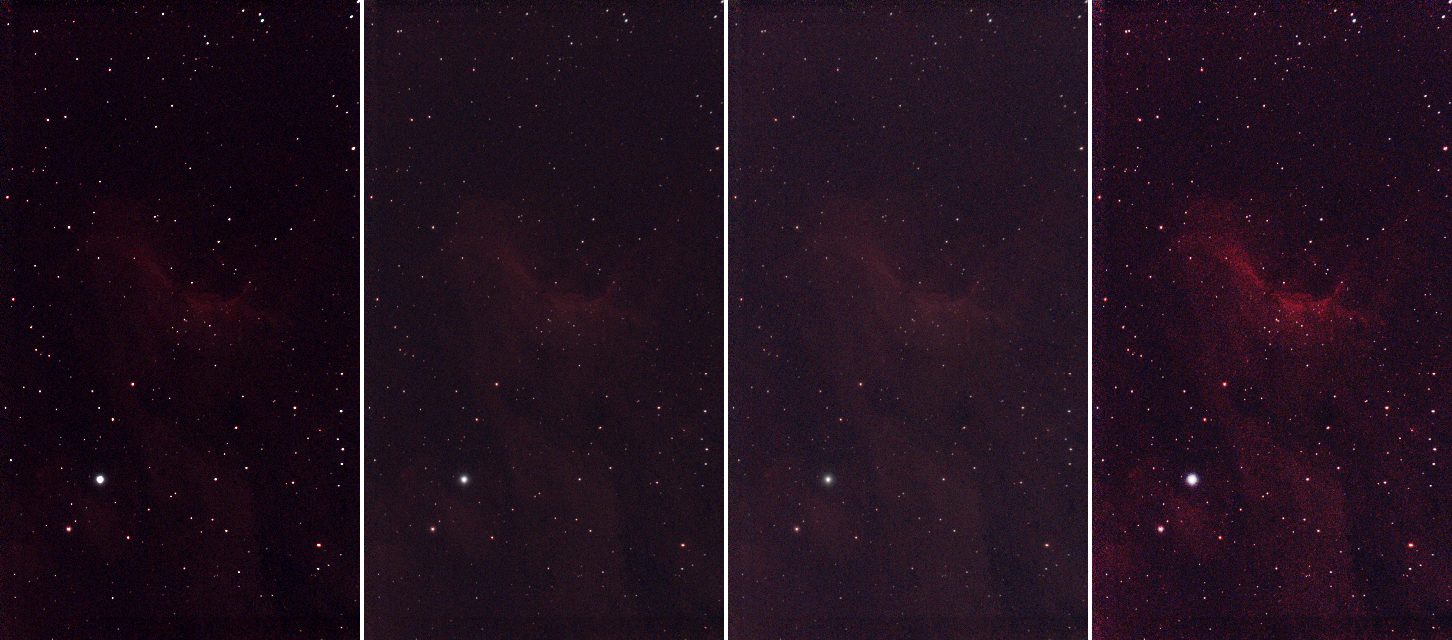
valerian stretch flat.fits -o arcsinh.fits --curve arcsinh --beta 200
valerian stretch flat.fits -o ghs.fits --curve ghs --ghs-stretch 5 --ghs-b 1 --ghs-sp 0.01 --ghs-hp 0.9
The sky medians in the log were 0.1597, 0.0913 and 0.1484 (arcsinh) and 0.1256, 0.0525 and 0.1097 (GHS), against 0.1209, 0.0663 and 0.1113. What the curves do:
| Curve | Behaviour | Use it for |
|---|---|---|
auto (the default) | an MTF that puts the sky at --target | a first look; usually good |
mtf | an MTF with the midtone you give (below 0.5 brightens) | a repeatable stretch, or one you want to tweak by hand |
arcsinh | asinh(beta x) / asinh(beta): brightens the faint parts and keeps star colour | colour images, with bright stars that you do not want bleached |
ghs | a generalised hyperbolic stretch: you choose where it works hardest (--ghs-sp) and how the shadows and highlights are protected | careful work on a target of one brightness: here it lifts the nebula the most |
On this image the GHS shows the nebula best, the arcsinh and auto are close to each other, and the plain linear picture on the left is what you start from. Stretching is a matter of taste: the files are cheap, so make several and compare.
Step 3: Linked or unlinked
By default the three planes share the black point, white point and curve, so the colour balance
of the data is kept. --unlinked stretches each plane on its own:
valerian stretch flat.fits -o unlinked.fits --unlinked
each plane stretched on its own (see the HISTORY cards)
plane 0: median 610.8596 -> 0.1000
plane 1: median 597.3273 -> 0.1000
plane 2: median 608.3698 -> 0.1000
Now every plane's sky is at exactly 0.1: the colour cast is gone in the picture (left: linked,
right: unlinked). It is a quick way to a neutral sky, but it also removes real colour (a red
nebula is stretched as hard in blue as in red) and the stars' colours change. A proper white
balance is colour calibration; use --unlinked for a quick
look or for mono data processed one plane at a time.
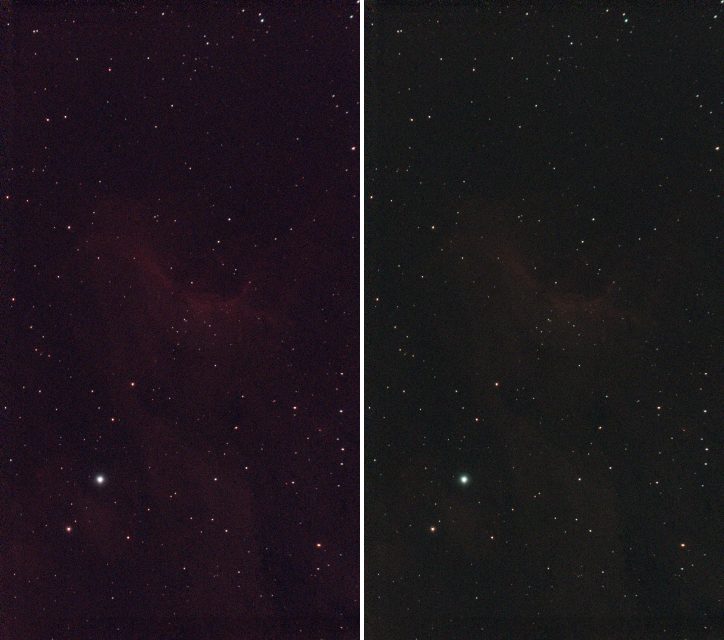
Step 4: Undo a stretch
The FITS file records the stretch, so --invert reverses it:
valerian stretch stretched.fits --invert -o linear.fits
stretched.fits: stretch undone
wrote linear.fits
valerian info linear.fits --stats gives a sky of 610.7, 597.3 and 608.3 ADU, the same as before,
but the min of every plane is 582.8 and the max 5636.7: the black and white points. That is
what "undo on the data that was not clipped" means: everything below the black point and above the
white point was clipped by the stretch and cannot be brought back. Keep flat.fits: it is the
real linear data.
Options used
All options are in the command line reference.
| Option | What it does | Range or values | Default |
|---|---|---|---|
<INPUT> | the linear FITS image to stretch | a file | required |
-o, --output <FILE> | the stretched FITS file | a file | required unless --preview is given |
--preview <PNG> | also write an 8-bit PNG | a file | not written |
--preview-size <PIXELS> | longest side of the PNG | pixels | 1600 |
--invert | undo the stretch recorded in the input's header | on or off | off |
--curve | the tone curve | auto, mtf, arcsinh, ghs | auto |
--target <LEVEL> | sky level after the stretch (auto, and mtf without --midtone) | 0 to 1 | 0.1 |
--midtone <M> | midtone balance of the MTF; below 0.5 brightens | 0 to 1 | solved for --target |
--beta <BETA> | strength of the arcsinh stretch | greater than 0 | 50 |
--ghs-stretch <S> | GHS stretch factor; 0 changes nothing; D is e to this power minus one | 0 or more | 3 |
--ghs-b <B> | GHS local intensity: -1 logarithmic, 0 exponential, above 0 hyperbolic | number | 0 |
--ghs-sp <SP> | GHS symmetry point: the brightness stretched hardest | 0 to 1 | 0 |
--ghs-lp <LP> | GHS shadow protection point (at most the symmetry point) | 0 to 1 | 0 |
--ghs-hp <HP> | GHS highlight protection point (at least the symmetry point) | 0 to 1 | 1 |
--black <ADU>, --white <ADU> | set the black and white points by hand, in the image's units (give both) | ADU | automatic |
--shadow-sigma <SIGMA> | automatic black point: this many robust sigmas below the sky | sigmas | 2.8 |
--white-percentile <PERCENT> | automatic white point: this percentile of the pixels | percent | 99.995 |
--unlinked | stretch each colour plane on its own | on or off | off (planes linked) |
Measured on flat.fits (red plane's sky median after the stretch, in the log):
--target 0.2brightens: 0.2364 (red), 0.1378 (green) with the default curve. The target is the sky level the curve is solved for on the luminance, so a linked plane with a higher sky lands higher.--curve mtf --midtone 0.05gives 0.0959, and the automatic stretch solved a midtone of 0.039 for 0.1. The lower the midtone, the brighter the result.--shadow-sigma 1 --white-percentile 99.9moves the black point to 597.4 and the white point to 809.1 (the default: 582.8 and 5636.7). That clips the nebula's brighter parts and most star cores to white, and the midtone becomes 0.26: a harder, flatter picture with less depth. A tighter black point makes a darker sky; a lower white percentile makes more stars burn out.--black 580 --white 5600alone is refused (see below).
How to tell it worked
- The log's sky medians are near the
--target(0.1) in every plane (exactly 0.1 with--unlinked). - The picture shows the nebula and the faint stars, and the sky is dark grey, not black and not bright.
- The brightest stars are white but not all stars are: a handful of clipped pixels are normal (the white point is a percentile).
valerian stretch stretched.fits --invertreportsstretch undone.
Troubleshooting
The picture is still almost black. The sky is below the target because the black point is high
or the white point is far too high (a satellite, a bright star or a hot pixel can drag the percentile
up). Raise --target (0.2 gave 0.24 here), lower --midtone, or use arcsinh with a larger
--beta. Check that the input is linear: info --stats should give a sky of hundreds of ADU, not
0.1.
The picture is washed out, grey, with no black. The input was already stretched. The
stretch does not know: stretching stretched.fits again ran without a warning (black 0.0092, white 0.9944, Mtf {midtone: 0.474...}) and gave a different picture. Start from the linear file.
(photocal, by contrast, refuses a stretched image, as tutorial 9 shows.)
valerian: --black and --white need a curve with its own parameters: give --midtone, or use --curve arcsinh or ghs. The automatic curve is solved from the black and white points it chose itself, so
it cannot take yours. Add --curve mtf --midtone 0.05 (or arcsinh or ghs).
valerian: the image records no stretch (no STRETCH keyword). --invert was run on a file that
was not made by valerian stretch (here the linear stack.fits). There is nothing to undo.
The sky has a colour cast. The planes are linked, so the cast in the data is kept. Balance it with
colour calibration (tutorial 9), or for a quick look use --unlinked.
The stars are bloated or the faint nebula is lost in the noise. The curve is too strong. Lower
--beta (arcsinh), --ghs-stretch (GHS) or raise the midtone. A stretch cannot add signal: if the
noise is the problem, stack more frames.
The command ends with "Broken pipe" when its output is piped to head. That was a panic in
older builds (issue 59, fixed): it stopped the command
before it wrote the file, as happened when this tutorial was made. Current builds end quietly, but
still stop at the closed pipe, so do not pipe a command whose output file you need.
The desktop app
In the desktop app this is the Stretch tool of step 4, Process: see the reference for its controls.
Where next
stretched.fits is a picture. Tutorial 7 takes the stars out of an image.
Tutorial 7: Star removal
Goal: separate the stars from the nebula: a starless image to stretch hard and bring out the
nebula, and a stars-only image to put back later. You finish with starless.fits, stars-only.fits
and a star mask, and you will know how to take only part of each star away.
Data: flat.fits, the gradient-free linear stack from tutorial 5, 1080 by 1920
pixels, three planes. Star removal works on a linear image or on a stretched one; the
linear one keeps the stars' true brightness in the stars-only file, which is what you want when
you add them back. The method is in How star removal works. It is a
classical method with no learned model: stars are found, a disc is drawn over each one and the discs are
filled by diffusion from their surroundings, with noise added so the patches do not show.
Step 1: Remove the stars
valerian starless flat.fits -o starless.fits --stars-out stars-only.fits \
    --mask-out mask.fits --preview starless.png
693 stars found, 5.38 % of the pixels filled
wrote starless.fits
wrote stars-only.fits
wrote mask.fits
wrote preview starless.png
The command took 0.4 s. 693 stars found, 5.38 % of the pixels filled: 693 stars were detected on
the luminance and a mask disc was drawn over each, sized from its brightness and width; the discs
together cover 5.38 per cent of the picture, and those pixels were replaced. Four files are written:
starless.fits: the image with the stars filled in.stars-only.fits: what was taken out, the original minus the starless image. Adding it back tostarless.fitsgives the original (the largest difference over every pixel and plane was 0.00001 ADU).mask.fits: 1 where pixels were filled, one plane.starless.png: the original (left) and the starless image (right), both on the same automatic stretch of the original, for looking at.
The picture shows the stack (left) and the starless image (right), each at one third of its size with one shared screen stretch:
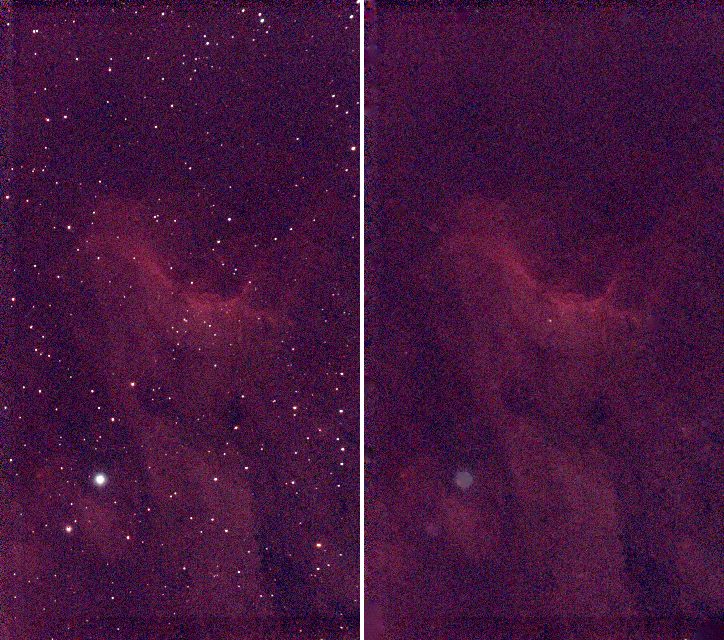
Step 2: Check it
valerian info starless.fits --stats
starless.fits
  size: 1080 x 1920 pixels, 3 planes
  plane 0: min 530.4, sky 610.7, noise 11.63, max 836.9 ADU
  plane 1: min 545.0, sky 597.2, noise 7.14, max 778.1 ADU
  plane 2: min 530.2, sky 608.3, noise 9.72, max 819.1 ADU
  stars: 7 (median FWHM 6.37 px, ellipticity 0.184)
The brightest pixel of the starless red plane is 836.9 ADU, against 74,631 in the stack: the stars have gone. The sky level is unchanged (610.7, 597.2, 608.3) and the noise is nearly the same (11.63 against 11.93), which is the added noise doing its job: a patch that is smoother than the sky around it shows. The detector still finds 7 star-like features in what is left.
A closer look, at three times the size: a patch with a bright star and fainter ones. Left to right: the original,
--strength 0.5 and the default of removing the whole star. The mid panel keeps every star at half its
light; the right panel has no stars, though the brightest star leaves a faint smudge, which is its halo:
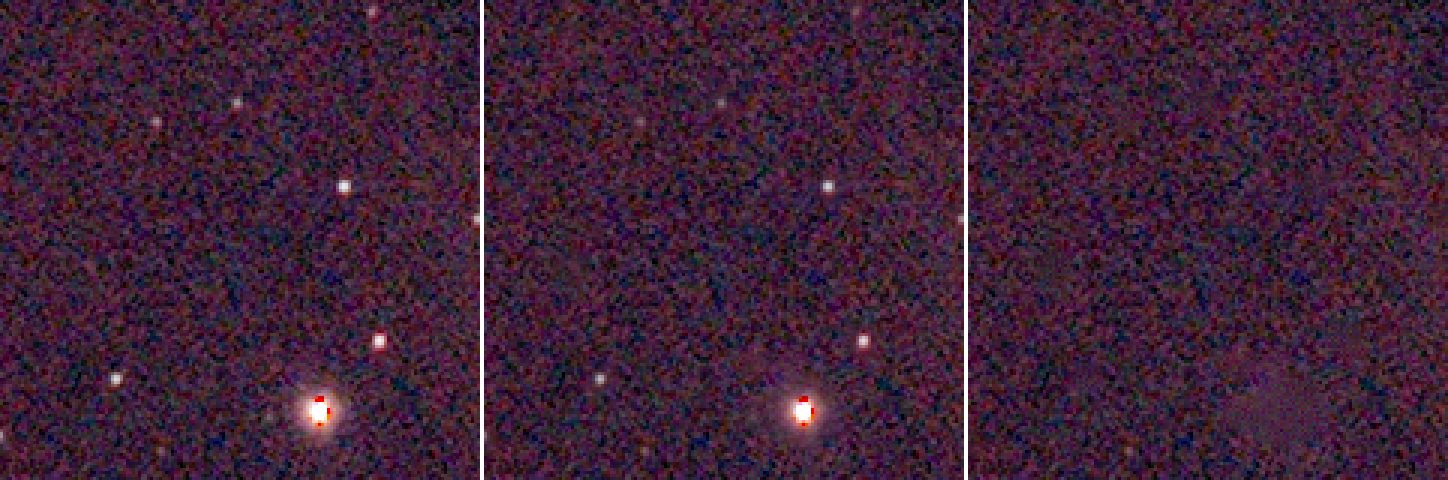
The stars-only image is not a picture of stars only: it holds the difference, which has negative values
where the filled patch is darker than the star's surroundings (the minimum of the red plane is
-98 ADU) and no noise to speak of. To put the stars back, add stars-only.fits to the (stretched) starless image in a pixel maths
tool; Valerian has no command for that yet. For a gentler result use --strength, next.
Step 3: Reduce instead of remove
Many people prefer to reduce stars rather than remove them: removal can leave smudges, and a nebula
reads better with small stars. --strength is the fraction of each star removed:
valerian starless flat.fits -o half.fits --strength 0.5
The result has 352 stars of median FWHM 2.54 pixels (the original had 521) and the brightest pixel in the red plane is 37,626 ADU, half of 74,631 (the middle panel above).
Options used
All options are in the command line reference.
| Option | What it does | Range or values | Default |
|---|---|---|---|
<INPUT> | the FITS image (mono or colour planes, not a raw mosaic) | a file | required |
-o, --output <FILE> | the starless image | a file | required unless --preview is given |
--stars-out <FILE> | also write what was removed (original minus starless) | a file | not written |
--mask-out <FILE> | also write the star mask (1 where pixels were filled) | a file | not written |
--preview <PNG> | also write a PNG of the original and the starless image side by side | a file | not written |
--preview-size <PIXELS> | longest side of each half of the preview | pixels | 900 |
--strength <FRACTION> | fraction of each star to remove; below 1 reduces the stars | 0 to 1 | 1 |
--threshold <SIGMA> | detection threshold in sigmas of the smoothed noise; lower finds fainter stars | sigmas | 4 |
--mask-scale <FACTOR> | multiplier of every mask radius | greater than 0 | 1 |
--grow <PIXELS> | pixels added to every mask radius | pixels | 1.5 |
--max-radius <PIXELS> | largest mask radius | pixels | 60 |
--no-noise | fill with the smooth diffusion result and add no noise | on or off | off (noise added) |
--seed <N> | seed of the added noise | integer | 1 |
Measured on flat.fits (the numbers are from the log line N stars found, P % of the pixels filled):
| Command differs by | Stars found | Pixels filled | Remark |
|---|---|---|---|
| nothing (defaults) | 693 | 5.38 % | |
--threshold 8 | 395 | 2.48 % | only the brightest stars: many small ones stay |
--threshold 2.5 | 2360 | 22.35 % | noise peaks are taken for stars: a large part of the picture is filled |
--mask-scale 1.5 | 693 | 7.46 % | bigger discs: removes more of each halo |
--grow 4 | 693 | 7.84 % | the same idea, as a fixed width |
--max-radius 8 | 693 | 3.98 % | the discs of the brightest stars are cut: halos stay |
--strength 0.5, --no-noise, --seed 7 | 693 | 5.38 % | the same discs; only the fill changes |
The same seed gives the same file (two runs with --seed 1 were byte for byte identical), so
a result is repeatable. --no-noise gives a smooth fill: the patches may show on close inspection
against the noisy sky.
How to tell it worked
- The log gives
stars foundin the hundreds for a field like this, and the filled share is a few per cent. A filled share of 20 per cent or more means the threshold is picking up noise. - The brightest pixel of the starless image is a small fraction of the original's (here 837 against 74,631 ADU).
- No bright points are left in the starless picture and the patches do not show as flat discs.
- The sky level is unchanged and the noise is of the same size.
- The nebula's structure is intact outside the discs.
Troubleshooting
Dark or smooth patches where the stars were. The fill is smoother than the sky around: keep the
noise on (it is by default; do not use --no-noise). In a very bright halo the fill can differ from the
real nebula: the smudge in the picture above, where the bright star was, is that. Reduce the stars
with --strength below 1 instead.
Rings or the rest of a halo remain around bright stars. The discs are too small for the halo. Raise
--mask-scale (1.5 filled 7.46 per cent instead of 5.38) or --grow. A cap of --max-radius 8 makes it
worse: it left 3.98 per cent.
The nebula has holes or has been eaten. The threshold is too low: at 2.5 sigma, 22.35 per cent of
the picture was filled, because noise peaks were taken for stars. Raise --threshold to 4 or above.
Faint stars are still there. They are below the threshold (the star count at --threshold 8 falls to
395). Lower --threshold a little (3 to 3.5) or accept the faint stars: they are below the detection limit and
hard to remove cleanly.
valerian: lights/....fit is a raw colour mosaic; calibrate it with --debayer first (or the same for a
raw frame). The input is a raw Bayer image. Stack first.
Diffraction spikes stay. They are not stars: the method masks discs only. The user guide says so: How star removal works.
The command writes nothing and the error mentions Broken pipe. The output was piped to head
or less: an older build (see issue 59); update Valerian. Current builds end quietly, but a command stopped by a closed pipe may not have written its file, so do not pipe a command whose output file you need.
The desktop app
In the desktop app this is the Star removal tool of step 4, Process: see the reference.
Where next
You have starless.fits and stars-only.fits. Tutorial 8 goes back to flat.fits to
find out where in the sky it points.
Tutorial 8: Plate solve
Goal: find out exactly where in the sky the picture points, and write that into the file as a
world coordinate system (WCS), so that every pixel has a right ascension and a declination. You
finish with solved.fits, a copy of the image with the WCS in its header, and you will know what
the numbers mean and what to do when a solve fails. Colour calibration, the next tutorial, needs it.
Data: flat.fits, the gradient-free IC 5070 stack from tutorial 5, and the Gaia
star catalogue gaia-dr3-g11-v2.vcat. The catalogue is the gaia-dr3-g11.vcat that ships with
every Valerian package (the same file: 9,978,676 bytes, Gaia DR3 stars brighter than magnitude 11,
1,247,240 of them, with their BP-RP colours); see Install for where
Valerian looks for it. Here it was given with VALERIAN_CATALOGUE because Valerian was built from
source:
export VALERIAN_CATALOGUE=/path/to/gaia-dr3-g11-v2.vcat
What happens. Valerian detects the stars in the image, takes the catalogue stars of the patch of sky the header names, matches the two sets by the triangles they form (the way registration does) and fits a TAN projection, with optional SIP distortion terms, to every star that agrees. The method is in How plate solving works.
Step 1: Solve
valerian solve flat.fits -o solved.fits
looking within 1.00 deg of RA 313.0583 Dec +44.5044, scale 2.03 to 2.75 arcsec/pixel
solved: centre RA 20h51m16.9s Dec +44d25m25.2s (312.82029, +44.42366 deg)
scale 2.374 arcsec/pixel, field 0.71 x 1.27 deg, rotation 122.34 deg east of north, mirrored
41 of 400 detected stars matched, rms 0.23 arcsec (0.10 px), plain TAN
wrote solved.fits
It takes 0.29 s. The first line is what Valerian started from, taken from the header:
RA 313.0583 Dec +44.5044. TheRAandDECkeywords of the file (here the position the Seestar was told to aim at). They only need to be near: Valerian looks--radiusdegrees around them, 1 by default.scale 2.03 to 2.75 arcsec/pixel. The scale fromFOCALLEN(250 mm) andXPIXSZ(2.9 micron pixels), 2.39 arcseconds per pixel, searched within 15 per cent either way.
Then the answer:
centre RA 20h51m16.9s Dec +44d25m25.2s. The centre of the image, 0.2 degrees from where the telescope was told to point.scale 2.374 arcsec/pixel, field 0.71 x 1.27 deg. The fitted pixel scale and the size of the field.rotation 122.34 deg east of north, mirrored. The angle of the image's up direction from north, and a note that the pixel grid has the opposite handedness to a sky chart (the determinant of the CD matrix is positive). The WCS describes it exactly, so you do not have to do anything about it.41 of 400 detected stars matched, rms 0.23 arcsec (0.10 px), plain TAN. 400 stars were detected and 41 of them agree with catalogue stars, and they land within 0.23 arcsec of where the fit puts them, a tenth of a pixel.plain TANsays no distortion terms were needed (--sip-order auto).
solved.fits is a copy of the image with the WCS added to the header; the input is never changed.
The WCS cards are CTYPE1 RA---TAN, CTYPE2 DEC--TAN, CRVAL1 312.82029, CRVAL2 44.42366,
CRPIX1 540.5, CRPIX2 960.5 and the CD matrix (CD1_1 -0.000353, CD1_2 0.000557, ...), with
RADESYS ICRS and EQUINOX 2000, and a HISTORY card with the summary above. Any program that reads
FITS WCS will use them.
Step 2: See what the solution means
The picture shows the solved image (linear, with a screen stretch) with lines of constant declination (blue, every 0.25 degrees) and of constant right ascension (orange, every 0.25 degrees of arc, about 1.4 minutes of time) drawn from the WCS. The labels are the values. The lines are straight and parallel, as they should be for a field this small, and they run at 122 degrees to the pixel columns, the rotation the solve reported.
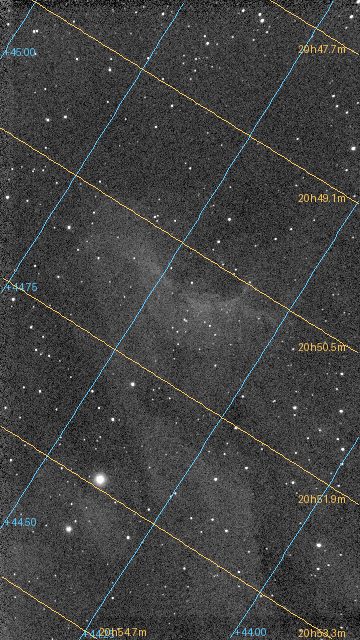
Check the result against something you know: a named star, or the position the target is listed at in an atlas.
Step 3: When the header has no position, or is wrong
By default the position and scale come from the header. You can give or override either:
valerian solve flat.fits --ra 20:51:00 --dec +44:30:00 -o solved.fits
valerian solve flat.fits --blind --scale-range 2 3 -o solved.fits
The first gives a position (degrees, or hours as hh:mm:ss for the right ascension and dd:mm:ss for the
declination); the log then says looking within 1.00 deg of RA 312.7500 Dec +44.5000 and the answer
is identical. The second searches the whole sky: with --blind Valerian ignores the position in
the header, and it needs a scale (here --scale-range, or --scale) to bound the search. It took
3.1 s on this field with --scale-range 2 3 (8.2 s with --blind alone, which searches the scale
the header gives), against 0.29 s with the header's position, and gave exactly the same centre.
Use it when the header has no position, or an untrustworthy one.
Options used
All options are in the command line reference.
| Option | What it does | Range or values | Default |
|---|---|---|---|
<INPUT> | the FITS image (mono or colour planes, not a raw mosaic) | a file | required |
-o, --output <FILE> | write a copy of the image with the WCS | a file | the solution is only printed |
--catalogue <FILE> | the star catalogue | a .vcat file | gaia-dr3-g11.vcat beside the program, or VALERIAN_CATALOGUE |
--ra <RA>, --dec <DEC> | field centre | degrees, or hh:mm:ss and dd:mm:ss | from the header (RA, DEC, OBJCTRA, OBJCTDEC, or an existing WCS) |
--radius <DEGREES> | how far the true centre may be from the position | degrees | 1 |
--scale <ARCSEC> | pixel scale, searched within 15 per cent either way | arcseconds per pixel | from FOCALLEN and XPIXSZ |
--scale-range <LOW> <HIGH> | range of the pixel scale | arcseconds per pixel | |
--blind | search the whole sky even if the header names a position | on or off | off |
--sip-order <ORDER> | SIP distortion order, 0 for none, or auto | 0, 2, 3, ... or auto | auto (used when it clearly helps) |
--min-matches <N> | the fewest stars that must agree | count | 10 |
--threshold <SIGMA> | detection threshold in sigmas of the smoothed noise | sigmas | 6 |
What the options changed on this image:
--sip-order 2and3fitted distortion terms (SIP order 2,SIP order 3) and lowered the rms from 0.23 to 0.21 and 0.19 arcsec (0.09 and 0.08 pixel); the centre moved by 0.2 arcsecond at most.autojudged the gain not worth it and keptplain TAN. Distortion matters for a wide field or a fast lens; for this 250 mm field it is below the noise.--threshold 10detected 355 stars instead of 400, and matched the same 41: the match is set by the catalogue stars bright enough to be in the image, not by the faint ones.--radius 3and--radius 0.1(with a good position) gave the same answer; a smaller radius is faster and a larger one forgives a bad position.--min-matches 30still solved (41 stars agree);--min-matches 60failed (below).
How to tell it worked
- The log says
solved:and writes the file; without a solve nothing is written. - The matched stars are at least a few tens (here 41) and the rms is a fraction of a pixel (0.10).
- The centre is where the target is, near the position the header gave.
- The scale is close to the scale you expected (2.374 against 2.39 from the optics).
- The picture with the grid shows lines that run through the sky as they should, and a catalogue star you know is where it should be.
Troubleshooting
valerian: registration failed: no match in 9 patches of sky: the field is not where the hint says, the scale is outside 2.03 to 2.75 arc seconds per pixel, or there are too few catalogue stars in the field (this catalogue goes to G = 11). The solve failed. This message is what --ra 10 --dec -30 (a wrong position)
gave: the log says how many patches of sky were tried. Check, in this order: the position (or use --blind);
the scale (--scale 5 gave no match in 1 patch of sky with a scale range of 4.25 to 5.75; the true
scale is 2.37); the catalogue depth. A field narrower than about half a degree has too few stars brighter
than G = 11: build a deeper catalogue with scripts/build_catalogue.py --mag 13 and give it with
--catalogue, as How plate solving works describes.
valerian: registration failed: only 2 stars were detected; at least 10 are needed. The image has too few
stars to solve: here it was a dark frame. Check you gave the right file (not a master dark or a mask) and that it is
a light or a stack of lights. Lower --threshold to find fainter stars, or give a longer exposure.
valerian: registration failed: no match ... after --min-matches 60. The solve found 41 agreeing stars and
refused them as too few: --min-matches is a lower bound. Lower it, or leave the default of 10.
valerian: no star catalogue found; looked for gaia-dr3-g11.vcat in: ... or
valerian: cannot read /nonexistent.vcat: No such file or directory. The catalogue is missing or the path is
wrong: see Install.
The solution is right but my program shows the picture flipped. The WCS is mirrored
(a positive CD determinant): programs that follow the FITS convention display it correctly; a program that
ignores the WCS shows the pixels as stored. It is the image that is stored that way, not the solution that is wrong.
The solve works on the stack but not on a single frame. One 10-second frame has few stars; the stack has
many more. Solve the stack, or lower --threshold for the frame.
A raw frame is refused. solve needs mono or colour planes, not a raw mosaic: stack first.
The desktop app
In the desktop app this is the Plate solve tool of step 4, Process, which circles the matched stars: see the reference.
Where next
solved.fits has a world coordinate system, which tutorial 9 uses to find the stars whose colour
Gaia knows.
Tutorial 9: Photometric colour calibration
Goal: set the colour balance of the picture from the stars in it, so that a star the colour of
the Sun is neutral and the sky is a neutral grey. You finish with calibrated.fits, a table of the
stars used (stars.csv) and a stretched picture with the cast gone.
Data: solved.fits, the plate-solved IC 5070 image from tutorial 8: linear, colour, with
a world coordinate system. It also needs the Gaia catalogue, because it takes the colours of
catalogue stars from it (the BP-RP colour, which is the difference between Gaia's blue and red
magnitudes: about 0.8 for the Sun, 0.3 for a hot blue star, 2 for a cool red one).
What happens. The solved positions are used to find Gaia stars in the image; each star is measured through the same aperture in red, green and blue; a line of instrumental colour against true colour is fitted for red against green and for blue against green; and the gains that make a star of BP-RP 0.82 (like the Sun) neutral are found. Then the sky of the three planes is brought to one level. The method is in How colour calibration works.
When. On a linear image, after background extraction and plate solving, before stretching.
Step 1: Calibrate
valerian photocal solved.fits -o calibrated.fits --stars-out stars.csv
36 Gaia stars measured, 33 used; aperture radius 5.1 px; neutral at BP-RP 0.82
  red against green: slope -0.635 mag per BP-RP, scatter 0.027 mag, gain 0.7547 +/- 0.0032
 blue against green: slope +0.080 mag per BP-RP, scatter 0.024 mag, gain 0.9860 +/- 0.0037
sky before 610.76 597.29 608.32, after 552.68 552.68 552.68 (offsets -91.76 44.61 47.15)
wrote the star table stars.csv
wrote calibrated.fits
The command took 0.34 s. Reading it:
36 Gaia stars measured, 33 used; aperture radius 5.1 px. 36 catalogue stars in the field were bright enough to measure (Gaia G between 6 and 11, with enough signal in every colour) and 33 were kept after rejecting outliers. The measuring aperture is 2 times the median FWHM of the stars (2.56 pixels). At least 15 stars are needed (--min-stars).neutral at BP-RP 0.82. The colour made neutral: a G2 dwarf like the Sun,--reference-colour.red against green: slope -0.635 mag per BP-RP, scatter 0.027 mag, gain 0.7547 +/- 0.0032. For each star the instrumental red-minus-green magnitude is plotted against its true BP-RP. The points lie on a line with a slope of -0.635 mag per unit of BP-RP, within 0.027 mag. The gain is the factor that puts a BP-RP 0.82 star on zero: the red plane is multiplied by 0.7547. Its uncertainty is 0.0032, 0.4 per cent.blue against green: ... gain 0.9860 +/- 0.0037. The same for blue: the blue plane is multiplied by 0.9860. Green is the reference and stays at 1, so the brightness is kept.sky before 610.76 597.29 608.32, after 552.68 552.68 552.68 (offsets -91.76 44.61 47.15). After the gains, a constant is added to each plane so the sky has one level (552.68) in all three, which makes the background a neutral grey. The offsets are the constants (red is pulled down by 91.76 ADU, green and blue lifted by 44.61 and 47.15).
calibrated.fits has the gains and the offsets in its header: PCCGAINR 0.7547, PCCGAING 1.0,
PCCGAINB 0.9860, PCCOFFR -91.76, PCCOFFG 44.61 and PCCOFFB 47.15. stars.csv has one line per star
measured: its pixel position (x, y), Gaia magnitude g and colour bp_rp, the fluxes in red, green and
blue and used (1 if it went into the fit). Here it has 36 stars, 33 used, with g from 7.0 to 11.0 and
bp_rp from 0.35 to 2.15, a good spread of colours, which is what makes the fit reliable.
x,y,g,bp_rp,flux_r,flux_g,flux_b,used
206.029,1586.533,7.000,1.000,571262.861,367588.606,382001.901,1
956.491,1635.028,8.000,2.125,209667.817,76182.253,67570.169,1
The stars it measured, over a screen-stretched picture of the same image: green circles are the 33 used, red circles the 3 that were rejected as outliers.
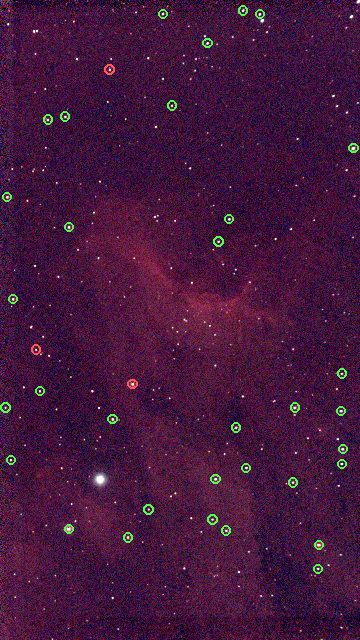
Step 2: See the difference
The sky and the stars are the proof. Left: flat.fits stretched (stretched.fits, tutorial 6),
which has the cast of the data: the sky is a dark purple. Right:
calibrated.fits with the same automatic stretch (valerian stretch calibrated.fits -o cstretched.fits). Both are
Valerian's stretched output at one third of the size.
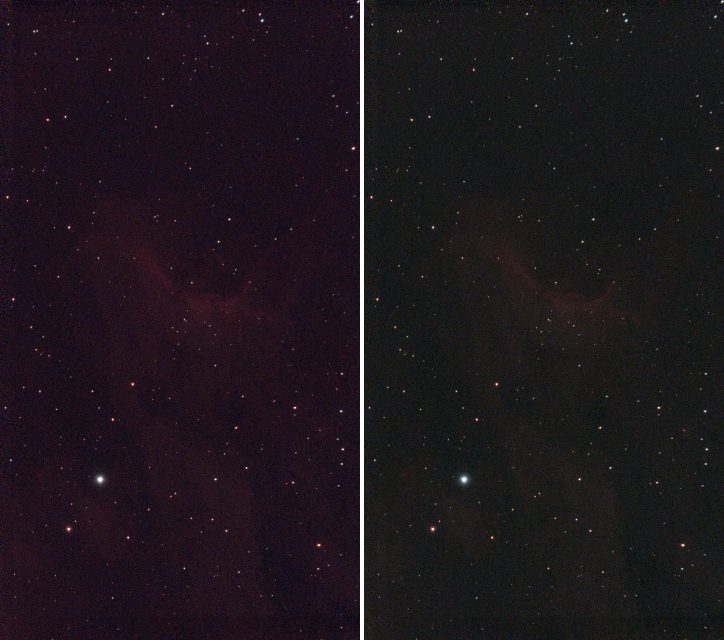
valerian stretch calibrated.fits -o cstretched.fits --preview cstretched.png
black 532.4390, white 5099.4653, Mtf { midtone: 0.0385596760748138 }
plane 0: median 552.7506 -> 0.1002
plane 1: median 552.7175 -> 0.1001
plane 2: median 552.7233 -> 0.1001
wrote cstretched.fits
wrote preview cstretched.png
Now the three planes' sky medians land on 0.1002, 0.1001 and 0.1001: the sky is neutral grey. Before the calibration they were 0.1209, 0.0663 and 0.1113, tutorial 6's log. The sky has lost its tint. The nebula looks fainter, because the red gain of 0.75 turns the red down: a harder stretch brings it back.
valerian info calibrated.fits --stats gives the sky of every plane as 552.7. The image, linear, ready to
stretch to taste or to remove the stars from (tutorial 7 on calibrated.fits works the same way).
Options used
All options are in the command line reference.
| Option | What it does | Range or values | Default |
|---|---|---|---|
<INPUT> | the linear colour FITS image (three planes) | a file | required |
-o, --output <FILE> | write the calibrated image | a file | the result is only printed |
--wcs <FILE> | take the plate solution from this FITS file's header instead of the image's | a file | the image's own WCS, or a quick solve from the header |
--catalogue <FILE> | the star catalogue (it must carry colours) | a .vcat file | gaia-dr3-g11.vcat beside the program, or VALERIAN_CATALOGUE |
--stars-out <FILE> | write every star measured to a CSV file | a file | not written |
--reference-colour <BP-RP> | the colour to make neutral; 0.82 is a G2V star like the Sun | BP-RP | 0.82 |
--min-mag <MAG>, --max-mag <MAG> | the brightest and faintest star used, Gaia G | magnitude | 6 and 11 |
--colour-min <BP-RP>, --colour-max <BP-RP> | the bluest and reddest BP-RP used in the fit | BP-RP | 0.3 and 2.5 |
--aperture <FWHM> | aperture radius as a multiple of the median FWHM | multiple | 2 |
--min-snr <SNR> | least signal-to-noise of a star in each colour | ratio | 15 |
--min-stars <N> | the fewest stars the fit may rest on | count | 15 |
--no-neutralise | leave the background levels of the planes as they are | on or off | off |
What the options changed on this image (the gains are red and blue; the sky is "after"):
| Command differs by | Stars measured, used | Gains R, B | Sky after |
|---|---|---|---|
| nothing (defaults) | 36, 33 | 0.7547, 0.9860 | 552.68 in all three |
--reference-colour 0.5 | 36, 33 | 0.9099, 0.9629 | 579.60 in all three |
--reference-colour 1.2 | 36, 33 | 0.6043, 1.0142 | 527.78 in all three |
--max-mag 10 | 18, 18 | 0.7440, 0.9852 | 550.33 |
--min-mag 8 | 35, 32 | 0.7559, 0.9872 | 553.17 |
--aperture 3 | 32, 26 | 0.7410, 0.9895 | 550.60 |
--colour-min 0.5 --colour-max 1.8 | 29, 28 | 0.7527, 0.9872 | 552.51 |
--min-snr 30 | 36, 33 | 0.7547, 0.9860 | 552.68 |
--no-neutralise | 36, 33 | 0.7547, 0.9860 | 460.92, 597.29, 599.83 (offsets 0) |
The gains are stable: dropping the fainter stars (--max-mag 10, half the stars), the brightest (--min-mag 8),
changing the aperture or restricting the colour range moves the gains by less than 0.02. That stability, not the
size of the scatter, is what tells you the calibration is sound. A different --reference-colour shifts the whole
balance: a redder reference (1.2) lowers the red gain to 0.60, because the stars it makes neutral are red.
--min-snr 30 changed nothing: every star already had a signal-to-noise above 30.
--no-neutralise applies the gains but not the offsets: the planes' skies stay at their own levels
(red 460.92, green 597.29, blue 599.83), and the sky is not grey.
How to tell it worked
N Gaia stars measured, M usedwithMat least 15 (here 33).scatteris a few hundredths of a magnitude (0.027 and 0.024), and the gain's+/-is under 1 per cent.- The gains are not extreme (here 0.75 and 0.99). As a rule of thumb, a gain far from 1, say below 0.5 or above 2, deserves a look
at
stars.csv. - The after sky is one number in all planes.
stars.csvhas stars of different colours (here BP-RP 0.35 to 2.15) and mostlyused1.- The stretched picture has a neutral dark sky.
- Changing the options a little (magnitude limits, aperture) leaves the gains within 2 per cent.
Troubleshooting
valerian: this image has been stretched; colour calibration works on the linear image. You gave a
stretched file (here stretched.fits). Run photocal on the linear one, after the background extraction and before
the stretch.
valerian: master_dark.fits has no world coordinate system and the header lacks a position and scale to solve one: run valerian solve first. The image has no WCS and no RA, DEC and scale to solve one
from (here a mono master dark, which is not a colour image anyway). Plate solve first
(tutorial 8), or give the solution with --wcs. If the header has a position and scale photocal
solves for itself: valerian photocal flat.fits printed no WCS in the image: solving it from the header first and gave the
same result.
valerian: registration failed: only 36 usable stars of 36 measured; at least 40 are needed (the image may be too shallow, or the catalogue too bright for this field). --min-stars 40 was given and the field has 36 stars the
catalogue can offer. Fewer stars means a less certain fit. A field narrower than about half a degree has too few
stars brighter than G = 11: use a deeper catalogue (see tutorial 8), or lower --min-stars
if you accept a less certain gain (the +/- tells you how much).
The scatter is large (0.1 mag or more) or the gains have large +/-. The stars are measured badly:
saturated bright stars (raise --min-mag), faint noisy ones (raise --min-snr, lower --max-mag), or crowded ones
in a nebula (a smaller --aperture). The used column of stars.csv and the red circles in the picture show
which stars were rejected.
The sky is still tinted, or the nebula has lost its colour. photocal balances the sky and the
stars; the nebula's colour is whatever is left. If the sky has gradients in colour, run
background extraction first (it is per plane); if the data was stretched before, it cannot be
fixed.
The result looks too blue or too red. The reference is the Sun, BP-RP 0.82. For a different taste, change --reference-colour (0.5 gave red and blue gains of 0.91 and
0.96, 1.2 gave 0.60 and 1.01).
The input has one plane. photocal needs red, green and blue planes; a mono image has no colour to calibrate.
The desktop app
In the desktop app this is the Colour tool of step 4, Process: see the reference.
Where next
calibrated.fits is the finished linear colour image. Stretch it to taste (tutorial 6),
or take the stars out (tutorial 7). Tutorial 10 shows how to get more resolution
from the same frames.
Tutorial 10: Drizzle
Goal: make an image with twice the pixels in each direction from dithered frames, with crisper
stars than a plain stack, instead of just a bigger copy of the stack. You finish with drizzled.fits
(2160 by 3840 pixels from the 1080 by 1920 frames) and a map of how much data reached each pixel.
Data: the sixty IC 5070 Seestar lights in lights/, as raw mosaics, the same as
tutorial 4. The Seestar's stars are only about 2.5 pixels wide (an undersampled image),
it dithers between frames (the shifts in tutorial 3 run up to about 70 pixels) and
its one-shot-colour sensor samples red and blue at every second pixel: the case drizzle is for. Give
drizzle the frames themselves, not the stack and not the demosaiced registered/ copies: it drops each raw
pixel into its own colour plane without interpolating them, and registers the frames by itself,
the way stack does. If you calibrated, give it the calibrated frames of tutorial 2 written
without --debayer. How it works, and what the resolution gain is, is in
How drizzle works.
What happens. Each input pixel is shrunk to a "drop" --pixfrac of its side, laid onto an output grid
--scale times finer (using the registration), and spread over the output pixels it overlaps in proportion to the
overlap, weighted by the noise and star width of its frame. A second pass rejects input pixels more than
--reject sigma from the first result (cosmic rays, hot pixels, satellite trails) and drizzles again.
Step 1: Drizzle
valerian drizzle lights/ -o drizzled.fits --scale 2 --pixfrac 0.6 \
    --report drizzle-report.txt --weight-map drizzle-weight.fits
read 60 frames in 308.4ms
registering through demosaiced copies of the mosaics
reference candidate frame 47: 59 of 59 other frames register
reference: frame 47 (FWHM 2.16 px)
drizzling 60 frames onto 2160 x 3840 (scale 2, pixfrac 0.6), raw Grbg mosaics dropped without interpolation
second pass: rejecting input pixels more than 4 sigma from the first result
   #  frame                         stars   FWHM  ellip      sky    noise   flux x rms px weight  reject  status
...
60 of 60 frames drizzled to 2160 x 3840 (scale 2, pixfrac 0.6), reference frame 47 (Light_IC 5070_10.0s_LP_20260728-224223.fit), 0.28 % of the input samples rejected, 0.015 % of the output without data, 6.8s
wrote drizzled.fits
wrote drizzle-weight.fits
wrote drizzle-report.txt
(The values of --scale 2 --pixfrac 0.6 are the defaults; they are written out to show the settings.)
It took 6.8 s. Reading it:
registering through demosaiced copies of the mosaics. Registration needs to find stars, so the frames are demosaiced in memory for that; the drops themselves use the raw pixels. Registration is the same as in tutorials 3 and 4 (reference frame 47).drizzling 60 frames onto 2160 x 3840 (scale 2, pixfrac 0.6), raw Grbg mosaics dropped without interpolation. The output grid is twice the size, and each raw pixel goes to its colour's plane.Grbgis the filter layout (green-red / blue-green) the header gives.second pass: rejecting input pixels more than 4 sigma from the first result. The default--reject 4.- The table is the per-frame table of
stackwith the weights used. 0.28 % of the input samples rejected. Cosmic rays, hot pixels and trails, as instack.0.015 % of the output without data. The output pixels no drop reached: one in about 6,700. They are NaN in the file; the weight map shows where they are. 0.015 per cent is a good fill; see the troubleshooting for what to do when it is not.
drizzled.fits is 99.5 MB (2160 by 3840 by 3 planes of 32-bit floats), the weight map is a single plane of the
same size, and the report is the table. The weight map's values, from info --stats: median 5.2 and maximum 11.4:
the coverage is not uniform because the frames are dithered and weighted.
Step 2: Look at the result
valerian info drizzled.fits --stats:
drizzled.fits
  size: 2160 x 3840 pixels, 3 planes
  plane 0: min -107.7, sky 612.9, noise 31.11, max 69238.7 ADU
  stars: 605 (median FWHM 5.04 px, ellipticity 0.187)
The stars have a median FWHM of 5.04 drizzled pixels, or 2.52 original pixels, against 2.57 pixels in the
stack (info stack.fits --stats): 2 per cent sharper at this setting. That is a small gain, because the 10-second
frames are limited by the seeing and the optics (the stars are 2.5 pixels wide) more than by the pixels. Where it
shows is in close stars: the pair at the top right of
the crop below is better separated in the drizzled images than in the stack.
The picture is a 140 by 140 pixel crop of the stack (enlarged twice by repeating its pixels, left), the same
patch of the drizzle with --pixfrac 0.6 (middle, 280 by 280 pixels) and with --pixfrac 1.0 (right). All three
have the same screen stretch (black point at the sky minus 2.8 sigma, white point at the 99.9th percentile of the
stack, the sky at 20 per cent grey). The drizzled image is not colour calibrated and not background corrected
here, as the stack was not.
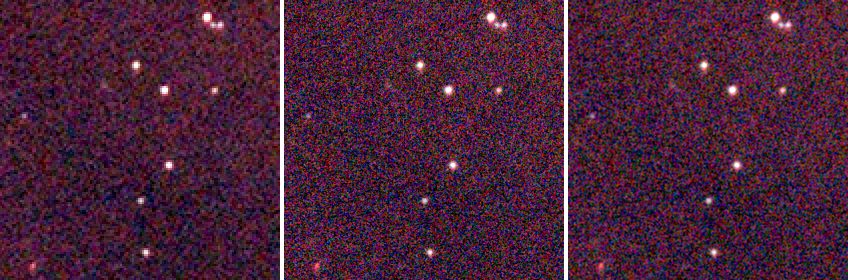
The drizzle with --pixfrac 0.6 has the sharper stars and more grain; with --pixfrac 1.0 they are slightly softer and
the picture smoother. That is the trade: a smaller drop is sharper and noisier, because each output pixel is made of
fewer drops.
Step 3: What comes next
Drizzle removes the world coordinate system (the grid is different). To colour calibrate the drizzled image, solve
it and run photocal, as in tutorials 8 and 9:
valerian solve drizzled.fits -o drizzled-solved.fits
valerian photocal drizzled-solved.fits -o drizzled-calibrated.fits
Background extraction and stretching work on drizzled.fits as on a stack. Open drizzled.fits at full size next to
stack.fits to compare: any picture on a web page is reduced.
Options used
All options are in the command line reference.
| Option | What it does | Range or values | Default |
|---|---|---|---|
<FRAMES>... | frames: files or folders (calibrated; raw mosaics are fine) | one or more | required |
-o, --output <FILE> | the drizzled FITS file | a file | required |
--scale <FACTOR> | output pixels per input pixel, linear | 0.25 to 8 | 2 |
--pixfrac <FRACTION> | side of a drop as a fraction of an input pixel | above 0, at most 1 | 0.6 |
--reject <SIGMA> | reject input pixels this many sigma from the first-pass result | sigmas | 4 |
--no-reject | drizzle every pixel, with no rejection pass | on or off | off |
--weight-map <FILE> | also write the weight map (coverage) | a file | not written |
--report <FILE> | also write the per-frame table | a file | not written |
--weights | frame weights | equal, noise, fwhm, noise-fwhm | noise-fwhm |
--normalisation | level matching | none, additive, additive-scaling | additive-scaling |
--reference <N> | the reference frame (from 0, sorted) | frame number | the sharpest |
--model | the transform to fit | similarity, affine, homography | similarity |
--threshold <SIGMA> | detection threshold in sigmas of the smoothed noise | sigmas | 5 |
--min-stars <N> | leave out frames with fewer stars | count | 20 |
--max-fwhm-ratio <RATIO> | leave out frames whose FWHM is more than this multiple of the reference's | ratio | no limit |
(drizzle has no --backend: it runs on the processor. The star-finding options are those of
register.)
Measured on the same sixty frames (the times are for the whole command on the shared server):
| Command differs by | Output | Without data | Rejected | Star FWHM (original pixels) | Noise (red) | Time |
|---|---|---|---|---|---|---|
nothing (--scale 2 --pixfrac 0.6) | 2160 x 3840 | 0.015 % | 0.28 % | 2.52 | 31.1 | 7.1 s |
--pixfrac 1.0 | 2160 x 3840 | 0.000 % | 0.32 % | 2.63 | 22.8 | 8.9 s |
--scale 3 | 3240 x 5760 | 0.024 % | 0.23 % | 2.45 | 35.4 | 9.0 s |
--no-reject | 2160 x 3840 | 0.015 % | 0.00 % | 2.46 | 31.7 | 4.3 s |
The noise is per output pixel; neighbouring output pixels share drops, so it falls less than in a stack when the
pixels are averaged down. The rows show the trade-offs: --pixfrac 1.0 fills every pixel and is smoother (22.8
against 31.1) but 4 per cent softer; --scale 3 is the sharpest and the noisiest, and makes an image of 224 MB; with
--no-reject the second pass is skipped, which is faster (4.3 s against 7.1 s) but leaves in the 0.28 per cent of
samples that were cosmic rays, hot pixels or trails.
How to tell it worked
- The summary line says
60 of 60 frames drizzled to 2160 x 3840. of the output without datais small: under 1 per cent, and ideally near 0.of the input samples rejectedis under a few per cent.- The stars are at least as sharp as in the stack (here 2.52 against 2.57 pixels) and a close pair is split.
- The weight map is smooth, with no large empty areas inside the field.
Troubleshooting
Large holes: 9.263 % of the output without data. There are too few frames, or too little dither, for a 2x grid.
The same command on the first 8 of these frames (valerian drizzle of a folder of 8) gave 8 of 8 frames drizzled to 2160 x 3840 (scale 2, pixfrac 0.6), ... 9.263 % of the output without data and a noise of 51.9 against 31.1. The
documentation says: a dither of a pixel or more between frames and a dozen or more of them to fill a 2x grid. With
fewer frames use a larger --pixfrac or a smaller --scale: with --scale 1 --pixfrac 1, the 8 frames left
0.233 % without data. Otherwise take more frames, dithered.
valerian: drizzling failed: pixfrac must be above 0 and at most 1 (the drop is that fraction of a pixel). --pixfrac 1.5 was given. Use a value from just above 0 to 1.
valerian: drizzling failed: the drizzle scale must be 0.25 to 8. --scale 0 was given; the range is 0.25 to 8.
valerian: drizzling failed: registration failed: fewer than two frames registered; nothing to stack. One frame, or
frames that do not register. Drizzle needs a series of frames of one field.
The result looks noisier than the stack. It has four times as many pixels from the same photons: each output pixel has
less signal. Compare the stars, not the noise; or smooth: --pixfrac 1.0 reduces it, a stretch or a gentle denoise after
drizzle does the rest. If you only want a clean picture, the plain stack is the better product; use the drizzle when
you want resolution.
The colour is soft. Drizzle drops raw mosaics pixel by pixel into their own colour plane. Frames that were demosaiced first
(for example the registered/ copies) have the interpolation already in them, which defeats the point. The command's help says
to give the calibrated frames from valerian calibrate without --debayer, or the raw frames.
It uses a lot of memory and disk. The output is scale squared times the frame: --scale 3 is nine times the
pixels (3240 by 5760 by 3 floats, 224 MB). Use --scale 2 unless you have a reason.
The desktop app
In the desktop app this is the Drizzle chip of step 3, Stack: see the reference.
Where next
You have drizzled the frames. Tutorial 11 is about the graphics card: which of these steps use it, how to check it, and what it gains.
Tutorial 11: The GPU
Goal: find out whether Valerian can see your graphics card, which steps use it, how much time it saves on your machine, and what happens when there is no card. You finish with three commands you can run on any computer to check and to measure.
Data: the sixty IC 5070 lights of tutorial 4, for the real-data run; the built-in
benchmark valerian bench, which needs no data, for the stage-by-stage numbers. How the kernels work
and how well they agree with the processor code is in The GPU kernels.
Step 1: Check the adapter
valerian info --gpu
valerian 0.2.0
commit: a8ff9c25
built: 2026-10-20 19:35 UTC
profile: release
target: x86_64-unknown-linux-gnu
rust: rustc 1.99.1 (58cf8f9c3 2026-10-13)
wgpu: 30.0.1
catalogue: /opt/valerian/gaia-dr3-g11.vcat (1247240 stars)
gpu: NVIDIA A100 80GB PCIe (Vulkan, DiscreteGpu)
The last line is the answer: the adapter's name, the graphics interface it was opened through (Vulkan,
or Dx12 on Windows, or Metal on a Mac) and its type. DiscreteGpu is a graphics card (IntegratedGpu is the
graphics of the processor chip, and also real). A type of Cpu is a software adapter that runs on the processor.
The Windows 11 laptop in tutorial 1 said gpu: NVIDIA GeForce RTX 3050 Ti Laptop GPU (Vulkan, DiscreteGpu). With --software, the software adapter is opened instead, which is how you find out whether it is there:
valerian info --gpu --software
gpu: llvmpipe (LLVM 19.1.7, 256 bits) (Vulkan, Cpu)
(on Windows: Microsoft Basic Render Driver (Dx12, Cpu)). The software adapter is for testing: it is slower than
Valerian's processor code and is not used unless you ask for it with --backend gpu.
Step 2: See what is accelerated
Calibration, the registration warp and the per-pixel combine of a stack run as GPU kernels. Star detection, the registration fit, plate solving, drizzle, background extraction, stretch and star removal run on the processor. The table is from The GPU kernels:
| Stage | Processor | Graphics card | --backend option |
|---|---|---|---|
| Calibration (bias, dark, flat, pixel map) | yes | yes | calibrate --backend |
| Registration warp | yes | yes | register --backend, stack --backend |
| Per-pixel combine (none, min/max, sigma, Winsorised, linear fit), up to 128 frames | yes | yes | stack --backend |
| Everything else | yes | no | none |
--backend takes three values: auto (the default), cpu and gpu. cpu never opens the card. gpu uses
the real card or fails. auto uses a real card only for stack, where the frames stay on the card from the warp to the
combine, and the processor for calibrate and register, where one stage alone is slower on the card because the data
has to cross the bus both ways. The log says what happened: compute: CPU (the GPU is slower for this command; --backend gpu forces it) or compute: GPU: NVIDIA A100 80GB PCIe (Vulkan, DiscreteGpu).
Step 3: Measure the stages with the benchmark
valerian bench
adapter: NVIDIA A100 80GB PCIe (Vulkan, DiscreteGpu)
frames of 4096 x 3072, 20 frames in the combine, median of 3 runs
stage                                       CPU ms    GPU ms speed-up up / kernel / down ms worst diff    > 1e-4
calibrate (bias, dark, flat, pixel map)       28.9      77.7     0.4x            4 / 5 / 69    4.24e-7     0.0e0
warp (bicubic)                                34.5      90.3     0.4x           20 / 5 / 68    4.85e-5     0.0e0
combine (sigma clip)                         206.2     335.5     0.6x         169 / 83 / 79    3.18e-4    9.9e-8
combine (winsorised)                         399.9     259.8     1.5x         144 / 44 / 35    3.16e-4    3.0e-7
combine (linear fit)                         337.1     486.9     0.7x         223 / 125 / 93    5.65e-4    2.4e-6
stack plane (warp + combine)                1244.3     532.3     2.3x         141 / 304 / 76    4.96e-2    2.0e-5
It runs each stage on made-up frames of the size you give (--width 4096 --height 3072 --frames 20 by default, three
timed repeats of each, after a warm-up) on the processor and on the card and compares the results. Read the columns:
- CPU ms, GPU ms, speed-up. The median time of each, and the ratio. Under 1x means the card is slower.
- up / kernel / down ms. Of the card's time, the part spent copying the data to the card, running the kernels, and
copying back. In
calibrate, 69 of the 78 ms is the copy back: the kernel itself took 5 ms against the processor's 29 ms. - worst diff. The largest difference between the two results as a fraction of the data range. 4.24e-7 for calibration is rounding. The whole stack plane is 4.96e-2 at its worst pixel, which comes from a sample that falls on the other side of a clipping limit in single precision; the next column says it is 2.0e-5 of the pixels.
- > 1e-4. The share of pixels that differ by more than 1e-4 of the range (or that only one result has data for).
The lesson of the table is the one in the last row: for a single stage the card gains little or loses, because of the bus, and only a whole stack, which uploads the frames once and keeps them on the card from the warp to the combine, wins (2.3x here). Run the benchmark twice on a machine with other jobs and you will see different ratios: the card's time is steady and the processor's is not. The same command on the earlier busier run of this server gave 2.2x, 3.8x and 2.5x for the three combines and 4.5x for the stack plane (the processor took 2.87 s instead of 1.24 s, with the card at 0.63 s). On the Windows 11 laptop (an RTX 3050 Ti Laptop GPU and an i7-11800H processor, run with the same command) the stack plane gained 5.7x (3.47 s against 0.61 s), the combines 1.6x, 2.7x and 3.1x, calibration 0.8x and the warp 1.5x.
Step 4: Measure a real stack
Compare the two backends on the sixty IC 5070 frames, alternately, on the same server and the same quiet period:
valerian stack lights/ -o stack-cpu.fits --backend cpu
valerian stack lights/ -o stack-gpu.fits --backend gpu
compute: CPU
60 of 60 frames stacked with LinearFit { low: 5.0, high: 2.5 }, reference frame 47 (...), 9.0s

compute: GPU: NVIDIA A100 80GB PCIe (Vulkan, DiscreteGpu)
GPU: 3 calls ran on the device
60 of 60 frames stacked with LinearFit { low: 5.0, high: 2.5 }, reference frame 47 (...), 9.1s
Three runs of each, timed with the shell (wall-clock time, then processor time used by the command):
| Backend | Wall clock | Processor time used |
|---|---|---|
--backend cpu | 9.6, 9.7, 10.1 s | 71.6, 72.3, 72.4 s |
--backend gpu | 10.2, 10.2, 10.4 s | 25.7, 25.7, 26.5 s |
The honest result: on this data the card does not make the stack faster, but it uses a third of the processor time. The wall clock is the same, because star detection and registration, which stay on the processor, are most of a stack of small frames, and the processor part of the work is parallel on 24 cores. What changes is how much of the machine the command needs: 72 s of processor time fall to 26 s, which a busy machine can spend on other work. When the same server was busy with other jobs (load average over 13), the processor stack took 25.5, 28.5 and 27.0 s and the card's 14.1, 14.6 and 16.0 s, a 1.8x speed-up, because the card's time was steady while the processor's was not. A larger gain needs larger frames or more of them: the combine and warp costs grow with pixels times frames.
The two stacks agree: the largest difference of any pixel is 103 ADU, which is 0.14 per cent of the data range; the median difference is 0.0004 ADU; and 2.0e-5 of the pixels differ by more than 1e-4 of the range.
Step 5: The fall-backs
Valerian never fails because there is no graphics card, unless you insist on one:
- No adapter at all. With the Vulkan drivers hidden (
VK_DRIVER_FILES=/nonexistent),valerian info --gpuprintsgpu: unavailable (could not open GPU device: Parent device is lost), andvalerian stack lights/ -o s.fitsruns on the processor and sayscompute: CPU (no GPU: could not open GPU device: Parent device is lost). The result is the same.valerian stack lights/ -o s.fits --backend gpustops:valerian: --backend gpu: no suitable GPU adapter found (Software: No suitable graphics adapter found; ...). - More than 128 frames. One combine kernel holds 128 frames. 130 frames (the 60 lights repeated, as 130 symbolic links)
ran as
GPU: 387 calls ran on the device, 6 fell back to the CPU (130 frames is more than the 128 the kernel holds)and130 of 130 frames stacked, in 22.3 s. The fall-back is counted and reported, not silent. - A software adapter only (the card hidden but the software one present, with
VK_DRIVER_FILES=/usr/share/vulkan/icd.d/lvp_icd.json).--backend gpuuses it (compute: GPU: llvmpipe (...) (Vulkan, Cpu)) and took 43.2 s for the sixty frames, slower than the processor's 25 to 28 s on the same busy server.--backend autoused to choose it, and a stack took 32.7 s (issue 58); it now runs on the CPU and thecompute:line saysCPU (only a software adapter, llvmpipe ..., which is slower than the CPU; --backend gpu forces it).--backend gpustill uses it and adds[software adapter, slower than the CPU code ...]to the line.
Options used
| Option | What it does | Values | Default |
|---|---|---|---|
calibrate, register, stack --backend | the engine for the per-pixel stages | auto, cpu, gpu | auto |
info --gpu | open the adapter and report it | on or off | off |
info --software | with --gpu, the software (fallback) adapter | on or off | off |
bench --adapter | the adapter for the benchmark | hardware, software | hardware |
bench --width <PIXELS>, --height <PIXELS> | frame size | pixels | 4096, 3072 |
bench --frames <N> | frames in the combine | 3 to 128 | 20 |
bench --repeats <N> | timed repeats of each stage (the median is shown) | count | 3 |
All options are in the command line reference. Environment variables that steer the Vulkan loader
(VK_DRIVER_FILES, as used above) are the Vulkan loader's, not Valerian's.
How to tell it worked
valerian info --gpuends with agpu:line naming your card and its typeDiscreteGpuorIntegratedGpu.stack --backend gpuprintscompute: GPU: <your card>andGPU: N calls ran on the device.valerian benchshows a speed-up above 1 for the stack plane and aworst diffof 1e-3 or less for each stage.- The stack from
--backend gpuagrees with the one from--backend cpu(0.14 per cent of the range at the worst pixel here).
Troubleshooting
gpu: unavailable (could not open GPU device: ...) or no suitable GPU adapter found. No usable Vulkan (Windows: DirectX 12) driver.
Install or update the vendor's graphics driver. On Linux check vulkaninfo --summary; in a container or over SSH the card may not be
visible: pass it through. The commands still run on the processor with --backend auto or cpu.
gpu: llvmpipe (...) (Vulkan, Cpu). Only the software adapter is available: no real card is visible to Vulkan. --backend auto already uses
the CPU in that case (see the fall-backs above); --backend gpu forces the software adapter, with a note.
The GPU is slower than the CPU. For calibrate and register alone that is expected (the bus; the table above). For a stack it
means few or small frames, or a processor with many cores; the benchmark tells you which. Use --backend cpu.
Results differ slightly from the processor's. The kernels use single precision where the processor code uses double in the linear-fit regression and the weighted mean, so a few pixels (here 2 in 100,000) differ by more than 1e-4 of the data range. That is by design and is tested; see The GPU kernels.
valerian: --frames must be 3 to 128. valerian bench --frames 2 (or 200) was given; the combine kernel holds 3 to 128 frames.
The benchmark and the real stack disagree. The benchmark uses 12.6 megapixel frames and 20 of them; the real stack here is sixty frames of 2 megapixels, in which detection dominates. Use the real stack to decide for your data.
The desktop app
In the desktop app the GPU button in the top bar opens an adapter and runs the same benchmark: see the reference.
Where next
That is the end of the thread. Each tutorial's "Options used" table lists the options of its command; the command line reference has them all, and the user guide explains the methods.
Desktop app: cancelling a running step
Goal: stop a long step that you started by mistake (the wrong folder, a setting you meant to change) without waiting for it, and be sure that nothing half-finished is left behind.
Data: the two captures of the tutorials index: the California Nebula H-alpha session (25 lights of 300 s with darks, flats and dark flats) for Calibrate, and the sixty Seestar subframes of IC 5070 for Stack. Any folders of FITS frames behave the same.
Where this applies. Calibrate, Register, Stack, Drizzle and the Process tools Star removal, Plate solve and Colour. Writing a file (Save, Export) takes a moment and has no Cancel. The command line is not changed: press Ctrl-C there as before.
Step 1: Start a long step
Open the Calibrate step, fill in the five folders and press Calibrate lights. The notice above the picture shows what the step is doing, and at its right end a Cancel button:
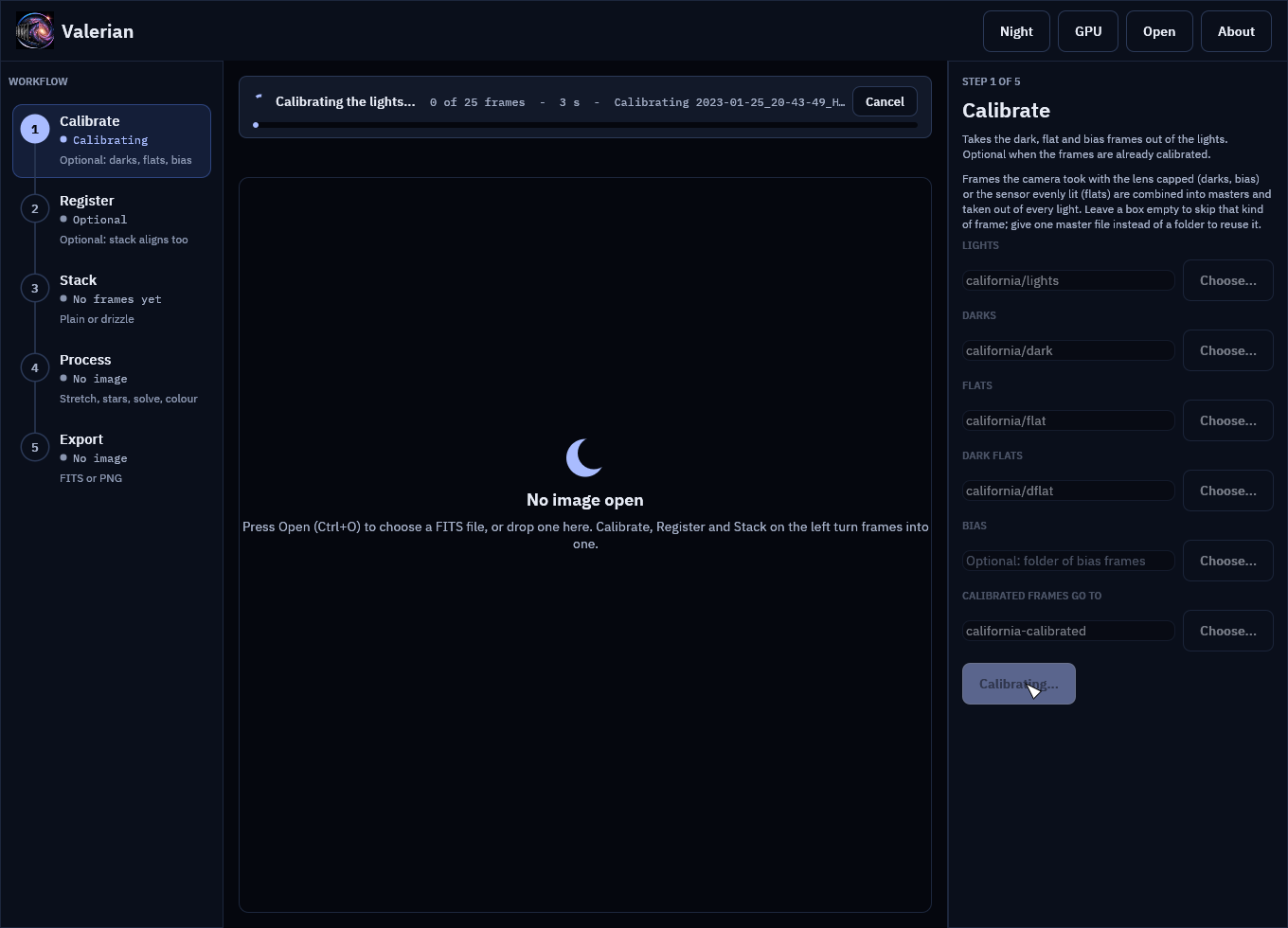
The notice reads "0 of 25 frames", the seconds taken and the line the step last reported. The masters are combined first (bias, darks, dark flats, flats), then each light is calibrated, so the counter stays at 0 until the first light is done.
Step 2: Press Cancel (or Esc)
Press Cancel, or press Esc with the About page closed. The button changes to "Cancelling..." and the headline to "Cancelling: finishing the frame in hand, nothing will be kept...":
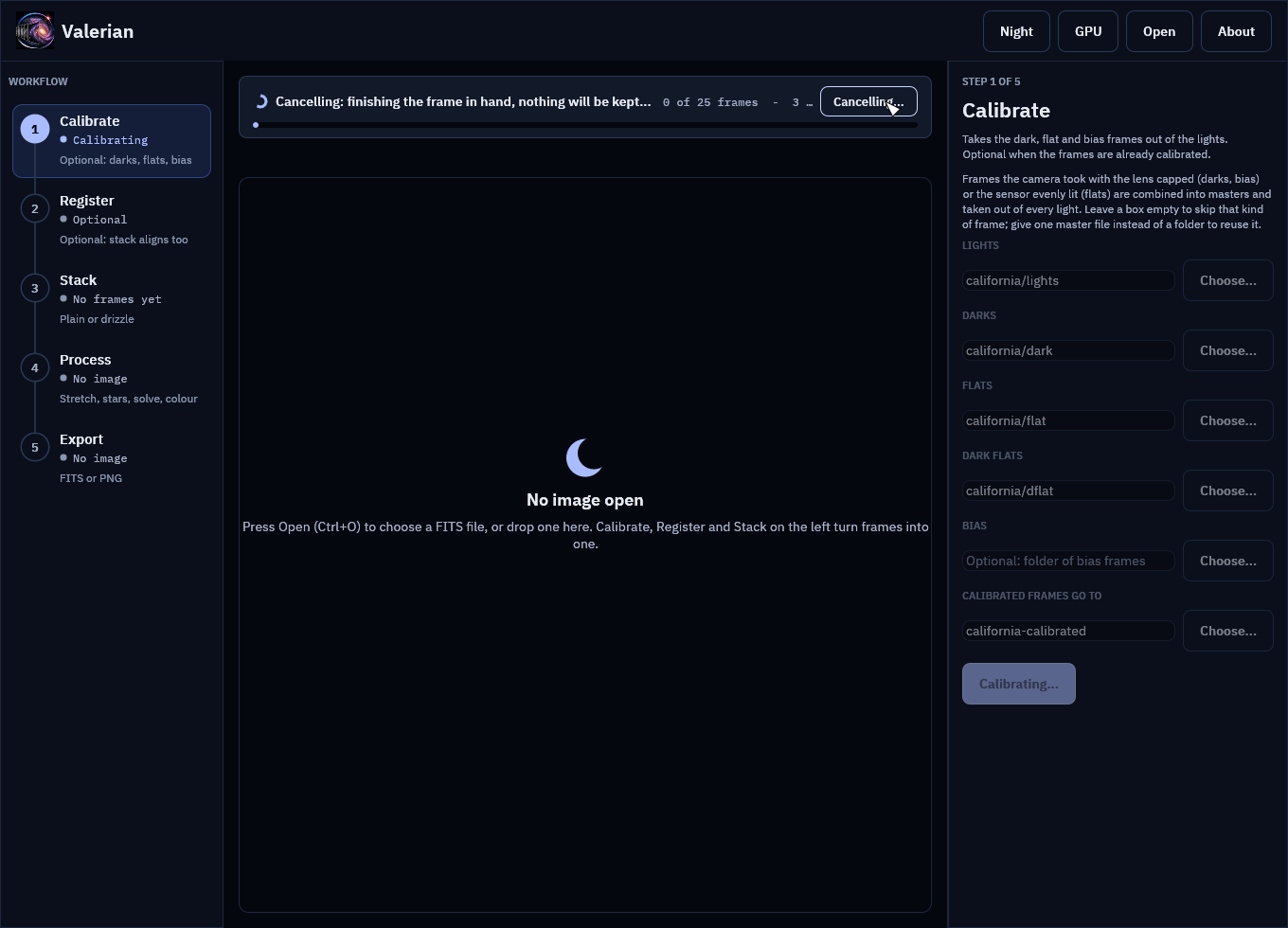
Cancel is cooperative. The step checks for it between files, between bands of a master frame, between frames while registering and warping, between colour planes and between trial patches of sky, so it stops within one frame or band, not instantly. On the 4656 by 3520 pixel frames of this session that is the time one light takes to calibrate. Pressing Cancel again does nothing.
Step 3: Read the result
When the step has stopped, the notice says what happened, and it is a plain notice, not an error:
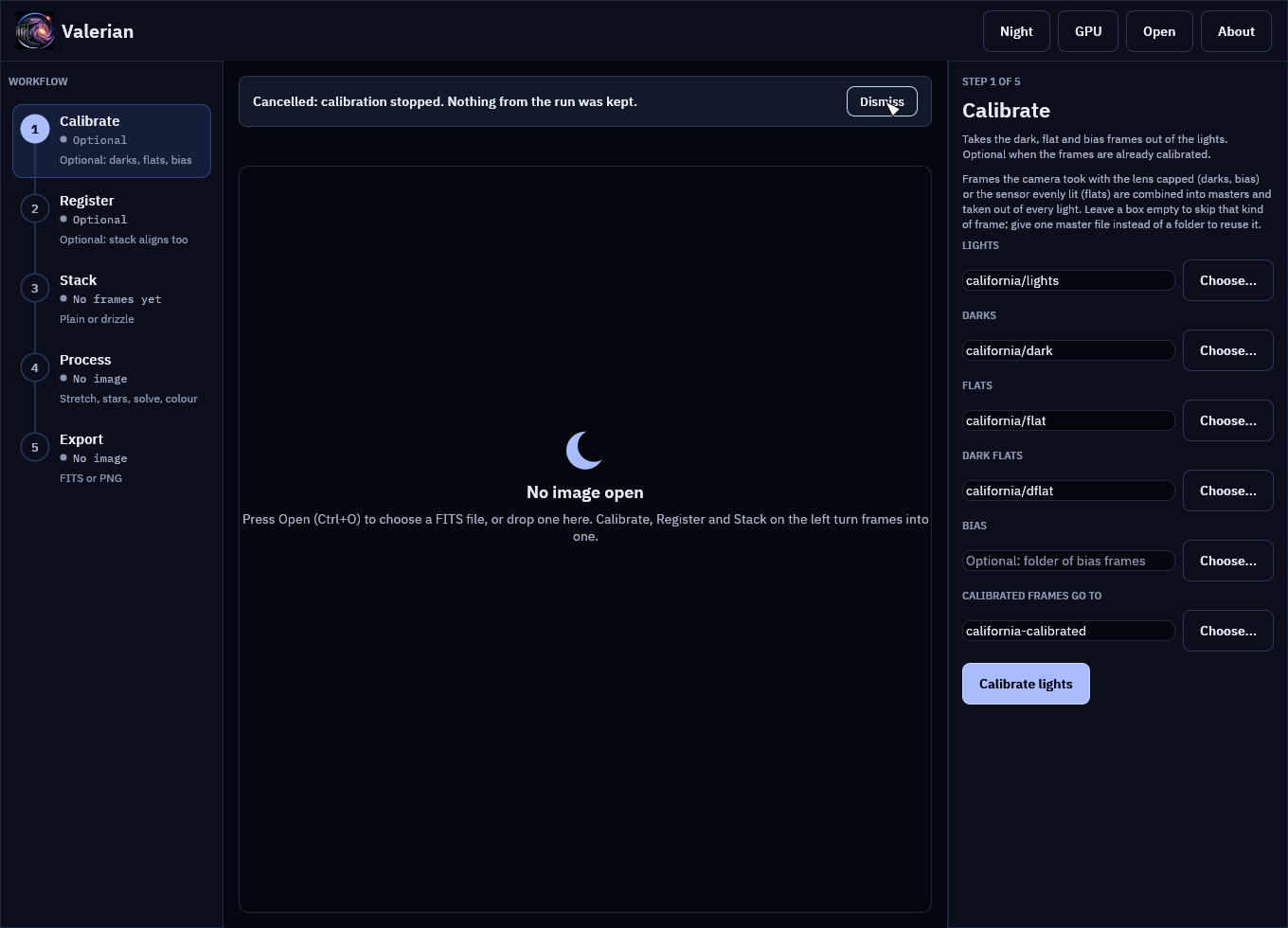
"Cancelled: calibration stopped. Nothing from the run was kept." The Calibrate button is back, the rail row no longer says "Calibrating", and Dismiss hides the message.
Look at the output folder: it is as it was before you pressed the button. Calibrate wrote the
masters and the calibrated lights into a hidden .valerian-partial-<pid> folder inside the
output folder, and moves them into place only when every light is done. A cancel (or any error)
deletes that folder, deletes an output folder the run had to create, and leaves files that were
already there untouched. So california-calibrated does not exist after the cancel above, and
if you had run the step before, the earlier frames are still there, unchanged.
Step 4: The same for Stack
Open Stack, name the sixty subframes and press Stack frames. The notice carries the registration lines (frame, stars found):
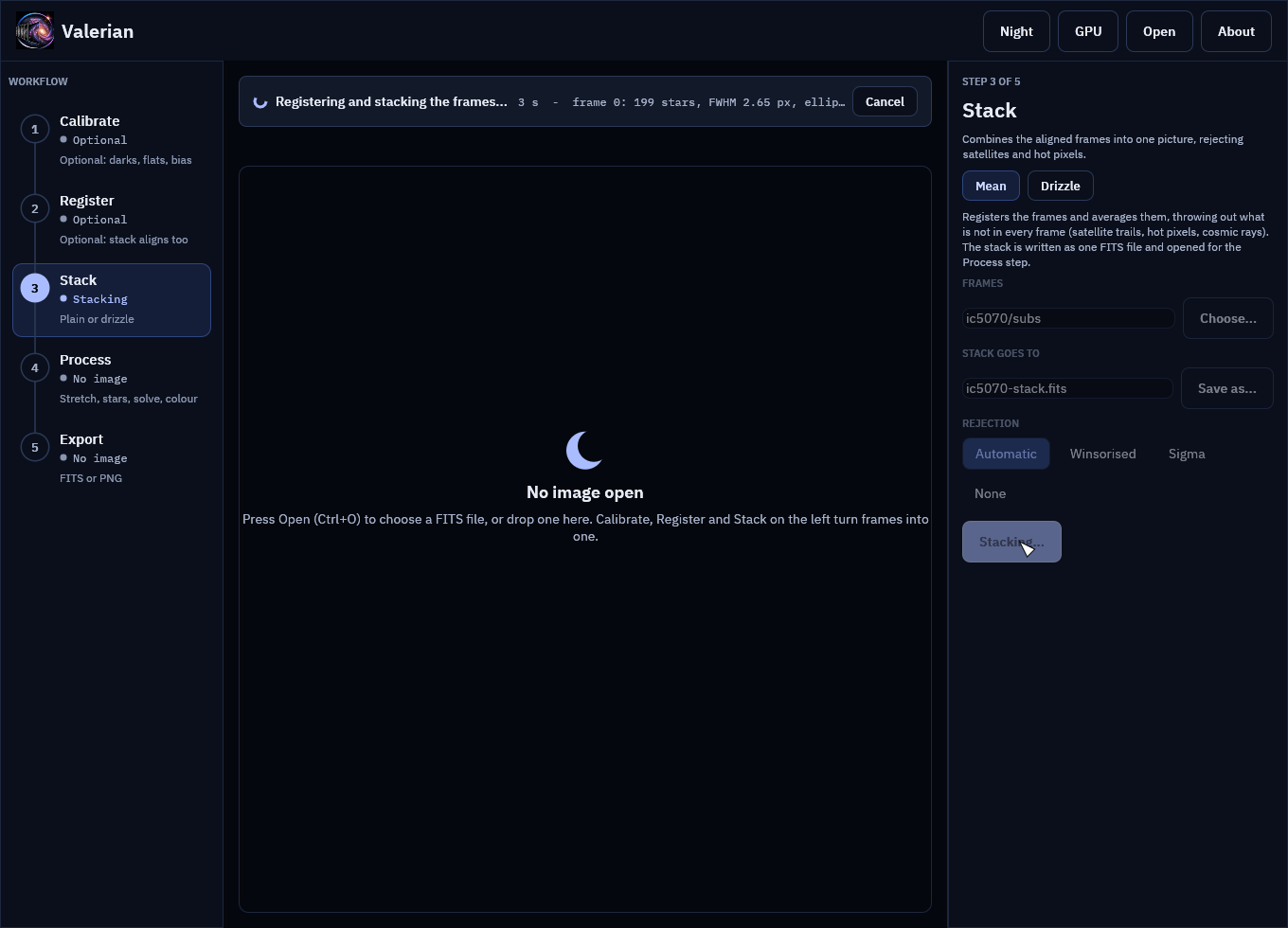
Press Cancel:
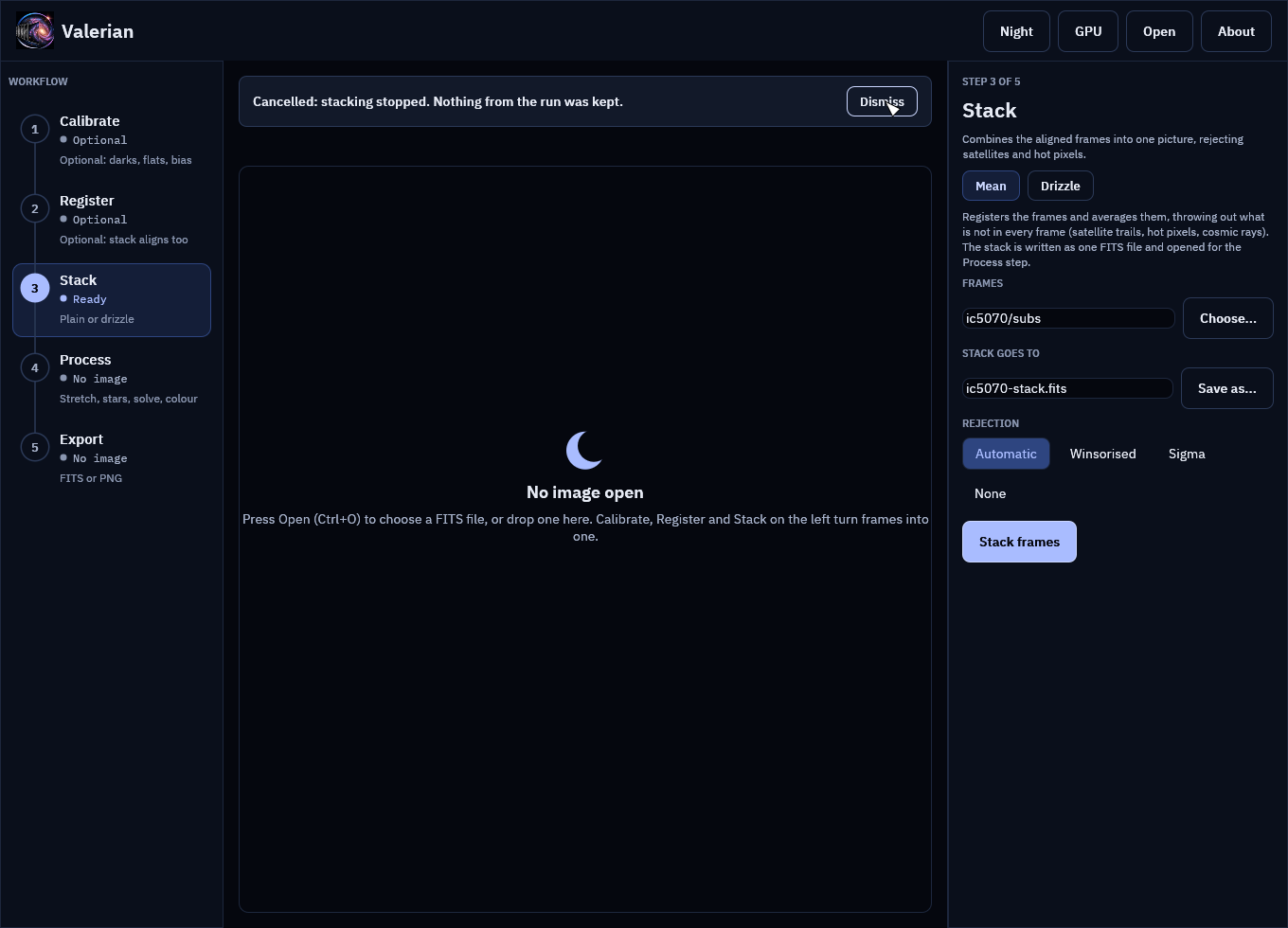
No ic5070-stack.fits is written, nothing is opened for the Process step and the panel is
ready to run again. Press Stack frames a second time and it runs to the end as if the
first run had not happened.
What you can expect
| Step | Stops between | Left behind after a cancel |
|---|---|---|
| Calibrate | files read, bands of a master, lights | nothing; the output folder is as it was |
| Register | files read, detection of each frame, each frame warped, each frame written | nothing |
| Stack | files read, detection, each frame warped, each colour plane combined | nothing |
| Drizzle | files read, detection, each frame dropped | nothing (the drizzle is saved only by Save drizzled) |
| Star removal | detection, mask, each colour plane | nothing; the image and an earlier result are as they were |
| Plate solve | detection, each trial patch of sky | nothing; an earlier solution is kept |
| Colour | measurement, fit | nothing; an earlier calibration is kept |
Troubleshooting
The button says "Cancelling..." for a long time. The frame or band in hand has to finish.
A very large stack plane (a colour drizzle of big frames, say) takes as long as one plane
takes. The step stops at the next check. If it is wedged, close the window, which stops
everything, and delete a stray .valerian-partial-* folder from the output folder.
The step finished instead of stopping. Cancel was pressed after the last check, so the run completed and its result is kept as usual.
A .valerian-partial-<pid> folder is left in the output folder. It only stays if the program
was killed in the middle of a run (power loss, task manager). It is safe to delete; the frames
in it were never moved into place.
Esc does nothing. Esc closes the About page first if it is open. Press Esc again, or use the button.
For every control see the desktop app reference.
Quick start
This is the short version of a first session, which runs every step on real frames with the real output and pictures. The desktop app has the same steps in a window (see The desktop app); background extraction is on the command line.
Install
Download a release (see Getting started) or build from source with a current stable Rust (see Building and testing):
cargo build --release -p valerian-cli
./target/release/valerian --help
Calibrate
Point valerian calibrate at your light frames and your calibration frames.
Each calibration argument is a file or a directory of FITS files and may be
repeated; several files are combined into a master, and a single file whose
IMAGETYP says it is a master is used as it is.
valerian calibrate lights/ \
    --dark darks/ --flat flats/ --dark-flat dark-flats/ \
    -o calibrated/ --masters masters/
Each light is written to calibrated/ with _cal added to its name, as a
32-bit float FITS file in ADU. --masters also keeps the master frames, so the
next session can pass --dark masters/master_dark.fits and skip combining the
darks again. With bias frames (--bias) the dark is bias-subtracted and can be
scaled to other exposure times (--scale-dark exposure). Without a dark,
--auto-cosmetic repairs isolated hot and cold pixels in each light itself.
See How calibration works.
For a one-shot-colour camera the lights are raw mosaics. Calibrate them as
they are and let the next step demosaic them, or add --debayer mhc to write
three-plane colour frames.
Stack
valerian stack calibrated/ -o stack.fits --report report.txt --coverage coverage.fits
This registers every frame to the sharpest, matches their levels, weights them and combines them with outlier rejection, then prints one line per frame:
   #  frame                         stars   FWHM  ellip      sky    noise   flux x rms px weight  reject  status
   0  2023-01-25_20-43-49_Ha_-10.0   1000   8.06  0.239     77.7    59.28   1.0000  0.000   1.03   0.66%  reference
   1  2023-01-25_20-49-13_Ha_-10.0   1000   8.22  0.222     77.8    59.31   0.9974  0.438   1.00   0.56%  stacked
A frame that cannot be registered (a different field, too few stars) is
reported as skipped with the reason and left out. --rejection, --weights,
--normalisation, --model and --interpolation change the method; see the
CLI reference and
How stacking works. valerian register stops after
resampling and writes each frame on the reference grid.
Remove the sky gradient
A stack usually has a glow under it. valerian background models it and takes it
out, keeping the sky at the brightness it had:
valerian background stack.fits -o flat.fits --degree 1 --save-model glow.fits
valerian background stack.fits -o flat.fits --model spline --smoothing 0.005
The first fits a plane (tilt only, the safest) and writes the fitted glow so you
can look at it; the second follows any smooth gradient. If a big nebula or
galaxy leaves no clear sky, the plane is reported as declined and left alone
instead of having the target subtracted; --exclude-target helps when the
target is large but sky remains. See
How background extraction works.
Stretch
A stack is linear, so it looks black. valerian stretch makes a copy you can
look at:
valerian stretch stack.fits -o stretched.fits --target 0.10
valerian stretch stack.fits -o ghs.fits --curve ghs --ghs-stretch 4 --ghs-b -1 --ghs-sp 0.02
The first puts the sky at 0.10 with a midtone curve; the second applies a
logarithmic generalised hyperbolic stretch centred on faint signal. The input is
not changed, and valerian stretch stretched.fits --invert -o linear.fits undoes
the stretch it recorded. See How stretching works.
Remove the stars
valerian starless stretched.fits -o starless.fits --stars-out stars.fits --preview starless.png
Stars are masked and filled by diffusion with noise of the local level added;
--stars-out keeps what was taken out and --strength 0.5 reduces the stars
instead of removing them. See How star removal works.
Plate solve and calibrate the colour
valerian solve flat.fits -o solved.fits
valerian photocal solved.fits -o calibrated.fits
solve finds where the image points from its header (or --ra, --dec and
--scale) and writes the world coordinate system; photocal uses it to match the
stars to Gaia colours and set the white balance, on a linear colour image before
stretching. Both need the star catalogue (VALERIAN_CATALOGUE or --catalogue).
See How plate solving works and
How colour calibration works.
Drizzle
valerian drizzle calibrated/ -o drizzled.fits --scale 2 --pixfrac 0.6
For dithered, undersampled frames, instead of a plain stack. See How drizzle works.
Look at a file
valerian info stack.fits --stats
prints the main header cards, the sky level and noise of each plane, and the number and median FWHM of the stars.
What it costs
Measured on a 24-core machine without a GPU (Valerian's kernels run on the CPU
today): five five-minute frames of 4656 by 3520 pixels, calibrated with ten
darks, thirty flats and thirty dark flats, took 5.5 s and at most 4.8 GiB of
memory when the masters were built with every input frame in memory at once,
and about 1.4 GiB, in 11 s, now that they are streamed from disk
(--memory, how calibration works); stacking the five calibrated frames took 2.7 s and 0.6 GiB.
Colour: sixty raw ten-second sub-exposures from a Seestar S50 (1080 by 1920, GRBG, no calibration frames) were demosaiced, registered (all sixty) and stacked in 14 s and 2.7 GiB. Twenty-four of them lowered the noise from 54.7 to 11.4 ADU, 4.8 times against a square root of 24 of 4.9.
Not yet
Mosaics, deconvolution, and background extraction in the desktop app. The roadmap has the order.
The desktop app
valerian-gui does everything the command line does in one window, with the same
five steps in the same order: Calibrate, Register, Stack, Process, Export. It is
laid out like Helia's, in Valerian's own colours: a night sky, and an optional red
night-vision palette for use at the telescope.
The pictures on this page are the real window, drawn by the program's own tests from real data: a monochrome H-alpha session of the California Nebula (five 300 s lights, with darks, flats and dark flats) and a one-shot-colour Seestar session of IC 5070 (sixty 10 s frames). A first session runs the same two sessions on the command line.
A whole session is walked through in the tutorial, and every control is in the desktop app reference.
The window
- Top bar: the logo and name (click either for the About page, or press F1), the file that is open, and the buttons Night (the red palette, F2), GPU (the benchmark), Open (Ctrl+O) and About. A Recent menu lists the images opened lately.
- Workflow rail (left): the five steps, numbered and joined by a line. Each shows where it stands (Optional, Ready, Running, or Done with a tick and what it produced) and a hint. Click a step to open its panel. Below 900 pixels wide the rail shrinks to the numbers.
- Panel (right): the open step's name, what it is for, and its controls. Drag its edge to resize it.
- Notice strip and view (middle): what is running or has just happened, then the picture with its zoom controls, then the histogram.
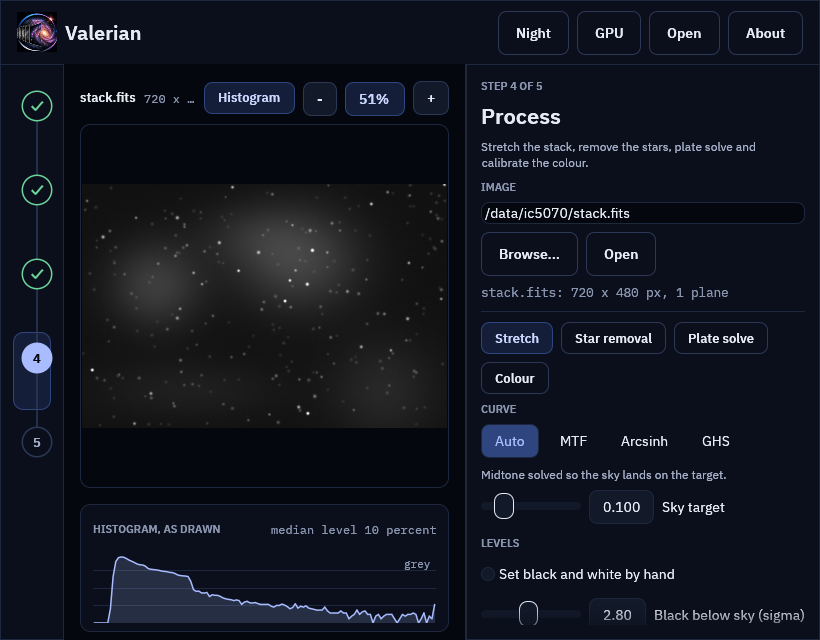
The five steps
1. Calibrate
Names a folder of lights and, optionally, folders of darks, flats, dark flats and bias
frames (or one master file in place of a folder), and a folder for the result. Calibrate
lights combines each kind of calibration frame into a master, builds the pixel map and
writes every calibrated light, with the masters in a masters folder inside, like valerian calibrate
(How calibration works). The viewer shows the first calibrated frame.
Leave the step alone when the frames are already calibrated, as a Seestar's are.
2. Register
Finds the stars in every frame, picks the sharpest as the reference and writes every frame
aligned to it, like valerian register (How registration works). Stack
registers by itself, so this step is for when you want the aligned frames as files, to check
them or to use another program. The folder defaults to the Calibrate output.
3. Stack
Registers and combines a folder of frames into one picture with outlier rejection, like
valerian stack (How stacking works). The folder defaults to the last step's
output; the rejection is automatic unless you choose one. Raw colour frames are demosaiced
first. The stack is written as a FITS file and opened for the Process step, so one
button takes you from sixty raw frames to a picture you can stretch.
The Drizzle chip in this step combines dithered frames onto a finer grid instead; see How drizzle works.
4. Process
Works on the open image, which is never changed: every tool edits its settings in the panel, previews on a reduced copy, and writes a new FITS file when you ask. The chips at the top of the panel choose the tool:
- Stretch: curves, levels and an automatic-stretch preview. See How stretching works.
- Star removal: remove the stars, look at the starless image, the stars and the mask, reduce instead of remove, and save both layers. See How star removal works.
- Plate solve: find where the image points from its header or a position you type, circle the matched stars, and save the world coordinates. See How plate solving works.
- Colour: calibrate the white balance against Gaia star colours, compare with the original, and save the result. See How colour calibration works.
To work on a file you already have, press Open (or Ctrl+O), type a path and press Open
in the panel, drop the file on the window, or start the program with the file name:
valerian-gui file.fits. The view is a reduced copy (1600 pixels on the long side); the
black and white points are measured on the full frame and the real work runs on the full
image when you apply.
5. Export
Writes the open image as 32-bit FITS, unstretched and with its header, or as an 8-bit PNG
drawn with the stretch chosen in Process, for sharing. The name defaults to
<name>_export.fits beside the image, and the extension follows the format.
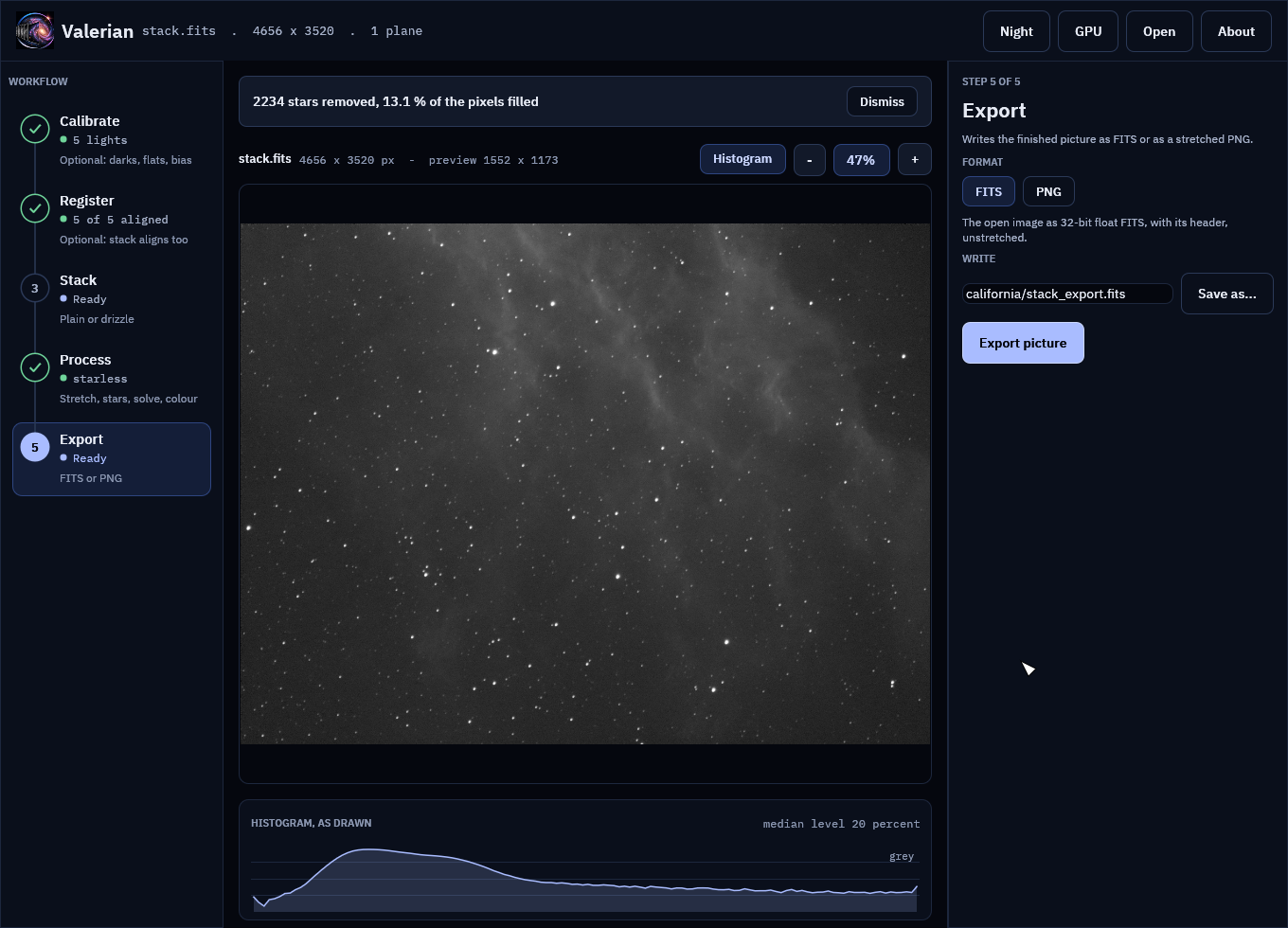
The view
The picture is drawn from a reduced copy, so its zoom is in screen pixels per pixel of that copy (100 % is one for one; the toolbar names the copy's size).
- Scroll over the picture to zoom about the pointer, or press + and -.
- Drag to pan. A double click, or the percentage button, fits the picture to the window again.
- The histogram under the picture is of what is drawn, per colour (grey for a mono picture), on a log scale, with the median level at the right. The Histogram button hides it.
Plate solving and colour calibration draw circles on the stars they matched or used; they follow the zoom.
Notices
Whatever is running is announced above the picture: a spinner, what is being done, how many frames of how many it has done (with a bar), the seconds it has taken and the latest line the step reported (the frame being registered, its stars and its seeing). The window stays usable while it works. A finished step says what it did and has a Dismiss button; an error stays until you dismiss it. A running step has a Cancel button in the notice (Esc does the same): it stops within a frame, band or plane, keeps nothing and leaves the output folder as it was. See Cancelling a running step.
Night vision
Night (or F2) swaps every colour for red on black, and draws the picture and the logo in red only, which keeps dark-adapted eyes dark-adapted. The choice is remembered.
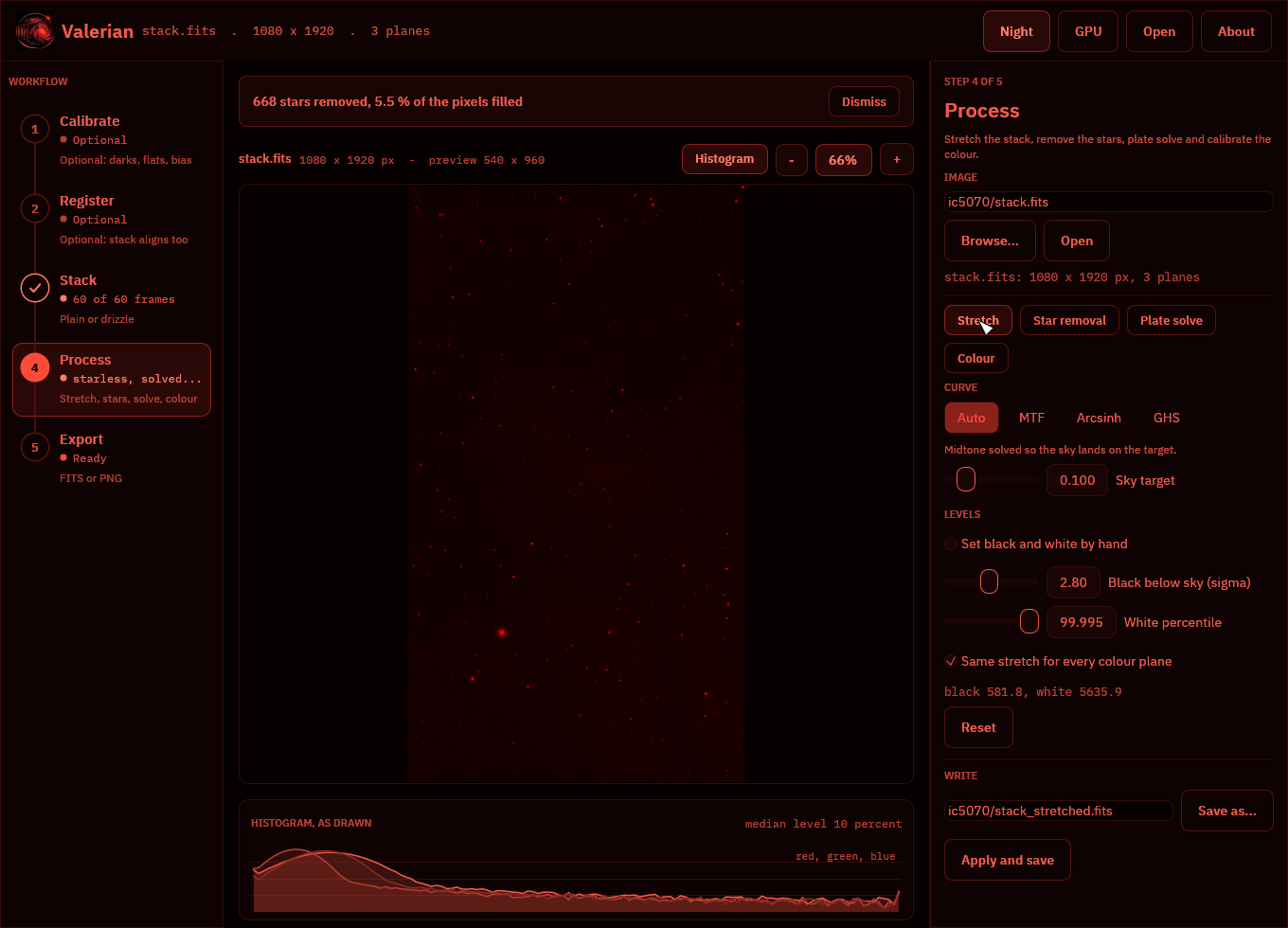
Choosing files
Every place the app reads or writes a file has a native file dialog, the operating system's own (the common dialog on Windows, the desktop portal on Linux), so the usual places, recent folders and bookmarks are there:
- Open in the top bar (or Ctrl+O) opens an image. It starts in the folder of the image already named and shows FITS files.
- Choose... beside each folder box of Calibrate, Register and Stack picks a folder, and
Save as... beside each output path (Stack, Stretch, Star removal, Plate solve,
Colour, Drizzle and Export) chooses where the result is written. It offers the name the box
holds, starts in its folder and adds
.fitswhen the name has no extension. Cancelling the dialog leaves the box as it was. - Choose catalogue... in the Plate solve panel picks a
.vcatstar catalogue. - Choose folder... in the Drizzle panel picks the folder of frames to drizzle.
The path boxes still work for typing or pasting a path, and the dialog runs beside the window, which stays responsive while it is open.
Shortcuts
| Key | Does |
|---|---|
| Ctrl+O | Open an image |
| F1 | The About page (Esc closes it) |
| F2 | Night vision on or off |
The GPU and the About page
GPU in the top bar opens a graphics adapter, times the calibration, warp and combine kernels against the CPU code on frames of a size you choose, and shows how well they agree. See The GPU kernels. Any step on the rail leaves it.
About (the logo or the name, or F1; Esc closes) leads with the dedication, then the version and build record (with a button that copies them for a bug report, and one that opens the GPU adapter and adds it), the copyright, the licence, the additional terms, a link to 12hobbies.studio under "More from Laurence Horrocks-Barlow", and the third-party licences when the list ships beside the program.
valerian-gui -V prints the name and version and valerian-gui --version adds the notices,
both without opening a window.
Background extraction (valerian background) is on the command line and is
not in the window yet. The screenshots in this manual are made by the GUI tests (see
Building and testing).
Tutorial: a whole session in the desktop app
This walks through a complete session in valerian-gui, from raw frames to a saved picture, on
the two real sessions of a first session: five 300 s H-alpha lights of the
California Nebula with calibration frames, and sixty 10 s one-shot-colour Seestar frames of
IC 5070. Every picture is the real window on that data. Every control is listed, with its range
and default, in the desktop app reference.
You need the frames in folders (one folder per kind: lights, darks, flats, dark-flats)
and, for plate solving, the star catalogue gaia-dr3-g11.vcat beside the program (see
How plate solving works).
Part 1: monochrome, with calibration frames
1. Calibrate
Start the program (valerian-gui). The rail on the left shows the five steps; Calibrate is
open. Fill the boxes (type a path, or press Choose... for the system's folder dialog):
| Box | Value |
|---|---|
| Lights | california/lights |
| Darks | california/dark |
| Flats | california/flat |
| Dark flats | california/dflat |
| Bias | empty (this camera has none) |
| Calibrated frames go to | california-calibrated (filled in for you when you choose the lights) |
Press Calibrate lights. The notice above the picture counts the frames and names the one being calibrated. When it finishes the step on the rail gets a tick and "5 lights", the viewer shows the first calibrated frame, and the panel reports what was made.
What to expect: ten darks combine with Winsorised clipping, thirty flats and dark flats with
linear-fit clipping; the pixel map found about 9,900 hot pixels at 300 s and they are repaired
(see How calibration works). The masters are in california-calibrated/masters,
and you can give a master file in place of a folder next time.
2. Register
Open Register on the rail. The frames box is already the calibrated folder. Press Register frames. While it works, the notice shows the frame it is on, its stars and its seeing; the viewer keeps the last picture.
Expect "5 of 5 frames aligned" with a median residual well under a pixel. This step is optional: Stack aligns the frames itself. Use it to keep the aligned frames.
3. Stack
Open Stack. Leave the rejection on Automatic (Winsorised for five frames) and press Stack frames. The stack is written and opened, and the Process step opens by itself.
4. Process
The rail shows Process with the file name. Press Stretch: the automatic stretch puts the sky at 10 % of the range, and the histogram under the picture shows it.
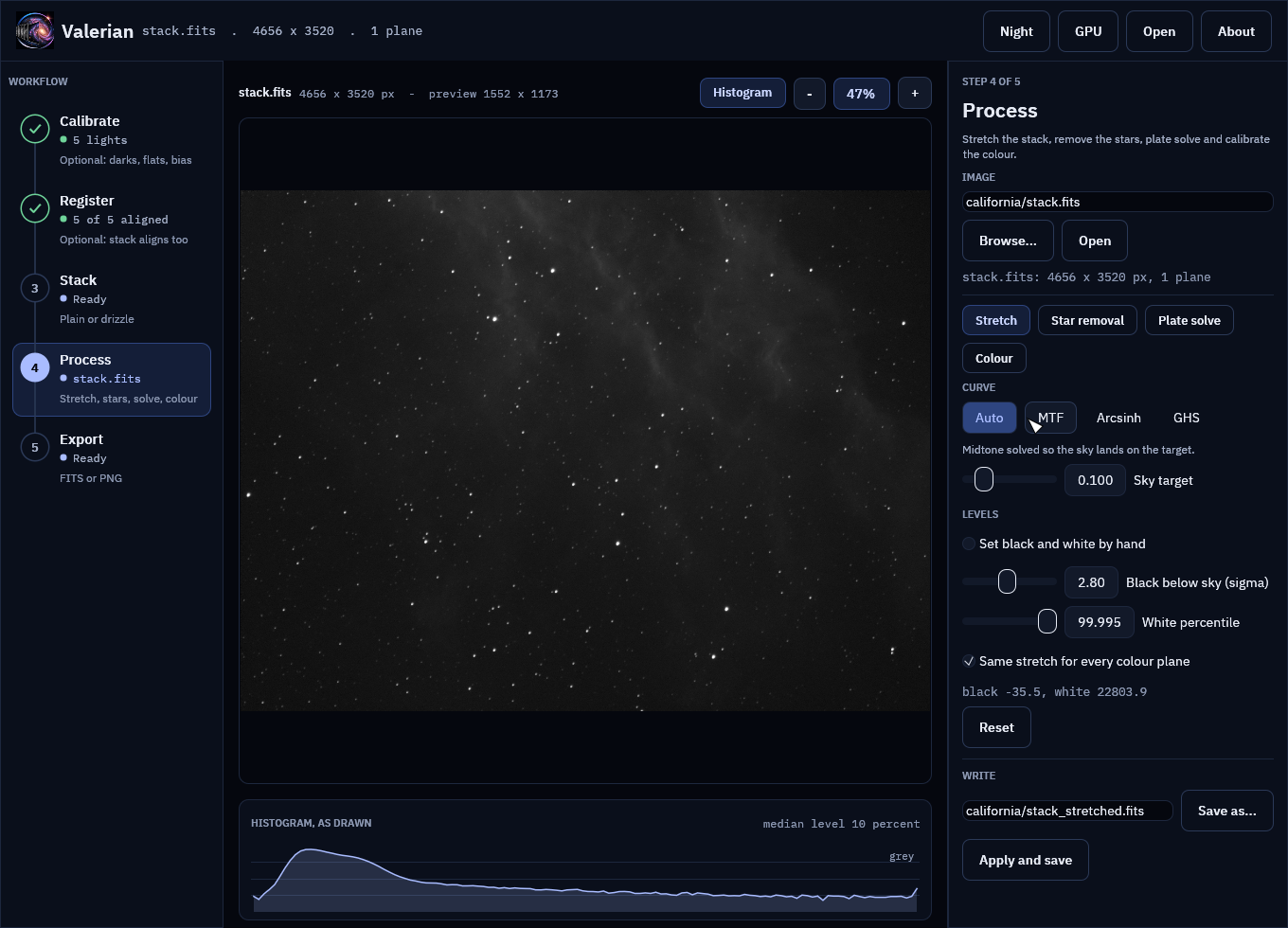
The nebula is faint. Choose GHS and set Stretch factor 3.0, Local intensity 2.0, Symmetry point 0.04, Shadow protection 0, Highlight protection 0.9. The picture follows each slider.
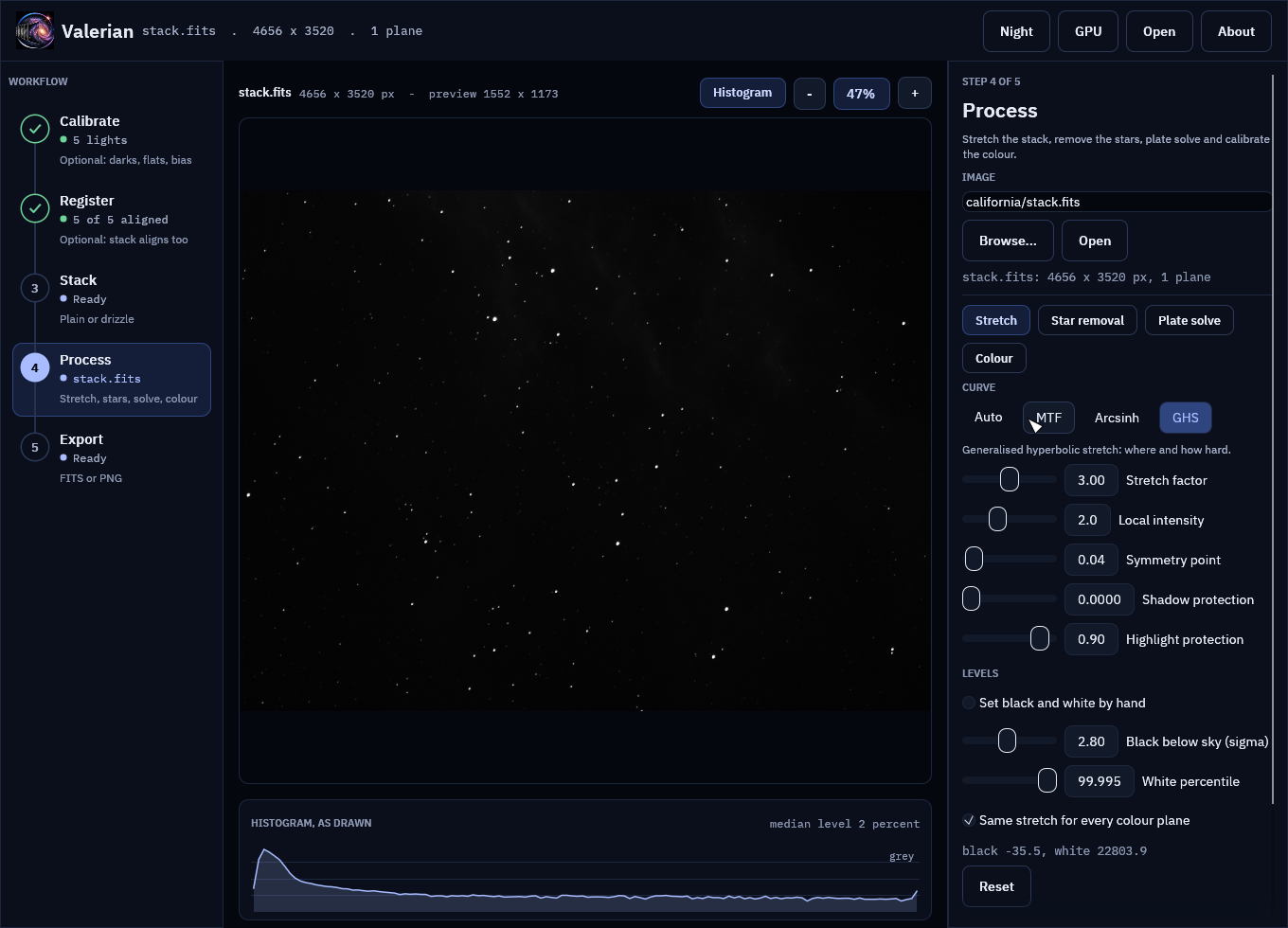
Scroll over the picture to zoom, drag to pan, double click to fit again.
Choose Star removal and press Remove stars (defaults). On the 4656 by 3520 stack it takes a few seconds and reports "2234 stars removed, 13.1 % of the pixels filled". Original, Stars and Mask compare the layers.
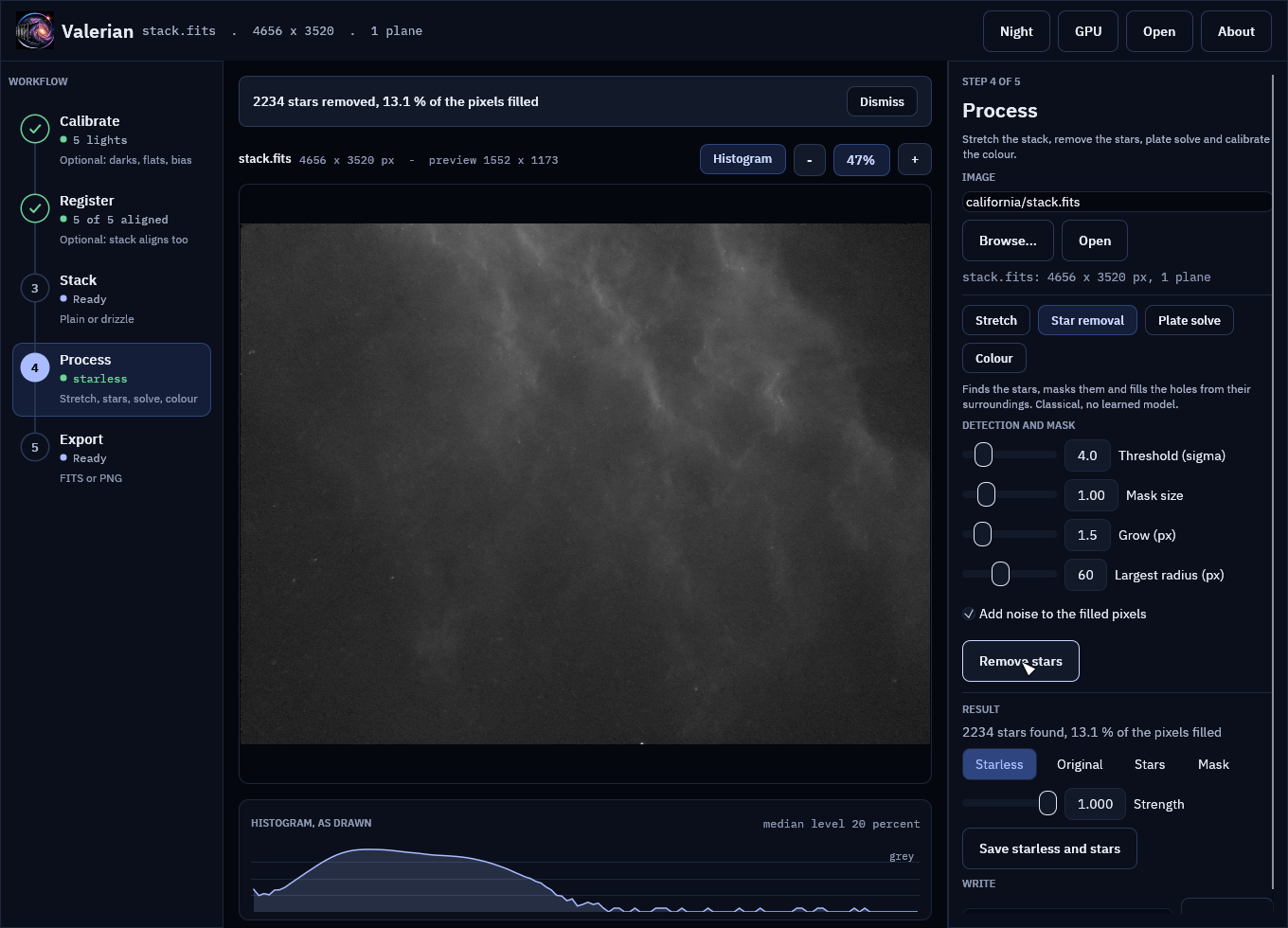
5. Export
Open Export, choose PNG for a picture to share or FITS to keep the data, check the name, and press Export picture.
Part 2: one-shot colour, no calibration frames
1. Stack the raw frames
Skip Calibrate and Register (Seestar frames arrive calibrated enough, and Stack aligns). Open
Stack, put ic5070/subs in Frames, leave the output at ic5070-stack.fits, and press
Stack frames. Raw Bayer frames are demosaiced first. About half a minute on a modern machine.
2. Stretch
Leave "Same stretch for every colour plane" ticked so the colours keep their balance.
3. Plate solve
Choose Plate solve. The position (from the header RA and Dec), the search radius and the pixel scale are filled in. If the catalogue is not beside the program, press Choose catalogue.... Press Solve. Expect about 40 stars matched with a residual near 0.1 pixel, circled in the viewer.
4. Colour
Choose Colour and press Calibrate colour (defaults). It measures the Gaia stars in each colour; expect around 30 stars used and gains close to "red x 0.76, blue x 0.99" on this data. Original and Calibrated compare.
5. Star removal, and drizzle
Star removal works as in Part 1. For Drizzle, open Stack, choose the Drizzle chip, put
ic5070/subs in Frames, keep Scale 2 and Pixfrac 0.6, and press Drizzle frames. Open it makes
the 2160 by 3840 result the working image.
Night vision
At the telescope press Night in the top bar (or F2). Everything becomes red on black, and the picture, histogram and logo are drawn in red only. The choice is remembered.
Troubleshooting
| You see | Because | Do |
|---|---|---|
| "Name a folder of FITS frames first." | A folder box is empty. | Fill it or press Choose.... |
| "... contains no FITS files" | The folder has no .fit, .fits or .fts. | Check the folder. |
| "Nothing to calibrate with" | Calibrate has no darks, flats or bias. | Add one, or skip the step. |
| "Registration failed" or "Stacking failed" | Fewer than two frames have 20 or more stars. | Check focus, clouds and the frames. |
| Plate solve fails | Wrong position or scale, or no catalogue. | Correct them, tick Blind, or choose the catalogue. |
| Colour says it needs a plate solution | The image has no WCS. | Run Plate solve first. |
| The picture looks black | A linear image has not been stretched. | Use Stretch; Auto is the default. |
| Zoom looks soft | The view is a reduced copy (1600 px). | Judge detail in the saved FITS. |
| An error stays in the notice strip | Errors stay until dismissed. | Press Dismiss. |
How calibration works
For a numbered walk-through on real data, with the settings and troubleshooting, see Tutorial 2: Calibrate.
A raw frame from a camera is not a picture of the sky. Each pixel carries a fixed electronic offset (the bias), a signal that grows with time even in the dark (the dark current), and a sensitivity that varies across the sensor and through dust and vignetting (the flat field). Calibration undoes all three:
calibrated = (light - bias - k * dark) / flat
Valerian builds the three masters from your calibration frames and applies
them. This page says what it does and what it does not do yet. The functions
live in valerian_core::calibrate (frames already in memory) and
valerian_core::streaming (frames read from files); the command is
valerian calibrate.
Masters
- Master bias: the rejected mean of the bias frames.
- Master dark: the rejected mean of the dark frames. Given a master bias,
the bias is subtracted first, so the master holds only dark current and can
be scaled to another exposure time (the header says
BIASSUB = T). Without a bias it holds bias plus dark current, and can only be subtracted as it is, from lights of the same exposure and temperature. - Master flat: each flat has a master dark flat (or a master bias, if you took none) subtracted, is scaled to a common level by its median so that a lamp that drifts does not look like noise, and the frames are combined and normalised to a mean of one. For one-shot-colour cameras the normalisation is either global, which keeps the colour balance the flat records, or per colour, which corrects vignetting and dust only.
Memory: masters are streamed
Rejection works one pixel position at a time: the samples at a position never
depend on any other position. So a master does not need every frame in memory.
valerian calibrate reads a band of rows from every file, combines the band
with the chosen rejection, keeps the result and moves on to the next band. The
master is bit for bit the one you would get with every frame loaded, and the
memory used follows --memory (in MiB, default 1024) and not the number of
frames. One row of each frame is the least it can work with, so the budget is
a target for the band, not a hard cap: the finished masters, the light being
calibrated and the pixel map are held on top of it.
The one number that needs a whole frame is a flat's level (the median that brings the flats to a common brightness). It is found first, reading the flats one at a time.
Measured on a 24-core machine without a GPU, at the commit this page was
written for: a bias master of 70 frames of 4656 by 3520 pixels (16-bit, 31 MB
each) took 5.8 GiB of memory when every frame was loaded, and 0.53 GiB with the
default budget and 0.41 GiB with --memory 256, in the same time (4 to 5
seconds), with an identical result. Ten darks, thirty dark flats and thirty
flats with the pixel map and one light: 4.8 GiB before, 1.4 GiB now, 19 s
before and 11 s now.
Rejection
Combining uses per-pixel rejection of outliers (cosmic rays, hot pixels that flicker, satellite trails), implemented once for masters and for the final stack:
| Scheme | Use it for |
|---|---|
| Winsorised sigma clipping | Fewer than about 15 frames. A single bright outlier cannot be caught by plain sigma clipping with so few frames, because it inflates the deviation it is judged by. |
| Sigma clipping | 15 to 30 frames. |
| Linear fit clipping | More than about 30 frames, and stacks whose level varies. |
| Min/max | A crude fallback. |
Rejection::auto picks one from the number of frames. Each result also records
how many samples every input frame lost to rejection, which is the quickest way
to find a frame that is bad as a whole.
Dark scaling
By default the dark is subtracted as it is. If your darks and lights differ in exposure, scaling can be turned on: exposure multiplies the dark by the ratio of the exposure times, and optimise fits the multiplier to the light itself from its hot pixels, which also copes with a temperature difference. Scaling needs a bias-subtracted dark and is refused otherwise.
Hot and cold pixels
A pixel map is built from the master dark: every pixel is compared with the median of its eight same-colour neighbours (two pixels away on a Bayer sensor), so slow gradients such as amp glow do not trip it, and flagged if it is more than a chosen number of robust sigmas above (hot) or below (cold). Dead pixels are added from the flat. Flagged pixels are replaced by the median of their unflagged neighbours after calibration.
How many pixels the map flags depends on the sensor. On the ASI1600MM used for testing, about one pixel in a hundred is warm in a five-minute dark, and dark subtraction already handles those; asking only for the extreme ones (40 sigma) leaves 0.06 % to be repaired.
The limits are --hot-sigma (default 40) and --cold-sigma (default 12), in robust
sigmas of the difference between a pixel and the median of its neighbours in the
master dark. Lower --hot-sigma to repair more pixels, each replaced by a median of its
neighbours; raise it to repair fewer. --cold-sigma works the same way for pixels
below their neighbours. With --auto-cosmetic (no dark) the hot limit used is the
smaller of --hot-sigma and 8.
A light frame can also be checked on its own, without a dark. A pixel is flagged only when its neighbours do not share the excess, which is what keeps the core of an undersampled star from being mistaken for a hot pixel. This is a heuristic; a master dark is better.
One-shot colour
Calibration works on the raw mosaic, then the frame is demosaiced
(Malvar-He-Cutler, or bilinear) into red, green and blue planes. The Bayer
pattern comes from BAYERPAT, shifted by XBAYROFF and YBAYROFF, and is
applied to the array as stored in the file.
A flat is normally divided by its overall mean. On a one-shot colour sensor the
flat then also carries the colour response of the filter array, so the corrected
light has its colour balance changed. --flat-per-channel divides each Bayer colour
by its own mean instead, so the flat corrects vignetting and dust and leaves the
colour balance to the colour calibration step. It has no effect on a mono sensor,
whose flat has no Bayer pattern.
Not done yet
- Scaled dark flats: the dark flat must match the flat's exposure.
- Streaming the lights: the lights are calibrated one at a time already, but stacking still holds all its frames (see How stacking works).
- Calibration on the GPU is there (
--backend gpu) but is slower than the CPU for one frame at a time, because of the copies across the bus; see The GPU kernels.
How registration works
For a numbered walk-through on real data, with the settings and troubleshooting, see Tutorial 3: Register.
Registration lines up every frame with a reference so that the same star falls
on the same pixel in all of them. Valerian does it from the stars alone, with
no starting guess, so a dither, a rotation or a meridian flip is as easy as no
movement at all. The functions live in valerian_core::stars,
valerian_core::register, valerian_core::transform and
valerian_core::warp; the command is valerian register.
Finding the stars
- Background. The sky level and its noise are measured in tiles (a sigma-clipped median, so stars do not lift it), the tile grid is median-filtered so that a tile on a big galaxy does not make a bump, and the grid is interpolated to every pixel.
- Detection. The background-subtracted frame is smoothed with a Gaussian and every local maximum above a threshold, in units of the noise of the smoothed frame, becomes a candidate. The noise is measured on the smoothed frame itself, so frames whose noise is correlated (resampled or stacked ones) do not produce false stars.
- Centroid and shape. Each candidate is refined by an iterative, Gaussian-weighted centroid, which reaches a few hundredths of a pixel on a good star. The same weighted second moments, corrected for the width of the window, give the FWHM, the ellipticity and the orientation of the star. Candidates narrower than a real star (hot pixels, cosmic rays) are dropped, and a star at or above the saturation level is flagged.
On the five-minute H-alpha frames used for testing (ASI1600MM, 4656 by 3520 pixels) detection takes about 0.4 s per frame and finds the 1000 brightest stars with a median FWHM near 8 pixels.
Matching
Triangles of stars are compared by the ratios of their sides, which do not change with rotation, scale or shift. Each star is combined with pairs of its nearest neighbours among the brightest eighty, and every matched triangle votes for the three star pairings it implies. The most voted pairings are then tried two at a time as a similarity transform, and the one that lands the most source stars on reference stars wins (RANSAC). That is refined by least squares on every star that matches, with the match radius shrinking each round and outliers beyond three times the scatter clipped.
The fitted model is your choice:
| Model | Parameters | Use it for |
|---|---|---|
| Similarity | 4 | Rotation, uniform scale and shift: the normal case. |
| Affine | 6 | Slight shear or unequal scale, as with some field rotation or atmospheric refraction. |
| Homography | 8 | Wide fields and perspective. Needs many stars across the whole frame. |
Frames at a different scale (2x2 binned against unbinned) work within the scale range (0.45 to 2.2 by default). Mirror images are not matched: a telescope does not mirror between frames, and a meridian flip is a rotation by 180 degrees. Distortion-aware warps are not implemented yet.
If too few stars are found, no common pattern exists, or no consistent transform is found, registration fails with a clear message rather than returning a poor fit.
Resampling
warp resamples a frame onto the reference grid with bilinear, bicubic
(Catmull-Rom, the default) or Lanczos-3 interpolation. Where the source does
not cover an output pixel the result is NaN, which the stacker reads as "no
data", so a rotated or shifted frame needs no separate mask.
What the tests show
Registration is tested on synthetic star fields with known rotations, shifts and scale: the fitted transform maps the true star positions to within 0.03 pixel, and stars measured again after warping land within 0.05 pixel of the reference's. A 180 degree rotation, a 310 by 190 pixel dither with only part of the field in common, a fifth of the stars missing and a third as many spurious ones, a half-scale frame and a sheared frame all register. Unrelated star fields are refused.
On the real session, five frames registered to the first matched about 790 stars each and landed with a mean offset under 0.05 pixel; the scatter of single bright stars about that mean is 0.1 pixel, which is the centroid noise of a star with an 8 pixel FWHM.
How stacking works
For a numbered walk-through on real data, with the settings and troubleshooting, see Tutorial 4: Stack.
Stacking registers the frames, resamples them onto one grid, evens out their
levels, weights them and combines them with outlier rejection. The function is
valerian_core::stack::stack; the command is valerian stack.
Registration and rejection have pages of their own:
How registration works and
How calibration works.
The steps
- Detect the stars in every frame (on the luminance, for colour frames).
- Choose the reference: the sharpest frame among those with a healthy number of stars, or the one you name. If fewer than half of the other frames register to the sharpest, the next three sharpest are tried, so a frame of the wrong field cannot become the reference. If no candidate gets half, the one that most frames register to is used and the rest are reported as skipped, as happens with a session that covers several fields (a mosaic).
- Register each frame to the reference. A frame that cannot be registered
is left out and the reason is reported; the others are unaffected. Frames
that are too soft can be left out too:
--max-fwhm-ratio 1.5leaves out any frame whose median FWHM is more than one and a half times the reference's (the default is no limit), and--min-stars(default 20) leaves out frames with too few stars to register. The report names the reason for each frame left out. - Resample onto the reference grid. Pixels a frame does not cover are NaN, which the combiner reads as "no data", so the edges of a rotated or dithered stack are averaged over fewer frames instead of being black.
- Normalise. Each frame's sky level is matched to the reference's, and its transparency is matched by the median flux ratio of the matched stars (the brightest eight or more that are not saturated), so a frame shot through thin cloud counts for what it saw. A frame with too few matched stars to measure this keeps a scale of one, and the log says so. The reference's sky level stays as the pedestal of the result; where black sits is decided by the stretch, not here.
- Weight. The default weight is
1 / (noise^2 * FWHM^2), which is what maximises the signal-to-noise of a point source in a background-limited frame: quiet, sharp frames count for more. Equal, noise-only and FWHM-only weights are available. - Combine with per-pixel rejection, chosen from the number of frames
unless you ask for one (
--rejection). For the schemes with limits,--lowand--highset the lower and upper limit in sigmas; left out they are 3 and 3 for sigma clipping and winsorised clipping, and 5 and 2.5 for linear fit (minmaxdrops one sample at each end andnonekeeps all). Satellite trails, cosmic rays and hot pixels all disappear here: registration drags a detector-fixed defect to a different sky position in every frame, so it is an outlier at each of them.
The result carries the reference header with NCOMBINE, EXPTOTAL (the summed
exposure of the frames used), STACKREF and STACKALG added. A coverage plane
says how many frames contributed at each pixel, and a per-frame report gives
the stars, FWHM, registration residual, flux scale, weight and the fraction of
that frame's samples that were rejected.
What to expect
- Noise falls as the square root of the number of frames when the frames are shifted by whole pixels. When they are rotated or shifted by fractions of a pixel, resampling smooths each frame's noise a little, so the per-pixel noise of the stack falls somewhat faster, at the cost of correlated noise between neighbouring pixels.
- Stars in the stack sit within 0.05 pixel of where the reference puts them.
- Colour frames are registered once, on the luminance, and every plane is moved by the same transform.
Not done yet
- Mosaics, and distortion-aware warps. Drizzle for undersampled, dithered data is its own command.
- Streaming from disk: calibration masters are streamed, but a stack holds all its frames in memory at once; the originals are replaced one at a time by their resampled versions, so the peak is about one copy of the set.
- Meridian-flip handling beyond the rotation by 180 degrees that registration already accepts, and per-pixel-position rejection masks across sessions.
How background extraction works
For a numbered walk-through on real data, with the settings and troubleshooting, see Tutorial 5: Background extraction.
Every real sky has a glow under the stars: light pollution, moonlight, airglow,
or vignetting a flat did not fully remove. It is smooth and slowly varying,
and it hides faint nebulosity, so it is modelled and taken out before the
image is stretched. The functions live in valerian_core::background; the
command is valerian background.
What it does
- Tiles. The image is cut into tiles (a thirty-second of the short side,
at least 32 pixels, or
--tile). Each tile gives one sample: the median of its pixels that are not masked and not missing (NaN). A tile with fewer than a quarter of its pixels usable gives none. - Surface. A smooth surface is fitted to the samples:
--model polynomial(the default) fits a polynomial of--degree0 to 6 in coordinates running from -1 to 1 on each axis. Degree 1 is a plane (tilt only, the safest), 2 follows a bowl, higher degrees follow an uneven glow and need clean sky across the frame.--model splinefits a smoothing thin-plate spline through the samples, the kind of surface a manual "dynamic background extraction" draws. It follows any smooth gradient.--smoothingtrades following the samples against averaging their noise: about 0.001 to 0.01 for a hundred or so tiles, and larger values tend to a plane.
- Rejection. Samples far above the surface (a nebula, a galaxy's halo, a
star-rich tile) or far below it are dropped and the surface is fitted again.
The limits are
--clip-high(2 sigma, tighter because light only adds) and--clip-low(3). The spread used is never less than the noise of a tile median, so a flexible surface that follows its samples closely does not mistake ordinary noise for outliers. - Masks. The residual of the image against the surface marks the stars:
pixels more than
--star-sigmarobust sigmas above it, grown by--mask-growpixels. Tiles dropped as high, and their neighbours, are treated as nebula and left out. The fit is repeated with these masks, for--roundsrounds, so the samples come from sky and not from the target. - Apply. The surface is evaluated every 8 pixels and interpolated, and subtracted from (or divided into) every pixel. Pixels without data stay NaN.
Subtract or divide, and the level
--mode subtract(the default) is for added light: gradients from light pollution or the moon.--mode divideis for multiplicative falloff: vignetting, or a flat that did not match.--level preserve(the default) takes out the gradient and puts the mean of the surface back, so the sky stays at the brightness it had. It removes tilt, not level: rebasing the sky is the stretch's job, and doing it here as well moves the nebula with it.--level zeroremoves the whole surface, so the sky goes to about zero (subtract) or one (divide).
When there is no sky to measure
A plane fitted to a frame that a big target fills absorbs the target's outer light. On Centaurus A the owner's pipeline measured 17.9 ADU per pixel of real halo being quietly subtracted away. Valerian guards against it in three ways:
--exclude-targetleaves out an ellipse over the bright target, grown until it holds 45% of the flux above the sky (the pipeline'starget_mask).- The fit is declined, and the plane left exactly as it was, with the reason printed, when more than 55% of the image is masked (star, nebula or target), when fewer clean tiles remain than the model needs (at least 12), or when the samples scatter about the surface by more than twice the gradient it describes. In that last case what was measured is structure, not sky.
- A raw one-shot-colour mosaic is refused: demosaic it first
(
valerian calibrate --debayer), because the colours have different levels.
A declined plane is a result, not a failure: the command succeeds, says which plane and why, and the other planes are still corrected.
Colour, and looking at the model
Colour planes are fitted one at a time, so each colour gets its own gradient.
--save-model writes the fitted surface (one plane per input plane) so you can
look at what was removed: it should be smooth and should show no stars or
nebula.
How it compares with the Python pipeline
scripts/compare_python_background.py restates the pipeline's target_mask
and remove_gradient (a plane fitted to tile medians outside the target,
with its mean put back) and compares the fitted gradient with Valerian's.
- On the Seestar IC 5070 stack (three planes, 1080 by 1920, a frame the nebula
fills): the pipeline's plane has a tilt across the frame of 10.4, 6.7 and 7.6
ADU in red, green and blue; Valerian's plane (no target exclusion, 88-pixel
tiles) has 11.0, 6.7 and 7.7, and the models differ by 0.32, 0.03 and 0.03
ADU rms (largest 0.7, 0.06 and 0.06). With
--exclude-targetValerian declines all three planes, because 62% to 64% of the image is then masked, where the pipeline's script still fits a plane to the tiles that remain (the pipeline's ownassemblemakes the same call with itsfills_frametest, at 55%). - On the 25-frame H-alpha stack of the California Nebula (4656 by 3520 pixels), Valerian fits a plane (88-pixel tiles) through 626 of 1033 tiles, with a tilt of 68.1 ADU across the frame; the pipeline fits one to the 29% of the frame outside its target mask and gets 85.6 ADU, and the two models differ by 5.3 ADU rms. With the target excluded Valerian declines (77% masked). With 110-pixel tiles a degree 2 surface removes 109 ADU peak to peak, degree 4 160, and the spline 141; on this frame the extra freedom has little clean sky to be tested against, so a plane is the safe choice here.
On a 24-core machine without a GPU, a 16-megapixel plane takes 1.0 s and 300 MiB with a polynomial, and 5.1 s with a spline (400 samples at most).
Not done yet
- Interactive placement of samples, as manual dynamic background extraction offers; the samples are a regular grid with automatic rejection.
- A background model that is shared by all channels of a mosaic of panels.
- Extraction on the GPU; it runs on the CPU, in parallel over rows.
How stretching works
For a numbered walk-through on real data, with the settings and troubleshooting, see Tutorial 6: Stretch.
Stacked data is linear: a pixel's value is proportional to the light that
fell on it. Nearly everything interesting in a deep-sky image sits in the
bottom few percent of that range, so shown as it is, the picture is black with
a handful of stars. A stretch is a curve that lifts the faint end and holds the
bright end, so the eye can read both. The functions live in
valerian_core::stretch; the command is valerian stretch.
Two steps
- Levels. A black point maps to 0 and a white point to 1; anything outside
is clipped. By default the black point is put 2.8 robust sigmas below the sky
(the median) and the white point at the 99.995th percentile, which leaves
the sky just above black and keeps all but the very brightest stars from
clipping. Set your own with
--blackand--white, in the image's units, or move the automatic ones:--shadow-sigma(default 2.8) is how many robust sigmas below the sky the black point goes, and--white-percentile(default 99.995) is the percentile of the pixels that becomes white. A larger--shadow-sigmalifts the sky further off black; a lower--white-percentileclips more of the brightest stars to white and gives the rest more room. - Curve. A curve bends
0..1onto0..1, with 0 and 1 fixed and always rising, so no information is lost between the two ends.
The input file is never changed. The output is a new 32-bit float FITS file in the range 0 to 1.
The curves
--curve | What it does | Parameters |
|---|---|---|
auto (default) | A midtone transfer function whose midtone is solved so the sky lands at --target. | --target (default 0.10) |
mtf | The midtone transfer function ((m - 1) x) / ((2m - 1) x - m): m goes to one half. Below 0.5 brightens, above darkens, 0.5 changes nothing. | --midtone m, or without it --target |
arcsinh | asinh(beta x) / asinh(beta): linear for small values, logarithmic above. Keeps colour well on stars. | --beta (default 50) |
ghs | The generalised hyperbolic stretch (below). | --ghs-stretch, --ghs-b, --ghs-sp, --ghs-lp, --ghs-hp |
The generalised hyperbolic stretch
The GHS adds control over where the stretch acts. It is a family of curves with five parameters:
- stretch factor
s(--ghs-stretch): overall strength.D = e^s - 1. Zero does nothing. - local intensity
b(--ghs-b): how tightly the stretch is focused around the symmetry point.b = -1is logarithmic,b = 0exponential,b > 0harmonic or hyperbolic. A logarithmic stretch has a heavy tail and lifts a wide range; largerbconcentrates it near the symmetry point. - symmetry point
SP(--ghs-sp): the brightness (0 to 1, after the levels) that is stretched hardest. The curve is point-symmetric about it: the lift aboveSPmirrors the dip below it. - shadow protection
LP(--ghs-lp, at mostSP) and highlight protectionHP(--ghs-hp, at leastSP): outside[LP, HP]the curve is a straight line that keeps the slope it has at that limit, instead of flattening further.
Valerian implements the definition in the GHS documentation (section 5.2 of the
process documentation at ghsastro.co.uk): the base curves for the four ranges of
b, the piecewise construction around SP with linear continuation outside
LP and HP, and the rescale to 0 and 1. The tests check the closed forms
for b of -2, -1, 0, 1 and 2, the point symmetry, the continuity of value and
slope at LP, SP and HP, and that every curve is increasing and has an
inverse.
A very hard stretch (a stretch factor above about 8 with b >= 0) makes the
curve reach 1 within double precision before the top of the range, so it cannot
be inverted there. Factors up to about 5 are comfortable.
Colour
Colour planes are stretched alike by default: the levels and curve are found once,
from the mean of the planes, and applied to all of them, which keeps the colour
balance. --unlinked finds a separate stretch for each plane, which neutralises a
colour cast in the sky at the cost of colour accuracy in the nebula.
Undoing it
The header of the output records the stretch (STRETCH, STRBLACK, STRWHITE
and the curve's parameters, and a HISTORY line). valerian stretch --invert stretched.fits -o linear.fits reads that record and applies the inverse
curve and levels. The data that lay between the black and white points comes
back (to float32 precision); what was clipped does not. Unlinked stretches are
described in HISTORY lines but not recorded in a form --invert reads.
How it compares with the Python pipeline
scripts/compare_python_stretch.py restates the pipeline's autostretch and
mtf and compares them with valerian stretch. On a stacked H-alpha frame
(4656 by 3520 pixels) and a colour stack the stretched images agree to a
largest difference of 1.1e-5 and 1.4e-4 on a 0 to 1 scale, and put the sky at
the same target (0.1000). The small difference is the percentile: the pipeline
interpolates between pixel values, Valerian takes the nearest rank.
On a 24-core machine with no GPU, stretching that 16-megapixel frame takes 0.6 to 1.0 seconds and 193 MiB.
Previewing
An automatic stretch is a good first look, and you can see it before writing
anything. valerian stretch --preview look.png linear.fits writes the stretched
image as an 8-bit PNG (reduced to 1600 pixels on the long side, or
--preview-size), and with --preview the -o FITS file is optional. Give
-o as well to write both.
In the desktop app
Open a linear FITS file in valerian-gui (Open or Ctrl+O, a typed path and Open, a
file dropped on the window, or valerian-gui file.fits), or stack one, and the Stretch tool
of the Process step is on the right. The first picture is the automatic stretch.
Pick a curve and move the sliders; the picture follows. The preview is made on a reduced copy of the image, but its black and white points are measured on the full frame and only measured again when you change the automatic-level settings, so the preview and the file you write have the same stretch.
The same on the one-shot-colour stack of IC 5070, with the stretch shared by the three colour planes:
The histogram under the picture is of what is drawn, so it shows what each setting does to the sky: the automatic stretch puts its peak at the sky target.
- Curve: Auto (a midtone solved so the sky lands on the sky target), MTF, Arcsinh and GHS, with the parameters described above. Shadow and highlight protection are held on either side of the symmetry point.
- Levels: the automatic black and white points (sigma below the sky, and a percentile), or "Set black and white by hand", which starts from the measured values. The line under the controls shows the levels in use.
- Same stretch for every colour plane is
--unlinkedturned off. - Reset returns to the automatic stretch.
- Apply and save stretches the full image in the background and writes a new
FITS file (by default
<name>_stretched.fitsnext to the original; edit the path to change it). The header records the stretch, sovalerian stretch --invertundoes it. The original is never changed.
The screenshots are of the real stacks of a first session, drawn by the program's tests (see Building and testing).
Not done yet
- Stretching on the GPU; it runs on the CPU, in parallel over rows.
- Separate black and white points for the colour planes of a linked stretch, and colour-preserving stretches that act on luminance only.
- A curve plot in the panel (the histogram of what is drawn is under the picture).
How star removal works
For a numbered walk-through on real data, with the settings and troubleshooting, see Tutorial 7: Star removal.
Star removal splits an image into two: the sky and nebulosity without stars
(the starless image) and the stars on their own (the star layer). Stretch
and colour-grade the nebula hard without the stars blooming, then add the stars
back. Valerian does this with a classical method and no learned model. A
learned model may be offered one day as an option; it would be labelled, and it
would never be the default. The code is valerian_core::starless; the command
is valerian starless.
The method
- Detect. Stars are found on the luminance with the same detector registration uses, with a lower threshold (4 sigma of the smoothed noise) and no limit on how many.
- Mask. Each star gets a disc. Its radius is where a Moffat profile with the
star's own width and peak falls to half the pixel noise. A Moffat profile is
used, not a Gaussian, because the wings of a real star are heavier than a
Gaussian's. The radius is then scaled (
--mask-scale), grown (--growpixels), kept at no less than two FWHM and at most--max-radius. The mask is the union of the discs. All colour planes share one mask. - Fill. Inside each connected piece of the mask every plane is filled by solving Laplace's equation with the unmasked pixels around the piece held fixed: harmonic, or diffusion, inpainting, solved by successive over-relaxation. The fill meets its surroundings without a seam and follows a gradient through the hole. Pieces are independent and run in parallel.
- Noise. A diffusion fill is smooth, and a smooth patch in a noisy sky is
easy to see. Unless
--no-noiseis given, Gaussian noise of the level measured on the unmasked pixels beside each piece is added inside it. The noise is seeded (--seed), so a run is repeatable.
Pixels outside the mask are not touched: they are bit for bit what they were.
On the command line
valerian starless stack.fits -o starless.fits --stars-out stars.fits
valerian starless stack.fits --preview look.png
--stars-out writes what was removed: stars = original - starless, exactly,
so the two layers add back to the original. --mask-out writes the mask.
--preview writes a PNG of the original and the starless image side by side,
both on the automatic stretch of the original, and with it -o is optional.
--strength below 1 removes only that fraction of every star, which reduces them
instead: 0.5 leaves each star at half its brightness. The star layer then holds
the other half.
In the desktop app
Open an image, choose Star removal in the Process step and press Remove stars. The detection and fill run on the full image in the background, because the detector needs the real pixel scale; the window stays usable.
When the run finishes the viewer shows the starless image, and the panel offers the other layers: Original, Stars (the star layer on the sky level) and Mask. The views share one automatic stretch, so they can be compared.
The same on the colour stack of IC 5070:
The Strength slider is applied after the run (original - strength * stars),
so moving it costs nothing and needs no new run. Save starless and stars
writes both layers as FITS files, by default <name>_starless.fits and
<name>_stars.fits next to the original.
The screenshots are of the real stacks of a first session.
Settings
| Option | What it does |
|---|---|
--threshold | Detection limit in sigmas of the smoothed noise. Lower finds fainter stars and fills more of the frame. |
--mask-scale | Multiplies every mask radius. Raise it if a bright star leaves a faint disc of halo. |
--grow | Pixels added to every radius. |
--max-radius | The largest disc. A cap keeps one saturated star from filling a quarter of the frame. |
--no-noise | Leave the smooth fill. |
--strength | Fraction of each star to remove. |
Measured
On stacked data on a 24-core machine (release build): the 4656 by 3520 H-alpha stack from the ASI1600MM (the five-minute frames of the stacking tests) finds 3279 stars, fills 13.8 % of the pixels and takes 4.3 seconds; a 1080 by 1920 Seestar colour stack (three planes) finds 668 stars, fills 5.5 % and takes 0.9 seconds. On a synthetic frame with known truth the fill inside the mask is on average within 12 ADU of the true starless frame (the noise is 6 ADU), and over 92 % of the star light is gone (the tests check both).
What it cannot do
- It does not recreate texture that a star hides. A bright star on a nebula leaves a smooth patch the size of its mask, with noise added but no structure.
- Diffraction spikes and halos beyond the mask stay. A very bright star can leave
a faint disc; a larger
--mask-scaleremoves more of it. - Stars below the detection limit stay, and so do stars within two pixels of the frame edge, which the detector does not look at.
- Galaxies and compact nebulae can be taken for stars if they are small and round. Look at the mask before relying on the result.
- Raw colour mosaics must be demosaiced first.
How plate solving works
For a numbered walk-through on real data, with the settings and troubleshooting, see Tutorial 8: Plate solve.
Plate solving finds where on the sky an image points, and writes that into the
file as a world coordinate system (WCS): the keywords that let any astronomy
program turn a pixel into a right ascension and declination, and back.
Valerian solves with its own code, offline, against a bundled star catalogue.
The code is valerian_core::solve; the command is valerian solve.
The method
- Stars. The stars of the image are detected on the luminance.
- Where to look. Where the image points is a hint: a position, a search
radius and a pixel scale range. Valerian reads them from the header
(
RAandDEC, orOBJCTRAandOBJCTDEC;FOCALLENandXPIXSZ; or a WCS already there), and--ra,--dec,--radius,--scaleand--scale-rangeoverride them. The hint becomes a list of trial patches of sky, its centre first. - Patterns. For a trial, the catalogue stars of that patch are projected on the tangent plane and matched to the image stars with the triangle matching that registration uses: triangles of the brightest stars are compared by their side ratios, which do not change with rotation, scale or position, and the votes give a rotation, a scale and a shift. Both parities are tried, because a mirrored image (a diagonal in the light path, or a camera that writes its rows top down) matches nothing otherwise.
- Refine. A gnomonic (TAN) projection is fitted about the image centre to every star that matches, with a match radius that tightens each round and 3-sigma clipping. If a polynomial for the lens distortion (SIP) clearly improves the fit, it is kept: at least 50 stars for order 2 and 100 for order 3, and a residual at least a quarter lower than the plain fit's. A polynomial fitted to noise wanders at the corners of the frame, so it has to earn its place.
The solution is accepted only when at least ten stars agree (--min-matches).
A rotation, a scale and a shift had to be found for them, so ten stars landing
within a pixel or two of catalogue stars by chance is not something that
happens; the match count is the evidence.
Nothing is written unless a solution is accepted.
On the command line
valerian solve stack.fits -o solved.fits
The input is never changed; -o writes a copy with the WCS in the header (and a
HISTORY line saying how it was found), as a 32-bit float image like the other
commands write. Without -o the solution is only printed:
looking within 1.00 deg of RA 61.1583 Dec +35.6161, scale 0.79 to 1.07 arcsec/pixel
solved: centre RA 04h04m36.1s Dec +35d36m50.7s (61.15022, +35.61408 deg)
scale 0.910 arcsec/pixel, field 1.18 x 0.89 deg, rotation -106.73 deg east of north, mirrored
38 of 400 detected stars matched, rms 0.34 arcsec (0.37 px), plain TAN
Give a position when the header has none: --ra 04:04:38 --dec +35:36:58 --scale 0.93 (numbers are degrees, hh:mm:ss is hours for the right ascension).
With no position at all the whole sky is searched (--blind, or simply no
position anywhere), which needs --scale or --scale-range to size the patches
and takes longer, a few seconds to a minute depending on the scale and the
number of cores. A search at a very small scale needs too many patches and
refuses, saying so.
--sip-order auto (the default) keeps distortion terms only when they clearly
help, 0 forces a plain TAN and 2 to 5 forces that order.
Mirrored, rotation and the row order
The result says "mirrored" when east is to the right of north in the file's own
row order. FITS counts rows from the bottom, but many cameras (the ASI1600MM
under N.I.N.A., the Seestar) write them top down and say so in ROWORDER.
Their images solve as mirrored, which is correct for the file: a program that
reads rows as the file has them, as astropy and DS9 do, gets the right sky.
Valerian does not flip the rows.
In the desktop app
Open an image, choose Plate solve in the Process step, and the position and pixel scale are filled from the header. Edit them if the header is missing or wrong, or tick Blind. Solve runs in the background.
When it finishes the panel shows the centre, scale, field size, rotation, the number of stars matched and the residual, and the matched stars are circled in the viewer. Save with WCS writes a copy of the image with the solution in its header.
The screenshot is of the real Seestar stack of a first session, solved against the Gaia catalogue.
The catalogue
Solving needs a catalogue, which is a data file and not part of the program:
gaia-dr3-g11.vcat, every Gaia DR3 source brighter than G = 11 (1,247,240
stars, 10.0 MB, with their BP-RP colours for
colour calibration). Valerian looks for it in VALERIAN_CATALOGUE, beside the
program, in a data folder beside the program, in ../share/valerian, and (in a
build from source) in crates/valerian-core/data; --catalogue names one.
G < 11 is about 30 stars per square degree, which is plenty for a field of half a degree or more. For a much narrower field, build a deeper catalogue:
python3 scripts/build_catalogue.py --mag 13 -o gaia-dr3-g13.vcat   # 7.4 million stars, 59 MB
valerian solve image.fits --catalogue gaia-dr3-g13.vcat
The script asks the ESA Gaia archive and packs the stars into the format
valerian_core::catalogue reads (documented at the top of the script). Positions
are at Gaia's epoch, 2016.0; proper motion is not applied, which is far below the
matching tolerance for stars this bright.
This work has made use of data from the European Space Agency (ESA) mission Gaia (https://www.cosmos.esa.int/gaia), processed by the Gaia Data Processing and Analysis Consortium (DPAC). The data are released under CC BY-SA 3.0 IGO, and the catalogue file is kept apart from the program (it is read at run time, not compiled in) and carries that licence.
Measured
On real stacks, on a 24-core machine (release build):
| Image | Hinted | Blind | Stars matched | Residual |
|---|---|---|---|---|
| ASI1600MM H-alpha stack, 4656 by 3520, 0.91 arcsec/pixel | 0.65 s | 7.1 s | 38 | 0.37 px |
| Seestar S50 colour stack of IC 5070, 1080 by 1920, 2.37 arcsec/pixel | 0.12 s | 11.3 s | 41 | 0.10 px |
The blind and hinted solves give the same answer. The H-alpha solution lands
within 24 arcsec of the target the header names (the position typed into the
capture software), which is the framing. scripts/compare_python_solve.py checks
a solved file against an independent solve of the same stars: it reads the WCS
with astropy (which also proves the keywords are valid), detects the stars again
with sep, matches them to Gaia to G = 15 and refits a TAN WCS as the pipeline's
astrometry.py does. On the Seestar stack 188 stars match within a median 0.10
pixel and the refit differs from Valerian's WCS by at most 0.17 arcsec (0.07
pixel); on the H-alpha stack 755 stars match and the refit differs by at most
0.21 arcsec.
On synthetic fields with a known WCS the tests recover the system to better than 1.5 arcsec at the corners from stars with 0.3 pixel of centroid noise, at every rotation, mirrored or not, with spurious detections and a tenth of the stars missed, and they refuse a wrong position, a wrong scale and random stars.
What it cannot do
- It needs enough catalogue stars in the field. G < 11 does not solve a field much narrower than half a degree; build a deeper catalogue.
- The patches are tangent planes, good to about five degrees across.
- It does not model the optics beyond the SIP polynomials, and it does not know proper motion, atmospheric refraction or the epoch of the image.
- Raw colour mosaics must be demosaiced first.
How colour calibration works
For a numbered walk-through on real data, with the settings and troubleshooting, see Tutorial 9: Photometric colour calibration.
A colour camera's red, green and blue do not see the sky the way a viewer
expects, and the balance of a stack depends on the sensor, the filter and the
sky. The stars say what the balance should be: Gaia measured a colour (BP-RP)
for every bright star. Photometric colour calibration measures the stars in the
picture in each colour, compares them with Gaia, and sets the white balance so
that stars come out the colour they really are. The code is
valerian_core::photocal; the command is valerian photocal.
The method
- Stars. The plate solution (the image's WCS, from plate solving) places the Gaia stars in the frame. Stars of G 6 to 11 with a BP-RP of 0.3 to 2.5 are used by default: brighter ones saturate, and the colour of very red stars is not a straight line. Each is tied to a star detected in the image (within 3 pixels), and a star with another detected star in or near its aperture is dropped.
- Photometry. Every star is measured in red, green and blue through the same circular aperture, twice the median FWHM in radius, with the sky taken from a clipped median of an annulus around it. Stars with a signal-to-noise under 15 in any colour, or a non-positive flux, are dropped.
- Fit. For red and for blue,
-2.5 log10(F / F_green)is fitted against BP-RP as a straight line. The fit starts from the Theil-Sen line (the median of the pairwise slopes), which a few wild stars cannot move, and is then refined by least squares with 3-sigma clipping. A star that is off in either colour is dropped from both. - Balance. The reference colour, BP-RP 0.82 (a G2V star like the Sun), is set as neutral: each channel's gain makes the line's value at that colour equal to green's. Green's gain is 1, so the brightness of the picture stays where it was.
- Background. The sky level of each plane, after the gain, is brought to the mean of the three, so the background is neutral grey and the light pollution does not tint the picture.
The two slopes are the camera's colour response, and double as a check: red must brighten against green as BP-RP rises, and blue must dim. If either has the wrong sign a warning says the planes may not be red, green, blue in that order, or the image is not linear.
Do it on the linear image, after background extraction and before stretching: the colour of a star is a ratio of fluxes, and a stretch breaks that. A stretched image is refused.
On the command line
valerian solve stack.fits -o solved.fits
valerian photocal solved.fits -o balanced.fits
The input is never changed. Without -o the result is only printed:
36 Gaia stars measured, 33 used; aperture radius 5.1 px; neutral at BP-RP 0.82
  red against green: slope -0.635 mag per BP-RP, scatter 0.027 mag, gain 0.7547 +/- 0.0032
 blue against green: slope +0.080 mag per BP-RP, scatter 0.024 mag, gain 0.9860 +/- 0.0037
sky before 610.73 597.25 608.32, after 552.64 552.64 552.64 (offsets -91.74 44.61 47.13)
The gains and offsets go into the header as PCCGAINR, PCCGAING,
PCCGAINB and PCCOFFR, PCCOFFG, PCCOFFB, with a HISTORY line. An image
with no WCS is solved first from the header's position and scale; give
--wcs other.fits to take the solution from another file (a solved copy made
earlier, say). --reference-colour moves the neutral point (a bluer value gives
a warmer picture), --min-mag, --max-mag, --colour-min, --colour-max,
--aperture, --min-snr and --min-stars change the star selection,
--no-neutralise leaves the sky levels alone, and --stars-out writes every
star measured to a CSV file.
In the desktop app
Open an image, choose Colour, and press Calibrate colour. The image needs three planes and a plate solution, either its own or the one the Plate solve tool found.
The panel shows the gains, the slopes and the scatter, and the stars used are circled in the viewer. Calibrated and Original switch the picture, and Save calibrated writes the full-size result.
Original in the panel shows the picture before the calibration, for comparison.
The screenshots are of a synthetic field (valerian_core::testutil::colour_scene)
whose red and blue are out of balance by a known amount, because image data is
never committed.
The catalogue
The colours come from the catalogue file. Version 2 of the format (written by
scripts/build_catalogue.py since this feature) adds a BP-RP byte to every
star; a version 1 file still solves but has no colours, so it cannot calibrate.
gaia-dr3-g11.vcat carries 1,247,240 stars to G = 11, 10.0 MB, under the same
licence as before, CC BY-SA 3.0 IGO (Gaia DR3, ESA/Gaia/DPAC).
Measured
On the Seestar S50 stack of IC 5070 (10 s subs, 60 stacked, a light-pollution
filter, 1080 by 1920), 36 Gaia stars are measured and 33 kept, in 0.3 s. Red
needs a gain of 0.755 and blue 0.986. scripts/compare_python_photocal.py repeats
the measurement with different code: the WCS read by astropy, Gaia fetched from
the archive to G = 13, stars centred by centre of mass and the FWHM measured by
a Gaussian fit, photutils aperture and annulus photometry, and an outlier-clipped
fit.
| Stars | Count | astropy and photutils gain (R, B) | Valerian gain (R, B) |
|---|---|---|---|
| The same, G < 11 | 34 | 0.7583, 0.9850 | 0.7547, 0.9860 |
| Deeper, G < 13 | 143 | 0.7465, 0.9771 | 0.7547, 0.9860 |
The gains agree to 0.5 % on the same stars and to 1.1 % with the deeper set, which is about the scatter of the fit. Measured the same way, the calibrated image's line value at BP-RP 0.82 is +0.004 mag in red and -0.001 mag in blue (0 is neutral), and the sky medians of the three planes agree to 0.05 ADU (552.59, 552.63, 552.64).
Synthetic fields with known gains check the recovery to 3 %, that a calibrated image calibrates to gains of 1, that the neutral point moves the balance the right way, that planes in the wrong order are warned about, and that stars with the wrong colour are rejected.
What it cannot do
- It needs a plate solution and enough stars (15 by default) of G < 11 in the field; a narrow field wants a deeper catalogue.
- The line is straight in BP-RP, which holds over ordinary stars. Emission nebulae have no star colour and do not enter the fit, so a nebula's colours are whatever the balance makes them.
- Gaia's colours include interstellar reddening, which is what the camera sees too; the balance is of the light as it arrives, not corrected for dust.
- It does not know the sensor's spectral response beyond the two slopes it measures, and a narrow-band or dual-band filter makes the slopes small. The Seestar's light-pollution filter gives a blue slope of only +0.08.
How drizzle works
For a numbered walk-through on real data, with the settings and troubleshooting, see Tutorial 10: Drizzle.
A sensor whose pixels are larger than the star images on it is undersampled:
a star that falls on one pixel and a star that falls between two look different,
and no single frame can say where inside the pixel the light came from. If the
telescope is nudged between frames (dithered) each frame samples the sky at
different places, and together they hold detail that a plain stack throws away.
Drizzle (Fruchter and Hook, 2002) puts it back. The code is
valerian_core::drizzle; the command is valerian drizzle.
The method
Every input pixel is shrunk to a smaller square, a drop whose side is
pixfrac times the pixel's. The drop is mapped through the frame's registration
onto an output grid scale times finer, and its value is spread over the output
pixels it overlaps in proportion to the area of the overlap. The output pixel is
the weighted mean of what landed on it:
I_out = sum(a * w * f) / sum(a * w)
where a is the overlap area, w the frame's weight and f the input value.
It is the surface brightness of the input, so the output has the units of the
input and a star holds scale squared as many pixels. In the order it runs:
- Register. The frames are registered to a reference exactly as for
stacking (
stack::register_frames). A raw colour mosaic is registered through a demosaiced copy. - Normalise and weight. Each frame's sky is matched to the reference and its transparency scaled, and frames are weighted by noise and star width, as in a stack.
- Drizzle. Every frame is dropped onto the output grid. A raw Bayer mosaic is dropped as a mosaic: each pixel goes only to the plane of its own colour, so nothing is interpolated, and a one-shot-colour camera, whose red and blue are sampled every second pixel, gains the most.
- Reject. The first result is read back around the place of every input
pixel, and a pixel more than
--rejectsigma of the frame's noise outside the range of what is there (plus a twentieth of the local signal, because a star core is sharper than the read-back) is left out of a second drizzle. This removes cosmic rays, satellite trails and the hot pixels that the dither drags to different places in different frames.
A pixfrac of 1 with a scale of 1 is plain shift-and-add. A smaller drop is
sharper but leaves gaps unless enough frames land on each output pixel; the
weight map (--weight-map) shows the coverage and the result counts the output
pixels no drop reached (NaN). The noise of neighbouring output pixels is
correlated, because one input pixel feeds several of them, so look at noise after
binning the result back to the input grid.
On the command line
valerian calibrate lights/ --bias bias/ --dark dark/ --flat flat/ -o cal/
valerian drizzle cal/ -o drizzled.fits --scale 2 --pixfrac 0.6
The frames are calibrated ones (raw colour mosaics are fine: do not give
valerian calibrate a --debayer). The result is --scale times as wide and as
tall, with a header recording DRIZSCL, DRIZPIXF and DRIZREJ; any WCS is
removed, so solve the drizzled image afterwards. --no-reject skips the second
pass, --reference, --weights, --normalisation, --model, --min-stars,
--max-fwhm-ratio (leave out frames softer than this multiple of the reference's
FWHM; default no limit) and the star detection options are those of
valerian stack, and --report writes the
per-frame table.
60 of 60 frames drizzled to 2160 x 3840 (scale 2, pixfrac 0.6), reference frame 47 (...), 0.28 % of the input samples rejected, 0.015 % of the output without data, 11.0s
Plan on a dither of a pixel or more between frames and a dozen or more of them
for a 2x grid. With fewer, use a larger --pixfrac or a smaller --scale.
In the desktop app
The Drizzle tool works on a folder, not on the open image, so it is usable with nothing open. Type the folder of calibrated frames or choose it with Choose folder..., set the scale, pixfrac and rejection, and press Drizzle frames; the run goes on in the background.
The result is shown, reduced and stretched, in the viewer, with its size, the fraction rejected and the fraction of the output no drop reached. Save drizzled writes the FITS file and Open it makes it the open image, to stretch or solve.
The screenshots are of a synthetic undersampled field (Gaussian stars 1.6 pixels wide, sixteen dithers), because image data is never committed.
Measured
What it can do: synthetic frames with a known sky. The tests drizzle dithered frames of stars with a known flux and position:
| Test | Result |
|---|---|
| Flux in a star, drizzled at 2x, against the true flux | within 0.3 % |
| Two stars 2.0 pixels apart (each 1.4 FWHM): the valley between them as a fraction of the lower peak | 0.70 drizzled at 3x, 0.82 plain stack (bicubic) |
| Star FWHM, in input pixels, of a 1.53 pixel star | drizzle 1.79; stacks with bilinear 1.92, bicubic 1.73, Lanczos-3 1.72 |
| A cosmic ray of 6000 counts in one frame | gone from the second pass (less than 60 left, against 150 or more without rejection) |
| Raw RGGB mosaics, three colours of known brightness | each plane's star flux within 6 % |
What it does on real data. Good amateur data is hardly undersampled (a
star 2.3 pixels wide is sampled), so the test makes it so: the real frames are
binned (scripts/make_binned_frames.py) and the stack of the unbinned frames is
the answer. scripts/compare_python_drizzle.py then measures sixty isolated
stars in the plain stack, the drizzle and the answer with astropy and photutils
(a Gaussian fit for the FWHM and a curve of growth for the diameter that holds
half the light), all in binned pixels. Sixty raw ten-second Seestar S50 frames of
IC 5070 (the same reference frame throughout):
| Frames | Result | FWHM | Half-flux diameter |
|---|---|---|---|
| bin 2, stack | 1.606 | 1.793 | |
| bin 2 | drizzle 2x, pixfrac 0.5 | 1.575 (x1.02) | 1.711 (x1.05) |
| bin 2 | drizzle 2x, pixfrac 0.7 | 1.635 (x0.98) | 1.766 (x1.02) |
| bin 2 | drizzle 2x, pixfrac 1.0 | 1.750 (x0.92) | 1.881 (x0.95) |
| bin 2, unbinned stack | the answer | 1.215 | 1.347 |
| bin 3, stack (49 frames) | 1.365 | 1.998 | |
| bin 3 | drizzle 2x, pixfrac 0.5 | 1.289 (x1.06) | 1.902 (x1.05) |
| bin 3 | drizzle 3x, pixfrac 0.5 | 1.246 (x1.10) | 1.915 (x1.04) |
| bin 3 | drizzle 3x, pixfrac 0.7 | 1.316 (x1.04) | 1.901 (x1.05) |
Twenty-four calibrated ASI1600MM H-alpha frames binned 5 by 5 (eighteen usable stars) gave 1.800 for the stack and 1.780 for a 2x drizzle at pixfrac 0.5 (x1.01, with the half-flux diameter x0.95): no gain. So the honest summary is that drizzle sharpens an undersampled stack by a few per cent to 10 per cent in FWHM, more the smaller the drop and the coarser the sampling, and that on data that is sampled well it does nothing and costs noise: after binning back to the input grid the Seestar background noise is 5.3 to 5.8 (bin 2) and 4.5 (bin 3) against 4.8 and 3.6 for the stack. What limits it here is that a registration from star centroids is good to a few hundredths of a pixel, not the hundredth that a deep drizzle wants, and that the frames themselves differ in seeing (a stack picks the sharp ones with its weights; so does drizzle).
On full-size frames, the sixty raw Seestar subs (1080 by 1920) drizzle to 2160 by 3840 in 11 s and 3.1 GiB on 24 cores, where the stack takes 14 s and 2.4 GiB.
What it cannot do
- It needs undersampled data. Frames whose stars are three pixels wide or more gain nothing, and drizzle costs a little noise.
- It needs a dither. Frames that land on the same sub-pixel position add no detail; the weight map shows it as a regular pattern of gaps with small drops.
- It does not model the optics. The registration is a similarity (or the model you choose) between frames, so a lens whose distortion changes across the frame smears the corners.
- It does not drop one colour mosaic into a different grid from the others: the frames must share a Bayer pattern.
- The kernel is the square drop of the original drizzle; point, Gaussian and Lanczos kernels are not offered.
The GPU kernels
For a numbered walk-through on real data, with the settings and troubleshooting, see Tutorial 11: The GPU.
Calibration, the registration warp and a stack's per-pixel combiner (the stages
whose cost grows with the number of pixels times the number of frames) can run on
a graphics card. They are WGSL compute kernels run through wgpu on the device
that Helia's helia-gpu crate opens (valerian-gpu), so they work on Vulkan,
Metal and DirectX with the same code, and on a software adapter (lavapipe, WARP)
for testing. The CPU code in valerian-core is the specification: every kernel
has a parity test against it.
What runs where
| Stage | CPU | GPU |
|---|---|---|
| Calibration: bias, dark (scaled), flat, and the cosmetic repair of the pixel map | yes | yes |
| Registration warp (bilinear, bicubic, Lanczos-3, any transform) | yes | yes |
| Per-pixel combine: none, min/max, sigma, winsorised sigma, linear fit | yes | yes, up to 128 frames |
| A stack's warp, level match and combine of a plane in one go | yes | yes, frames kept on the device |
| Star detection, registration, drizzle, plate solving, everything else | yes | no |
Star detection and the registration fit are branchy and sequential; they stay on the CPU. A case a kernel does not cover (more than 128 frames, a frame larger than the device allows in one buffer) falls back to the CPU and is counted and reported.
On the command line
calibrate, register and stack take --backend auto|cpu|gpu:
valerian stack cal/ -o stack.fits --backend gpu
compute: GPU: NVIDIA A100 80GB PCIe (Vulkan, DiscreteGpu)
...
GPU: 3 calls ran on the device
gpu uses a real GPU, or the software adapter if there is none (with a note that it is slower than the CPU), or fails. cpu
never opens a device. auto (the default) uses a real GPU only for stack, where
the frames stay on the device from the warp to the combine, and the CPU for
calibrate and register, where one stage alone is slower on the GPU (see
below); it never picks a software adapter, which is slower than the CPU code.
valerian bench times every stage on the CPU and on the GPU and checks that they
agree:
--repeats (default 3) is how many times each stage is timed; the table shows the
median, so a larger number steadies the figures on a busy machine.
valerian bench                          # a real GPU, 4096 x 3072, 20 frames
valerian bench --adapter software --width 1024 --height 768 --frames 12
stage                                  CPU ms    GPU ms speed-up up / kernel / down ms worst diff    > 1e-4
calibrate (bias, dark, flat, pixel map)  39.2      91.3     0.4x            4 / 5 / 81    4.24e-7     0.0e0
warp (bicubic)                           68.9     101.3     0.7x           20 / 7 / 72    4.85e-5     0.0e0
combine (sigma clip)                    355.7     480.0     0.7x         282 / 82 / 130    3.18e-4    9.9e-8
combine (winsorised)                    672.0     534.5     1.3x         258 / 122 / 95    3.16e-4    3.0e-7
combine (linear fit)                    478.6     481.5     1.0x         236 / 114 / 91    5.65e-4    2.4e-6
stack plane (warp + combine)           1657.6     576.0     2.9x         102 / 366 / 85    4.96e-2    2.0e-5
In the desktop app
The GPU tool opens the adapter you choose, runs the same benchmark on frames of the size you set, and shows the times as a table and a chart. The desktop app's other tools run the CPU code; this panel is where you see what your device does.
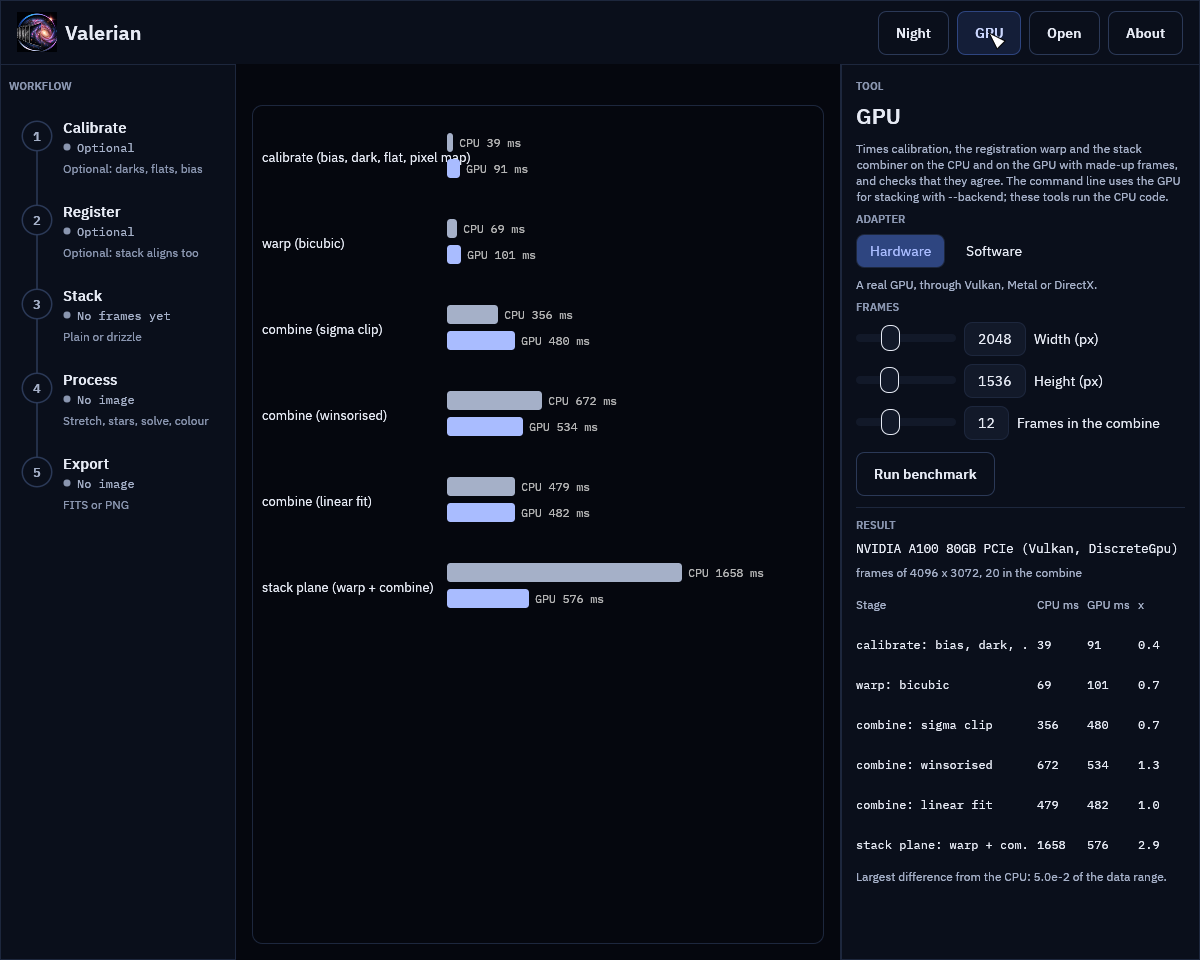
The screenshot of the result shows the figures measured on an A100 (below), so the picture is the same on every machine.
Measured
On the test machine: a 24-core CPU that other jobs were sharing, and one of its NVIDIA A100 80 GB cards over PCIe (Vulkan), frames of 4096 by 3072 and 20 frames in the combine. Times are the median of three runs after a warm-up; the three numbers beside them are the average time of a GPU call spent copying to the device, running the kernels and copying back.
| Stage | CPU | GPU | Speed-up | Copy up / kernel / copy down |
|---|---|---|---|---|
| Calibrate, one 12.6 MP frame | 39 ms | 91 ms | 0.4x | 4 / 5 / 81 ms |
| Warp, bicubic, one 12.6 MP frame | 69 ms | 101 ms | 0.7x | 20 / 7 / 72 ms |
| Combine, sigma clip, 20 frames | 356 ms | 480 ms | 0.7x | 282 / 82 / 130 ms |
| Combine, winsorised, 20 frames | 672 ms | 535 ms | 1.3x | 258 / 122 / 95 ms |
| Combine, linear fit, 20 frames | 479 ms | 482 ms | 1.0x | 236 / 114 / 91 ms |
| Stack plane (warp + combine), 20 frames | 1658 ms | 576 ms | 2.9x | 102 / 366 / 85 ms |
The kernels themselves are fast: calibration runs 5 ms on the card against 39 ms on
24 cores, the warp 7 ms against 69 ms, the combine 80 to 120 ms against 360 to
670 ms. But the data has to cross the PCIe bus both ways, and for one stage on its
own the copies cost more than the kernel saves: reading 50 MB back took 70 to 80 ms.
So a single stage is no faster on the GPU than on a 24-core CPU, and only the
winsorised combine breaks even. What does pay is keeping the frames on the card:
a stack uploads each frame once, warps and level-matches all of them into one
buffer on the device, combines them in bands, and sends back only the result, which
is 1.7 to 2.9 times faster than the CPU. That is why --backend auto uses the GPU
for stack and not for calibrate or register. The software adapter
(llvmpipe) is slower than the CPU on every stage (0.3x to 0.6x at 1024 x 768) and is
there to test the kernels, not to use.
Two further runs on real data: sixty raw Seestar S50 frames of IC 5070 (1080 by
1920, three colours after demosaicing) stack in 9.8 s on the CPU and 10.0 to 11.1 s
with --backend gpu, and 25 calibrated ASI1600MM frames (10 of which register,
16 MP) in 6.1 to 7.0 s and 6.0 to 6.3 s. The wall time is the same because the
star detection and the registration, which stay on the CPU, are most of it, but the
CPU time used falls from 72 s to 26 s and from 66 s to 54 s, which a busy machine
can spend on something else. The two stacks agree: at most 1.2e-3 (ASI1600) and
3.6e-3 (Seestar) of the data range apart at one pixel, and 1.7e-5 and 2.3e-5 of
the pixels differ by more than 1e-4 of the range.
How well they agree
The parity tests (crates/valerian-gpu/tests/parity.rs, run on the software
adapter in CI and on the A100) check each kernel against the CPU code:
- Warp: all three kernels and five transforms (shifts, a rotation with scale, a homography); the difference is at most 5e-4 of the data range, which is what single-precision coordinates cost at the far edge of a 4000 pixel frame, and where the source has no data (NaN or infinite) so does the result.
- Calibration: at most 1e-5 of the range (the arithmetic is the same single precision), the same number of pixels repaired, on mono and on Bayer data with its ring spacing of two, with masters kept on the device between lights.
- Combine: every rejection scheme at 3, 12, 33 and 70 frames, with weights, with NaN where a frame has no data. The mean differs by at most 2e-5 relative where both use the same samples. A sample that sits exactly on a clipping limit can fall either way in single precision, so a pixel in a thousand at most uses a different number of samples. The per-frame counts of rejected samples agree to 0.2 %.
- A whole stack: mono and three-plane colour, Lanczos and bilinear, 9 and 40 frames, with and without level matching, against the CPU stack.
What it cannot do
- Double precision. WGSL has no 64-bit floats, so the kernels work in single precision where the CPU uses double in the linear-fit regression and the weighted mean. The differences above are the cost.
- More than 128 frames in one combine; the CPU does those.
- A GPU for the whole pipeline. Detection, registration, plate solving, drizzle, star removal and the rest run on the CPU.
- Beat 24 cores on one stage. See the measurements: the bus is the limit.
Command line reference
Every subcommand also accepts -h and --help; valerian itself also accepts -V and --version. Exit status is 0 on success and 1 on any error, with the message on standard error.
valerian
Deep-sky image processing
valerian <COMMAND>
Subcommands:
calibrate: Calibrate light frames with bias, dark, flat and dark-flat framesregister: Register frames to a reference and write them on its gridstack: Register, normalise, weight and combine frames into one imagedrizzle: Combine dithered frames onto a finer grid with drizzlebench: Time the GPU kernels against the CPU code and check they agreebackground: Model and remove the sky gradient of an imagestretch: Stretch a linear image to a viewable one (MTF, arcsinh or GHS)starless: Remove or reduce the stars of an imagesolve: Plate-solve an image and write its world coordinate system (TAN-SIP)photocal: Calibrate the colour of an image against Gaia star coloursinfo: Describe FITS files, or this build and the machine it runs on
valerian calibrate
Calibrate light frames: subtract the master bias and dark, divide by the master flat and repair hot, cold and dead pixels. Each calibration argument is a file or a directory of FITS files and may be repeated. Several files are combined into a master; a single file whose IMAGETYP says it is a master is used as it is. Each light is written to the output directory as a 32-bit float FITS file with _cal added to its name. Calibration frames are streamed from disk in bands of rows, so memory use follows --memory and not the number of frames.
valerian calibrate [OPTIONS] --output <DIR> <LIGHTS>...
Arguments:
<LIGHTS>: Light frames: FITS files or directories of them (required; repeatable)
Options:
--bias <PATH>: Bias frames, or a master bias (a file or directory; repeatable)--dark <PATH>: Dark frames, or a master dark (a file or directory; repeatable)--flat <PATH>: Flat frames, or a master flat (a file or directory; repeatable)--dark-flat <PATH>: Dark-flat frames, subtracted from the flats instead of the bias (a file or directory; repeatable)-o, --output <DIR>: Directory for the calibrated frames (required)--masters <DIR>: Also write the master frames to this directory--scale-dark <SCALE_DARK>: How the dark is scaled to each light's exposure (defaultoff)off: Subtract the dark as it isexposure: Multiply by the ratio of exposure timesoptimise: Fit the multiplier to the light from its hot pixels
--rejection <REJECTION>: Rejection used to combine the calibration frames (defaultauto)auto: Winsorised below 15 frames, sigma clipping to 30, linear fit above.--lowand--highchange the limits of the scheme it picksnone: Keep every sampleminmax: Drop the lowest and highest samplesigma: Sigma clipping about the medianwinsorised: Winsorised sigma clipping: robust with few frameslinear-fit: Linear fit clipping: robust when levels vary
--memory <MIB>: Memory for combining calibration frames, in MiB. The frames are read a band of rows at a time, so the master of any number of frames fits (default1024)--hot-sigma <SIGMA>: Hot-pixel limit: sigmas above the neighbours in the master dark (default40)--cold-sigma <SIGMA>: Cold-pixel limit: sigmas below the neighbours in the master dark (default12)--auto-cosmetic: Without a dark, find isolated hot and cold pixels in each light itself--flat-per-channel: Normalise the flat per Bayer colour, so it corrects vignetting and dust but not colour balance--debayer <DEBAYER>: Demosaic the calibrated frames to three colour planes (defaultnone)auto: Keep a raw mosaic as it is (calibrate) or demosaic with Malvar-He-Cutler if the frames are Bayer data (register and stack)none: Never demosaicmhc: Malvar-He-Cutler gradient-corrected interpolationbilinear: Bilinear interpolation
--backend <BACKEND>: The engine for the per-pixel stages: auto (the CPU, as one stage alone is slower on the GPU), cpu or gpu (defaultauto)auto: A real GPU if there is one, otherwise the CPUcpu: Always the CPUgpu: A GPU (the software adapter if there is no real one), or an error
valerian register
Find the stars in every frame, register them to the sharpest (or the one named), resample each onto the reference grid and write it as a 32-bit float FITS file with _reg added to its name. Pixels a frame does not cover are NaN. Raw Bayer frames are demosaiced first.
valerian register [OPTIONS] --output <DIR> <FRAMES>...
Arguments:
<FRAMES>: Frames: FITS files or directories of them (required; repeatable)
Options:
-o, --output <DIR>: Directory for the registered frames (required)--reference <N>: Index (from 0, in sorted order) of the reference frame; default the sharpest--model <MODEL>: Transform to fit (defaultsimilarity)similarity: Rotation, uniform scale and shiftaffine: Adds shear and unequal scalehomography: Full perspective; needs many stars across the frame
--interpolation <INTERPOLATION>: Resampling kernel (defaultbicubic)bilinear: 2x2 bilinear: smooth, no ringingbicubic: 4x4 bicubic (Catmull-Rom)lanczos3: 6x6 Lanczos: sharpest, can ring around bright stars
--debayer <DEBAYER>: Demosaic raw Bayer frames (defaultauto)auto: Keep a raw mosaic as it is (calibrate) or demosaic with Malvar-He-Cutler if the frames are Bayer data (register and stack)none: Never demosaicmhc: Malvar-He-Cutler gradient-corrected interpolationbilinear: Bilinear interpolation
--threshold <SIGMA>: Detection threshold in sigmas of the smoothed noise (default5)--backend <BACKEND>: The engine for the resampling: auto (the CPU, as one stage alone is slower on the GPU), cpu or gpu (defaultauto)auto: A real GPU if there is one, otherwise the CPUcpu: Always the CPUgpu: A GPU (the software adapter if there is no real one), or an error
valerian stack
Register the frames, match their sky levels and transparency, weight them by noise and star width and combine them with per-pixel outlier rejection. The result is written as a 32-bit float FITS file with NCOMBINE, EXPTOTAL and the reference in its header. A table with one line per frame is printed. Raw Bayer frames are demosaiced first.
valerian stack [OPTIONS] --output <FILE> <FRAMES>...
Arguments:
<FRAMES>: Frames: FITS files or directories of them (required; repeatable)
Options:
-o, --output <FILE>: The stacked FITS file to write (required)--coverage <FILE>: Also write the per-pixel coverage (frames used) to this FITS file--report <FILE>: Also write the per-frame table to this text file--rejection <REJECTION>: Rejection scheme (defaultauto)auto: Winsorised below 15 frames, sigma clipping to 30, linear fit above.--lowand--highchange the limits of the scheme it picksnone: Keep every sampleminmax: Drop the lowest and highest samplesigma: Sigma clipping about the medianwinsorised: Winsorised sigma clipping: robust with few frameslinear-fit: Linear fit clipping: robust when levels vary
--low <SIGMA>: Lower rejection limit in sigmas, where the scheme has one. With--rejection autoit changes the limit of the scheme auto picks--high <SIGMA>: Upper rejection limit in sigmas, where the scheme has one. With--rejection autoit changes the limit of the scheme auto picks--weights <WEIGHTS>: Frame weights (defaultnoise-fwhm)equal: Every frame counts the samenoise: One over the noise squaredfwhm: One over the star FWHM squarednoise-fwhm: One over noise squared times FWHM squared: best for point sources
--normalisation <NORMALISATION>: Level matching (defaultadditive-scaling)none: Leave levels as they areadditive: Match the sky level to the referenceadditive-scaling: Match the sky level and scale by the matched stars' flux ratio
--reference <N>: Index (from 0, in sorted order) of the reference frame; default the sharpest--model <MODEL>: Transform to fit (defaultsimilarity)similarity: Rotation, uniform scale and shiftaffine: Adds shear and unequal scalehomography: Full perspective; needs many stars across the frame
--interpolation <INTERPOLATION>: Resampling kernel (defaultbicubic)bilinear: 2x2 bilinear: smooth, no ringingbicubic: 4x4 bicubic (Catmull-Rom)lanczos3: 6x6 Lanczos: sharpest, can ring around bright stars
--debayer <DEBAYER>: Demosaic raw Bayer frames (defaultauto)auto: Keep a raw mosaic as it is (calibrate) or demosaic with Malvar-He-Cutler if the frames are Bayer data (register and stack)none: Never demosaicmhc: Malvar-He-Cutler gradient-corrected interpolationbilinear: Bilinear interpolation
--threshold <SIGMA>: Detection threshold in sigmas of the smoothed noise (default5)--min-stars <N>: Leave out frames with fewer stars than this (default20)--max-fwhm-ratio <RATIO>: Leave out frames whose FWHM is more than this multiple of the reference's--backend <BACKEND>: The engine for the resampling and the combine: auto (a real GPU if there is one), cpu or gpu (defaultauto)auto: A real GPU if there is one, otherwise the CPUcpu: Always the CPUgpu: A GPU (the software adapter if there is no real one), or an error
valerian drizzle
Drizzle (variable-pixel linear reconstruction) for undersampled, dithered frames. The frames are registered as for stack, then every input pixel is shrunk to a drop of --pixfrac of its side, mapped onto an output grid --scale times finer and spread over the output pixels it overlaps in proportion to the overlap, weighted by noise and star width. Pixels more than --reject sigma from a first-pass result (cosmic rays, hot pixels, satellite trails) are left out of a second pass. Raw Bayer mosaics are dropped as mosaics, each pixel into its own colour plane with no interpolation, so give the calibrated frames from valerian calibrate without --debayer. The result is --scale times as wide and as tall, in the input's units, with output pixels no drop reached left as NaN (--weight-map shows the coverage). It needs a dither of a pixel or more between frames and a dozen or more of them to fill a 2x grid; with too few frames use a larger --pixfrac or a smaller --scale.
valerian drizzle [OPTIONS] --output <FILE> <FRAMES>...
Arguments:
<FRAMES>: Frames: FITS files or directories of them (calibrated; raw mosaics are fine) (required; repeatable)
Options:
-o, --output <FILE>: The drizzled FITS file to write (required)--scale <FACTOR>: Output pixels per input pixel, linear (default2)--pixfrac <FRACTION>: Side of a drop as a fraction of an input pixel, above 0 and at most 1 (default0.6)--reject <SIGMA>: Reject input pixels this many sigma from the first-pass result (default4)--no-reject: Drizzle every pixel, with no rejection pass--weight-map <FILE>: Also write the weight map (coverage of the output) to this FITS file--report <FILE>: Also write the per-frame table to this text file--weights <WEIGHTS>: Frame weights (defaultnoise-fwhm)equal: Every frame counts the samenoise: One over the noise squaredfwhm: One over the star FWHM squarednoise-fwhm: One over noise squared times FWHM squared: best for point sources
--normalisation <NORMALISATION>: Level matching (defaultadditive-scaling)none: Leave levels as they areadditive: Match the sky level to the referenceadditive-scaling: Match the sky level and scale by the matched stars' flux ratio
--reference <N>: Index (from 0, in sorted order) of the reference frame; default the sharpest--model <MODEL>: Transform to fit (defaultsimilarity)similarity: Rotation, uniform scale and shiftaffine: Adds shear and unequal scalehomography: Full perspective; needs many stars across the frame
--threshold <SIGMA>: Detection threshold in sigmas of the smoothed noise (default5)--min-stars <N>: Leave out frames with fewer stars than this (default20)--max-fwhm-ratio <RATIO>: Leave out frames whose FWHM is more than this multiple of the reference's
valerian bench
Run calibration, the registration warp and the stack's per-pixel combiner (sigma clipping, winsorised and linear fit) on made-up frames of the size asked for, on the CPU and on the GPU, and print the median times, the speed-up and how far the two results differ (as a fraction of the data range, and in pixels that have data in only one). One run warms each kernel up first, so the times are steady state. --adapter hardware (the default) uses a real GPU, software the fallback adapter (lavapipe, WARP) that CI uses; the software adapter is slower than the CPU code and exists to test the kernels. The same switch, --backend auto|cpu|gpu, is on calibrate, register and stack; auto uses a real GPU only for stack, where the frames stay on the device from the warp to the combine, because for one stage alone the copies across the bus cost more than the kernel saves.
valerian bench [OPTIONS]
Options:
--adapter <ADAPTER>: The adapter to open (defaulthardware)hardware: A real GPUsoftware: The software adapter (lavapipe, WARP)
--width <PIXELS>: Frame width in pixels (default4096)--height <PIXELS>: Frame height in pixels (default3072)--frames <N>: Frames in the combine (3 to 128) (default20)--repeats <N>: Timed repeats of each stage (the median is shown) (default3)
valerian background
Fit a smooth surface to the sky of a stacked image and take it out. The image is cut into tiles, each gives the median of its clear pixels, and a polynomial or a thin-plate spline is fitted to those samples, rejecting samples that stars, nebulosity or the target lift above the sky. Stars are then masked from the residual and the fit is repeated. By default the surface is subtracted and the mean level is put back, so the gradient goes and the sky stays where it was. If too little clear sky is left (a target that fills the frame) the plane is reported as declined and left unchanged instead of subtracting the target. Colour planes are fitted one by one; raw mosaics must be demosaiced first.
valerian background [OPTIONS] --output <FILE> <INPUT>
Arguments:
<INPUT>: The stacked FITS image (mono or colour planes, not a raw mosaic) (required)
Options:
-o, --output <FILE>: The corrected FITS file to write (required)--save-model <FILE>: Also write the fitted background (one plane per input plane) to this FITS file--model <MODEL>: The surface to fit (defaultpolynomial)polynomial: A polynomial of--degree: degree 1 is a planespline: A thin-plate spline with--smoothing: follows any smooth gradient
--degree <N>: Polynomial degree, 0 to 6 (default2)--smoothing <S>: Spline smoothing: about 0.001 to 0.01 for a hundred tiles; larger tends to a plane (default0.005)--mode <MODE>: Subtract the background or divide by it (defaultsubtract)subtract: Subtract: light pollution and other added lightdivide: Divide: vignetting and other falloff
--level <LEVEL>: Keep the mean level or remove the whole surface (defaultpreserve)preserve: Remove the gradient but keep the mean levelzero: Remove the whole surface: the sky goes to about zero (subtract) or one (divide)
--tile <PX>: Tile size in pixels; default a thirty-second of the short side (at least 32) (default0)--star-sigma <SIGMA>: Mask pixels this many robust sigmas above the surface as stars (default3)--mask-grow <PX>: Grow the star mask by this many pixels (default3)--clip-low <SIGMA>: Reject samples this many sigmas below the fit (default3)--clip-high <SIGMA>: Reject samples this many sigmas above the fit (default2)--rounds <N>: Rounds of mask refinement after the first fit (default3)--exclude-target: Leave out the bright central target, sized from the data (for a large galaxy or nebula that fills much of the frame)
valerian stretch
Stretch a linear image. The black point is put just below the sky and the white point at a high percentile (or set both with --black and --white); the curve then bends the range onto 0 to 1: the midtone transfer function (the default, which puts the sky at --target), arcsinh, or the generalised hyperbolic stretch. The input is never changed. The output is a 32-bit float FITS file in 0 to 1, and its header records the stretch, so --invert can undo it on the data that was not clipped. --preview writes the result as a reduced PNG as well (or instead of the FITS file) to look at an automatic stretch before committing to it. Colour planes share one stretch unless --unlinked is given.
valerian stretch [OPTIONS] <INPUT>
Arguments:
<INPUT>: The linear FITS image to stretch (required)
Options:
-o, --output <FILE>: The stretched FITS file to write (optional with--preview)--preview <PNG>: Also write the stretched image as an 8-bit PNG, reduced to--preview-size--preview-size <PIXELS>: Longest side of the--previewPNG, in pixels (default1600)--invert: Undo the stretch recorded in the input's header instead of stretching--curve <CURVE>: Tone curve (defaultauto)auto: A midtone transfer function that puts the sky at--targetmtf: Midtone transfer function with the given--midtone(or solved for--target)arcsinh: asinh(beta x) / asinh(beta), with--betaghs: Generalised hyperbolic stretch, with the--ghs-*parameters
--target <LEVEL>: Sky level after the stretch, 0 to 1 (auto, and mtf without--midtone) (default0.1)--midtone <M>: Midtone balance of the MTF, 0 to 1: below 0.5 brightens--beta <BETA>: Strength of the arcsinh stretch (default50)--ghs-stretch <S>: GHS stretch factor: 0 changes nothing; D is e to this power minus one (default3)--ghs-b <B>: GHS local intensity b: -1 logarithmic, 0 exponential, above 0 hyperbolic (default0)--ghs-sp <SP>: GHS symmetry point, 0 to 1: the brightness that is stretched hardest (default0)--ghs-lp <LP>: GHS shadow protection point (at most the symmetry point) (default0)--ghs-hp <HP>: GHS highlight protection point (at least the symmetry point) (default1)--black <ADU>: Black point, in the image's own units (with--white)--white <ADU>: White point, in the image's own units (with--black)--shadow-sigma <SIGMA>: Automatic black point: this many robust sigmas below the sky (default2.8)--white-percentile <PERCENT>: Automatic white point: this percentile of the pixels (default99.995)--unlinked: Stretch each colour plane on its own instead of all alike
valerian starless
Remove the stars from an image with a classical method and no learned model: stars are detected on the luminance, each gets a mask disc sized from its brightness and width, and the masked pixels of every plane are filled by diffusion (Laplace inpainting) from the pixels around them, with noise of the local level added so the patches do not show. The input is never changed. The starless image is written to -o; --stars-out writes what was taken out (original minus starless), which can be added back later; --mask-out writes the mask. --strength below 1 removes only that fraction of every star, reducing them. Work on the linear image or a stretched one; raw mosaics must be demosaiced first. It does not recreate texture a star hides, and diffraction spikes and stars below the detection limit stay.
valerian starless [OPTIONS] <INPUT>
Arguments:
<INPUT>: The FITS image (mono or colour planes, not a raw mosaic) (required)
Options:
-o, --output <FILE>: The starless FITS file to write (optional with--preview)--stars-out <FILE>: Also write what was removed (original minus starless) to this FITS file--mask-out <FILE>: Also write the star mask (1 where pixels were filled) to this FITS file--preview <PNG>: Also write a PNG of the original and the starless image side by side, both on the automatic stretch of the original and reduced to--preview-size--preview-size <PIXELS>: Longest side of each half of the--previewPNG, in pixels (default900)--strength <FRACTION>: Fraction of each star to remove, 0 to 1: below 1 reduces stars instead (default1)--threshold <SIGMA>: Detection threshold in sigmas of the smoothed noise: lower finds fainter stars (default4)--mask-scale <FACTOR>: Multiplier of every mask radius (default1)--grow <PIXELS>: Pixels added to every mask radius (default1.5)--max-radius <PIXELS>: Largest mask radius in pixels (default60)--no-noise: Fill with the smooth diffusion result and add no noise--seed <N>: Seed of the added noise (default1)
valerian solve
Find where on the sky an image points and write the world coordinate system into a copy of it. Stars are detected, the catalogue stars of the patch of sky the header (or --ra and --dec) names are matched to them by triangle patterns, and a TAN projection with optional SIP distortion is fitted to every star that agrees. The position comes from the RA and DEC (or OBJCTRA and OBJCTDEC) keywords or an existing WCS, the pixel scale from FOCALLEN and XPIXSZ, and either can be given on the command line. With no position at all the whole sky is searched, which needs --scale or --scale-range and takes longer (--blind says so on purpose). The catalogue is Gaia DR3 to G = 11, found beside the program, in VALERIAN_CATALOGUE or with --catalogue; build a deeper one with scripts/build_catalogue.py for fields much narrower than half a degree. At least ten stars must agree or nothing is written. The input is never changed.
valerian solve [OPTIONS] <INPUT>
Arguments:
<INPUT>: The FITS image (mono or colour planes, not a raw mosaic) (required)
Options:
-o, --output <FILE>: Write a copy of the image with the WCS in its header (without it the solution is only printed)--catalogue <FILE>: The star catalogue (default:gaia-dr3-g11.vcatbeside the program or inVALERIAN_CATALOGUE)--ra <RA>: Right ascension of the field centre: degrees, or hours as hh:mm:ss--dec <DEC>: Declination of the field centre: degrees, or dd:mm:ss--radius <DEGREES>: How far the true centre may be from the position, in degrees (default1)--scale <ARCSEC>: Pixel scale in arc seconds per pixel (searched within 15 per cent either way)--scale-range <LOW> <HIGH>: Range of the pixel scale in arc seconds per pixel (repeatable)--blind: Search the whole sky even if the header names a position--sip-order <ORDER>: SIP distortion order, 0 for none, or auto to use it when it clearly helps (defaultauto)--min-matches <N>: The fewest stars that must agree (default10)--threshold <SIGMA>: Detection threshold in sigmas of the smoothed noise (default6)
valerian photocal
Set the white balance of a colour image from the stars in it. The stars of the plate solution (the image's own WCS, one from --wcs, or a quick solve from the header) are matched to Gaia stars with a BP-RP colour, each is measured through the same aperture in red, green and blue, and a line of instrumental colour against BP-RP is fitted for red and for blue against green with outlier rejection. The gains make a star of --reference-colour (0.82, the Sun) neutral; green is left alone so the brightness stays. The sky of the three planes is then brought to a common level so the background is neutral grey (--no-neutralise leaves it). The input must be a linear red, green, blue image (not stretched, not a raw mosaic) and the catalogue must carry colours (version 2); calibrate after background extraction and before stretching. The gains and offsets are written to the header as PCCGAINR, PCCGAING, PCCGAINB, PCCOFFR, PCCOFFG and PCCOFFB. Without -o the result is only printed. The input is never changed.
valerian photocal [OPTIONS] <INPUT>
Arguments:
<INPUT>: The linear colour FITS image (three planes) (required)
Options:
-o, --output <FILE>: Write the calibrated image here (without it the result is only printed)--wcs <FILE>: Take the plate solution from this FITS file's header instead of the image's--catalogue <FILE>: The star catalogue (default:gaia-dr3-g11.vcatbeside the program or inVALERIAN_CATALOGUE)--stars-out <FILE>: Write every star measured (position, G, BP-RP, fluxes, used) to this CSV file--reference-colour <BP-RP>: The BP-RP colour to make neutral; 0.82 is a G2V star like the Sun (default0.82)--min-mag <MAG>: Brightest star used, Gaia G magnitude (default6)--max-mag <MAG>: Faintest star used, Gaia G magnitude (default11)--colour-min <BP-RP>: Bluest BP-RP used in the fit (default0.3)--colour-max <BP-RP>: Reddest BP-RP used in the fit (default2.5)--aperture <FWHM>: Aperture radius as a multiple of the median FWHM (default2)--min-snr <SNR>: Least signal-to-noise of a star in each colour (default15)--min-stars <N>: The fewest stars the fit may rest on (default15)--no-neutralise: Leave the background levels of the planes as they are
valerian info
Describe FITS files, or this build and the machine it runs on
valerian info [OPTIONS] [FILES]...
Arguments:
<FILES>: FITS files to describe; with none, describe this build (repeatable)
Options:
--stats: For each file, also measure the sky, noise and stars--gpu: Open the GPU adapter and report it--software: With--gpu, use the software (fallback) adapter instead of a real GPU
FITS files and other formats
What Valerian reads
- FITS images, one image in the primary HDU:
NAXIS2 (mono or a raw Bayer mosaic) or 3 (colour planes),BITPIX8, 16, 32, -32 or -64. Physical values areBZERO + BSCALE x raw, in ADU, not scaled to 0 to 1. Any otherBITPIXstops withunsupported BITPIX. - Files ending
.fits,.fitor.fts(any case) when you give a folder. A file named directly is read whatever its name. - Rows are kept in the order stored in the file (row 0 is the first row of the data), as
astropy does, so pixel coordinates agree with Python tools and with the WCS keywords.
ROWORDERis carried but not interpreted. - A star catalogue: see The star catalogue file.
What Valerian writes
| File | Written by | Format |
|---|---|---|
| calibrated, registered, stacked, drizzled, background-corrected, stretched, starless, solved and colour-calibrated images, masters, models, masks, coverage and weight maps | the matching command | 32-bit float FITS (BITPIX -32), the input's header carried over, plus the keywords below |
--preview | stretch, starless | 8-bit PNG |
--stars-out of photocal | photocal | CSV: x,y,g,bp_rp,flux_r,flux_g,flux_b,used |
--report | stack, drizzle | the per-frame table as text |
--stars-out of starless | starless | FITS (original minus starless) |
The input is never changed.
Keywords Valerian reads
| Keyword | Used for |
|---|---|
IMAGETYP, FRAMETYP | a single calibration file whose type says it is a master is used as it is |
EXPTIME, EXPOSURE | dark scaling (--scale-dark exposure), EXPTOTAL |
CCD-TEMP, GAIN, OFFSET, XBINNING, FILTER | carried through; not interpreted |
BAYERPAT, XBAYROFF, YBAYROFF | the Bayer pattern (RGGB, GRBG, GBRG, BGGR), applied to the array as stored, shifted by the offsets |
RA, DEC, OBJCTRA, OBJCTDEC | the starting position of solve (degrees, or sexagesimal text) |
FOCALLEN, XPIXSZ | the starting pixel scale of solve: 206.265 x pixel size in micron / focal length in mm |
CTYPE1/2, CRVAL1/2, CRPIX1/2, CD, PC, CDELT, CROTA2 and the A_, B_ SIP families | an existing world coordinate system (TAN, TAN-SIP) |
STRETCH and the STR... cards | stretch --invert |
BIASSUB, FLATNORM, PEDESTAL, NCOMBINE | master frames: whether the bias is already out of a dark, how a flat was normalised |
Keywords Valerian writes
| Keyword | Written by | Meaning |
|---|---|---|
IMAGETYP | calibrate, stack | Master Dark, Master Flat, Calibrated Light, Master Light |
NCOMBINE, EXPTOTAL | masters, stack | frames combined, and the summed exposure in seconds |
BIASSUB | master dark | T when the master bias was subtracted first |
STACKREF, STACKALG | stack | reference frame number; the rejection and weights |
DRIZSCL, DRIZPIXF, DRIZREJ | drizzle | scale, pixfrac and rejection |
STRETCH, STRBLACK, STRWHITE, STRMID, STRBETA, STRGS, STRGB, STRGSP, STRGLP, STRGHP | stretch | the curve and its parameters, so --invert can undo it |
WCSAXES, CTYPE1/2, CUNIT1/2, CRVAL1/2, CRPIX1/2, CD1_1 to CD2_2, RADESYS, EQUINOX, and the SIP terms when used | solve | the world coordinate system |
PCCGAINR/G/B, PCCOFFR/G/B | photocal | gains and offsets applied |
HISTORY | every command | what was done and with which numbers |
Cards the writer generates itself (SIMPLE, BITPIX, NAXIS, NAXIS1 to 3, EXTEND,
BZERO, BSCALE, BLANK, END) are never copied from an input header.
The star catalogue file (.vcat)
valerian solve and valerian photocal read a star catalogue, gaia-dr3-g11.vcat: every
Gaia DR3 source brighter than G = 11 (1,247,240 stars, 9,978,676 bytes) with its BP-RP
colour. It ships with every release package and is licensed CC BY-SA 3.0 IGO (Gaia DR3 is
(c) ESA/Gaia/DPAC); the licence text ships beside it.
Where Valerian looks
When --catalogue is not given, in this order, using the first that exists:
- the file named by the
VALERIAN_CATALOGUEenvironment variable; gaia-dr3-g11.vcatbeside the program;data/gaia-dr3-g11.vcatbeside the program;../share/valerian/gaia-dr3-g11.vcatrelative to the program (where the.deb,.rpmand AppImage put it);- for a build from source,
crates/valerian-core/data/gaia-dr3-g11.vcatin the repository.
valerian info prints the one it found and its star count, or catalogue: not found. When
none exists, solve stops with no star catalogue found; looked for gaia-dr3-g11.vcat in:
followed by every place it tried.
Format
All integers are little-endian. Positions are at epoch 2016.0 (Gaia DR3); proper motion is not applied.
| Offset | Size | Content |
|---|---|---|
| 0 | 8 | magic VCAT0002 (VCAT0001, which has no colour byte, still reads) |
| 8 | 4 | u32 star count n |
| 12 | 4 | f32 magnitude limit |
| 16 | 4 | u32 declination band count (180, one degree each) |
| 20 | 4 | f32 epoch of the positions |
| 24 | 8 | zero |
| 32 | 4 x (bands + 1) | u32 index of the first star of each band, then n |
| then | 8 x n | the stars, band by band and by right ascension within a band |
Each star of version 2 is 8 bytes: u32 right ascension (0 to 2^32 for 0 to 360 degrees),
u16 declination within the band (0 to 65535 for one degree), u8 (G + 2) x 10 rounded,
u8 (BP-RP + 1) x 40 rounded (1 to 255, or 0 when Gaia has no BP and RP). Version 1 stars
are 7 bytes without the colour. photocal needs version 2.
Building a deeper one
For fields narrower than about half a degree, G < 11 has too few stars. Build one from the ESA Gaia archive (needs network access and only the Python standard library):
python3 scripts/build_catalogue.py --mag 13 -o gaia-dr3-g13.vcat
valerian solve image.fits --catalogue gaia-dr3-g13.vcat
G < 13 is 7.4 million stars, about 59 MB. See How plate solving works.
Environment variables and exit status
Exit status
valerian exits 0 on success and 1 on any error, with the message on standard error and
nothing written for the failed step. A usage error (an unknown option, a missing required
argument) is reported by the argument parser and also exits non-zero. --help and
--version exit 0. Piping the output of a command into head ends it quietly when head exits
(fixed in issue 59; older builds
panicked with "Broken pipe"). A command stopped that way may not have written its output file.
Variables Valerian reads
| Variable | Read by | Meaning | Default |
|---|---|---|---|
VALERIAN_CATALOGUE | valerian solve, valerian photocal, valerian info | Full path of the star catalogue (.vcat). It is the first place looked at when --catalogue is not given. See The star catalogue file. | unset |
VALERIAN_GUI_CONFIG | valerian-gui | Full path of the settings file (window size and recent files). | %APPDATA%\valerian\gui.conf on Windows, else $XDG_CONFIG_HOME/valerian/gui.conf, else ~/.config/valerian/gui.conf |
A missing or damaged settings file is not an error: the defaults apply and nothing is written until something changes.
Variables for tests and developers
| Variable | Meaning |
|---|---|
VALERIAN_GPU_TESTS | software or hardware: which adapter the GPU parity tests open. |
VALERIAN_TEST_DATA, VALERIAN_TEST_OSC, VALERIAN_TEST_SOLVE | Folders of real captures for the real-data tests; the tests skip when they are unset. The data is never committed. See Building and testing. |
Variables that belong to other software
Valerian reaches the graphics card through Vulkan (Windows: DirectX 12), so the Vulkan
loader's own variables apply to it, for example VK_DRIVER_FILES to choose or hide a
driver. Tutorial 11 uses it to show the fall-backs.
Troubleshooting by stage
Every message below was produced by valerian 0.2.0 on the real captures used in the
tutorials; the tutorial for each stage has the full context. Messages
are printed on standard error, the command exits 1 and writes nothing for that step.
Install and start-up
| Symptom | Cause and fix |
|---|---|
FAILED from sha256sum -c, or a different hash | The download is damaged or is not the published file. Download it again. Tutorial 1 |
valerian: command not found | The program is not on PATH. Run it by its path or add its folder. |
catalogue: not found in valerian info; no star catalogue found; looked for gaia-dr3-g11.vcat in: ... | The catalogue is not beside the program. Copy it there or set VALERIAN_CATALOGUE. Catalogue file |
gpu: unavailable (could not open GPU device: ...) | No Vulkan (Windows: DirectX 12) driver. Commands still run on the processor. Tutorial 11 |
An error naming GLIBC_2.35 | The Linux build needs glibc 2.35 or newer. |
Calibrate
| Symptom | Cause and fix |
|---|---|
nothing to calibrate with: give at least one of --bias, --dark and --flat | No calibration frames given. --auto-cosmetic alone is enough: it repairs isolated hot and cold pixels in each light (issue 60, fixed). |
a master frame differs in size from the light | A calibration frame has another size or binning than the lights. |
<path> does not exist, <folder> contains no FITS files | A wrong path, or a folder with no .fits, .fit or .fts. |
dark scaling needs a master dark made with a master bias | --scale-dark exposure or optimise needs --bias. |
Register and stack
| Symptom | Cause and fix |
|---|---|
registered 10 of 25 frames, skipped: registration failed: best hypothesis matches only 3 stars (need 6) | The frames do not share a field (several panels). Register one panel at a time. |
frame 25 has 3 planes, the first has 1 | Mono and colour frames mixed. |
fewer than two frames registered; nothing to stack | One frame, or none matched the others. |
skipped, only 77 stars / skipped, FWHM 3.59 px is too soft | --min-stars or --max-fwhm-ratio left the frame out; the table says which. |
reference frame 99 out of range (60 frames) | --reference counts from 0. |
--low and --high change nothing | Fixed (issue 62): with --rejection auto they change the limits of the scheme auto picks. They have no effect (and a note says so) with none, minmax or two frames or fewer. |
Background extraction
| Symptom | Cause and fix |
|---|---|
background fit declined, plane left as it is: 62% of the image is star, nebula or target | Too little clear sky. Not an error; the plane is written unchanged. |
is a raw colour mosaic; calibrate it with --debayer first | Stack first: background works on stacks, not raw frames. |
polynomial degree must be 0 to 6 | Use a spline for a more complex surface. |
| The nebula got dimmer | The model follows the target: lower --degree. |
Stretch and star removal
| Symptom | Cause and fix |
|---|---|
--black and --white need a curve with its own parameters | Add --curve mtf --midtone M, or arcsinh or ghs. |
the image records no stretch (no STRETCH keyword) | --invert on a file not made by valerian stretch. |
| A stretched file stretched again gives a grey, flat picture | The command does not detect it. Start from the linear file. |
22 per cent of the picture filled by starless | --threshold too low: noise taken for stars. |
Plate solve and colour
| Symptom | Cause and fix |
|---|---|
no match in 9 patches of sky: the field is not where the hint says, the scale is outside ... | Wrong position or scale, or too few catalogue stars: use --blind with --scale-range, or a deeper catalogue. |
only 2 stars were detected; at least 10 are needed | The image has too few stars (a dark frame, a clouded frame). |
this image has been stretched; colour calibration works on the linear image | Run photocal before stretch. |
has no world coordinate system and the header lacks a position and scale to solve one | Run valerian solve first, or give --wcs. |
only 36 usable stars of 36 measured; at least 40 are needed | --min-stars is above what the field offers. |
Drizzle
| Symptom | Cause and fix |
|---|---|
9.263 % of the output without data | Too few or too little-dithered frames for the scale: use a larger --pixfrac or a smaller --scale, or more frames. |
pixfrac must be above 0 and at most 1 | --pixfrac out of range. |
the drizzle scale must be 0.25 to 8 | --scale out of range. |
GPU
| Symptom | Cause and fix |
|---|---|
--backend gpu: no suitable GPU adapter found | No adapter at all. Use --backend cpu. |
gpu: llvmpipe (...) (Vulkan, Cpu) and a slow stack | Only the software adapter exists. --backend auto uses the CPU instead (issue 58, fixed); --backend gpu forces the software adapter and says it is slower. |
GPU: ... N fell back to the CPU (130 frames is more than the 128 the kernel holds) | Reported fall-back, not an error. |
--frames must be 3 to 128 | valerian bench limit. |
Any command
| Symptom | Cause and fix |
|---|---|
failed printing to stdout: Broken pipe | Fixed (issue 59): a command piped to head now ends quietly. Update Valerian if you still see it. |
| Out of disk space | Registered and calibrated copies are 32-bit float: 1.4 GB for sixty Seestar frames, 65 MB per ASI1600 frame. |
Desktop app reference
Every control of valerian-gui, with its range and default. The desktop app
describes the window and the tutorial walks through a session.
Command line: valerian-gui [FILE] opens FILE; -V and --version print the version and exit.
Top bar
| Control | Does |
|---|---|
| Logo, name | The About page (F1). |
| File chip | The open file, its size and planes (wide windows only). |
| Recent | The last 8 images opened. |
| Night (F2) | Red night-vision palette. Default off; remembered. |
| GPU | Opens the GPU benchmark; a step on the rail leaves it. |
| Open (Ctrl+O) | Native file dialog for a FITS image. |
| About (F1, Esc closes) | Dedication, version, copyright, licence. |
Rail
One button per step: Calibrate, Register, Stack, Process, Export. Status: Optional, Ready, Running, Waiting or Done (with a tick). Below 900 px wide only the numbers show.
View
| Control | Does |
|---|---|
| Scroll, +, - | Zoom about the pointer, 5 % to 800 % of the preview. |
| Drag | Pan. |
| Percentage button, double click | Fit (never above 100 %). |
| Histogram | Show or hide it. Default shown; 128 bins, log scale, of what is drawn. |
| Dismiss | Hide a finished, cancelled or error message. |
| Cancel (Esc) | In the notice while Calibrate, Register, Stack, Drizzle, Star removal, Plate solve or Colour runs: stops the step. See Cancelling a step. |
Cancelling a step
| Control | Does |
|---|---|
| Cancel, in the notice | Asks the running step to stop. The button changes to "Cancelling..." and the headline to "Cancelling: finishing the frame in hand, nothing will be kept...". A second press does nothing. |
| Esc | The same as Cancel while a step runs and the About page is not open (Esc closes About first). |
| Where it applies | Calibrate, Register, Stack, Drizzle, Star removal, Plate solve and Colour. Writing a file (Save, Export, Apply and save) is short and has no Cancel. |
| How soon | At the next check: between files, between bands of a master frame, between frames while registering, warping or drizzling, between colour planes of a stack or of star removal, and between trial patches of sky in a plate solve. The frame or band in hand finishes first, so on large frames it can take a few seconds. |
| What is kept | Nothing. Calibrate, Register and Stack write into a hidden .valerian-partial-<pid> folder inside the output folder and move the files into place only when the whole run has finished, so a cancelled (or failed) run removes that folder, removes any output folder it had to create, and leaves files that were already there untouched. |
| What you see | A notice "Cancelled: calibration stopped. Nothing from the run was kept." (registration, stacking, drizzling, star removal, plate solving or colour calibration in the same words) with Dismiss. It is not shown as an error. The step's panel returns to its idle button and the rail row leaves "Running"; the result of an earlier run of the step is kept. |
| If the step finishes first | Cancel arrives after the last check and the step completes normally; its result is kept. |
Calibrate
| Control | Default | Does |
|---|---|---|
| Lights | empty | Folder or file of lights. Required. |
| Darks, Flats, Dark flats, Bias | empty | Folder, or one master file. At least one of darks, flats and bias is needed. |
| Calibrated frames go to | beside the lights, calibrated | Output folder; masters go in masters/. |
| Calibrate lights | Runs. Fixed: automatic rejection, hot 40 and cold 12 sigma, dead below 0.2 of the flat, global flat normalisation, 1 GiB memory. |
Register
| Control | Default | Does |
|---|---|---|
| Frames | Calibrate output | Folder of frames. |
| Aligned frames go to | registered beside it | Output folder. |
| Register frames | Best frame as reference, default detection, no level matching; raw colour is demosaiced. |
Stack
| Control | Default | Does |
|---|---|---|
| Mean, Drizzle | Mean | Chooses the stack or the drizzle. |
| Frames | last step's output | Folder of frames. |
| Stack goes to | stack.fits beside it | The output file; the stack is opened afterwards. |
| Rejection | Automatic | Automatic (by frame count), Winsorised, Sigma (3 sigma both sides), None. |
| Stack frames | Runs on the CPU engine. |
Drizzle
| Control | Range | Default |
|---|---|---|
| Frames, Choose folder... | folder | empty |
| Scale | 1 to 4, step 0.5 | 2 |
| Pixfrac | 0.2 to 1.0 | 0.6 |
| Reject outliers | on or off | on |
| Rejection (sigma) | 2 to 8 | 4 |
| Drizzle frames, Save drizzled, Open it, Save as... |
Process
Image box, Browse..., Open: the working image. Chips: Stretch, Star removal, Plate solve, Colour.
Stretch
| Control | Range | Default |
|---|---|---|
| Curve | Auto, MTF, Arcsinh, GHS | Auto |
| Sky target (Auto) | 0.02 to 0.5 | 0.10 |
| Midtone (MTF) | 0.001 to 0.999 | 0.25 |
| Strength (Arcsinh) | 0.5 to 5000, logarithmic | 50 |
| Stretch factor (GHS) | 0 to 6 | 3.0 |
| Local intensity | -5 to 15 | 0 |
| Symmetry point | 0 to 1 | 0 |
| Shadow protection | 0 to the symmetry point | 0 |
| Highlight protection | symmetry point to 1 | 1 |
| Set black and white by hand | on or off | off |
| black, white | any (drag values) | measured |
| Black below sky (sigma) | 0 to 6 | 2.8 |
| White percentile | 99 to 100 | 99.995 |
| Same stretch for every colour plane | on or off | on |
| Reset | Auto curve | |
| Save as..., Apply and save | <name>_stretched.fits |
Star removal
| Control | Range | Default |
|---|---|---|
| Threshold (sigma) | 2.5 to 12 | 4.0 |
| Mask size | 0.5 to 3 | 1.0 |
| Grow (px) | 0 to 10 | 1.5 |
| Largest radius (px) | 5 to 150 | 60 |
| Add noise to the filled pixels | on or off | on |
| Remove stars | Runs on the full image. | |
| Starless, Original, Stars, Mask | Which layer is drawn. | |
| Strength | 0 to 1 | 1 (applied after the run) |
| Save starless and stars | <name>_starless.fits and <name>_stars.fits |
Plate solve
| Control | Range | Default |
|---|---|---|
| RA, Dec | degrees or dd:mm:ss | from the header |
| Search radius (deg) | 0.1 to 5 | 1.0 |
| Blind: search the whole sky | on or off | off |
| arcsec per pixel | 0.1 to 60 | from the header; searched 15 % either way |
| Catalogue, Choose catalogue... | .vcat file | gaia-dr3-g11.vcat beside the program |
| Solve, Save with WCS | <name>_solved.fits |
Colour
| Control | Range | Default |
|---|---|---|
| Neutral at BP-RP | 0.3 to 1.5 | 0.82 |
| Brightest (G) | 4 to 10 | 6 |
| Faintest (G) | 8 to 11 | 11 |
| Aperture (FWHM) | 1 to 4 | 2 |
| Make the background neutral | on or off | on |
| Calibrate colour | Needs three planes and a plate solution. | |
| Calibrated, Original | Which picture is drawn. | |
| Save calibrated | <name>_calibrated.fits |
Export
| Control | Default | Does |
|---|---|---|
| Format | FITS | FITS: 32-bit float, unstretched, with header. PNG: 8-bit with the current stretch. |
| Save as... | <name>_export.fits | The extension follows the format. |
| Export picture | Writes it. |
GPU
| Control | Range | Default |
|---|---|---|
| Adapter | Hardware, Software | Hardware |
| Width, Height (px) | 256 to 6144, 256 to 4608 | 2048, 1536 |
| Frames in the combine | 3 to 32 | 12 |
| Run benchmark | Times each kernel against the CPU. |
Settings file
$VALERIAN_GUI_CONFIG, else %APPDATA%\valerian\gui.conf on Windows, else
$XDG_CONFIG_HOME/valerian/gui.conf, else ~/.config/valerian/gui.conf. Plain key=value:
window=WxH, night=1, and up to eight recent= paths.
Architecture
Valerian turns a set of deep-sky subframes into a finished image. This page is the map: which crate does what, how data flows, and the rules that keep the CPU and GPU paths honest. The foundation milestone has landed the workspace; each section says what exists today.
Crate map
| Crate | Kind | Role |
|---|---|---|
valerian-core | library | Image maths and file formats on the CPU. No GPU code, #![forbid(unsafe_code)]. Builds on helia-core. |
valerian-gpu | library | wgpu compute backend on the device helia-gpu opens: WGSL kernels for calibration, the registration warp and the stack combiner, a fused stack that keeps frames on the device, and the benchmark. Implements valerian_core::compute::Compute. |
valerian-cli | binary valerian | calibrate, register, stack, background, stretch and info, with a per-frame table; the clap definition also generates the CLI reference. |
valerian-gui | binary valerian-gui | The desktop app: night-sky and night-vision themes, embedded IBM Plex fonts, the workflow rail (rail), the folder steps Calibrate, Register and Stack (pipeline), the image view with zoom, pan and histogram (view), the Process tools, Export, notices and the About page. |
xtask | binary | Repository automation: generated documentation and the licensing check. |
valerian-core modules today:
about: the author, copyright, licence and dedication notices, and the build record (commit, date, profile, target, compiler) thatbuild.rscaptures. Shared by--versionand the About page, so they cannot drift apart.fits: FITS reader and writer that keep the whole header and the physical pixel values in ADU (the reader inhelia-coredrops the header and scales to 0..1).Imageis a header plus one or morehelia_core::Frameplanes. Rows stay in file order.stats: median, MAD, percentiles, clipped statistics and noise estimates that skip NaN (NaN means "no data" throughout).compute: theComputetrait through which calibration, the warp and the combiner (and a whole stack plane) are run, withCpuas the reference implementation that a GPU engine must match, andstack_plane_classic, the specification of the fused stack.combine: the per-pixel combiner under masters and stacks: min/max, sigma, winsorised sigma and linear fit rejection, weights, and per-frame rejection counts.calibrate: master bias, dark, flat and dark flat, the hot/cold/dead pixel map, cosmetic correction, dark scaling andCalibrator.streaming: the same masters ascalibrate, built from files a band of rows at a time with a byte budget, so memory does not grow with the number of frames.fits::Readerreads rows of a plane without reading the file.debayer: bilinear and Malvar-He-Cutler demosaicing to three planes.background: sky-gradient extraction: tile samples, a polynomial or thin-plate spline surface fitted with rejection, star and nebula masks, the target mask, subtract or divide, and the rules that decline a fit when there is no clear sky.stars: background model, star detection, windowed centroids, FWHM and ellipticity.transform: similarity, affine and homography transforms and their least-squares fits.register: triangle matching with voting and a RANSAC search, then a least-squares refinement on every matching star.stack:align(reference choice, registration, resampling, level matching),integrate(weights, rejection, header) andstackfor both: reference choice, registration, resampling, level matching, noise and FWHM weights, rejection, and a per-frame report.drizzle: variable-pixel linear reconstruction on a finer grid: registration throughstack::register_frames, square drops mapped through each frame's transform and clipped exactly against the output pixels (banded across threads), raw Bayer mosaics dropped into their own colour plane, and a second pass that rejects pixels outside the range of the first result read back.warp: resampling through a transform (bilinear, bicubic, Lanczos-3), NaN outside the source footprint.stretch: levels (black and white points) and the tone curves: midtone transfer function, arcsinh and the generalised hyperbolic stretch, each with its inverse, and an automatic stretch that puts the sky at a target. The stretch is recorded in the header so it can be undone.testutil(featuretestutil): a seeded random generator, a pixel-integrated Gaussian star field and a model sensor (bias, dark current with hot pixels, flat with vignetting and dust, dead pixels, read and shot noise) for known-answer tests.
Data flow
Subframes are read by FITS input, calibrated with master bias, dark and flat
frames, debayered when they come from a one-shot-colour camera, searched for
stars, registered to a reference by matching star patterns, and stacked with
outlier rejection and weighting. That much exists, on the CPU. Plate solving,
colour calibration and star removal follow; stretching exists as valerian stretch and background extraction as valerian background, both on finished
stacks.
The CPU implementation is the reference that any GPU kernel must match.
Relationship to Helia
Valerian is the deep-sky sibling of Helia.
Until the shared code is extracted into a common workspace
(planned), Valerian
depends on helia-core and helia-gpu as git dependencies pinned to a tag in
the root Cargo.toml. The same lint set, formatting, deny.toml, licensing
headers, documentation rules and CI shape apply.
Licensing
Every source file carries an SPDX header and a pointer to
ADDITIONAL-TERMS.md (GPL section 7). cargo xtask reuse-check enforces the
headers, the REUSE.toml annotations for everything else, and that the
copyright line and the dedication stay in the README, the terms, the book
introduction and crates/valerian-core/src/about.rs.
Roadmap
The plan, in the order it is being built. The overall scope and every decision so far are kept in the project's private issue tracker. Nothing below is available until its issue is closed and this page says so; dates are deliberately not given.
V1-foundation (built)
- Workspace, continuous integration, licensing checks and documentation.
- Core engine on the CPU: FITS input and output, calibration, star detection, registration, and stacking with outlier rejection and weighting.
- The
valeriancommand line (calibrate,register,stack,info) and a minimal desktop shell with the About page.
After the foundation
Deconvolution. GPU kernels for calibration, the registration warp and the stack combiner (--backend gpu, valerian bench) are done, and pay off for a stack that keeps its frames on the device. Drizzle (valerian drizzle: variable-pixel linear reconstruction of dithered frames, mosaics dropped without interpolation) is done on the CPU. Plate solving (valerian solve: a TAN or TAN-SIP
WCS against a bundled Gaia catalogue, hinted or blind) and stretching
(valerian stretch: midtone, arcsinh and generalised hyperbolic curves, with a
live preview in the desktop app) and background extraction (valerian background: polynomial and thin-plate spline surfaces) and photometric colour
calibration (valerian photocal: white balance fitted against Gaia BP-RP
colours) are done on the CPU;
hand-placed background samples wait for the background tool in the window. The desktop
app has the approved design: a workflow rail of five steps (calibrate, register, stack,
process, export), notices, an image view with zoom, pan and a histogram, and a night-vision
palette, with every tool above in its panels. Background extraction and mosaics are next.
Shared code with Helia
For now Valerian uses Helia's crates as pinned git dependencies. Moving the common code into a shared workspace is planned.
About Valerian
Valerian is free, open-source, GPU-accelerated deep-sky image processing: it takes the subframes you capture of galaxies, nebulae and clusters and turns them into a finished image, on Linux, Windows and macOS, on x86_64 and ARM.
Dedication
Valerian is dedicated to my son Xaviar. His middle name is Valerian, because he was a very sleepy child, which suits software made for the long, quiet hours of the night sky.
The dedication is part of the licence terms: it must be kept in every copy and every modified version (see below). The desktop app's About page leads with it.
Its sister
Valerian is the deep-sky sibling of Helia, the solar stacker. The two share their core: file formats, GPU acceleration, the interface and the release pipeline, so an improvement to one lands in both. Helia's manual is at helia.12hobbies.studio.
Status
Valerian is pre-1.0. On the command line it calibrates, registers and stacks frames, removes the sky gradient, stretches, removes stars, plate solves, calibrates the colour against Gaia and drizzles, with GPU kernels for the heavy stages. The desktop app has the five steps (calibrate, register, stack, process, export) and this page; background extraction is not in the window yet. The scope and every decision taken so far are kept in the project's private issue tracker; this manual grows with the program, and each page says plainly what does not work yet. See the roadmap and a first session.
Copyright and licence
Copyright (C) 2026 Laurence Horrocks-Barlow.
Valerian is free software: you can redistribute it and/or modify it under the terms of the GNU General Public License as published by the Free Software Foundation, either version 3 of the License, or (at your option) any later version. It is distributed in the hope that it will be useful, but WITHOUT ANY WARRANTY; without even the implied warranty of MERCHANTABILITY or FITNESS FOR A PARTICULAR PURPOSE.
Additional terms apply under section 7 of the licence: the author attribution and the
dedication above must be kept in every copy and every modified version, and modified
versions must not be presented as the original. They are in ADDITIONAL-TERMS.md in the
repository.
More from the author
Valerian is made by Laurence Horrocks-Barlow. If you are interested in anything else I make, visit 12hobbies.studio.
Licence and notices
Copyright (C) 2026 Laurence Horrocks-Barlow.
Valerian is free software under the GNU General Public Licence, version 3 or (at your option) any later version, with the additional terms below. The Valerian logo is not part of that licence. Back to the main site: 12hobbies.studio.
Additional terms under section 7 of the GNU General Public License version 3
Valerian is licensed under the GNU General Public License, version 3 or (at your option) any later version (see LICENSE). As permitted by section 7(b) and section 7(c) of that licence, the following additional terms apply to Valerian and to every work based on it.
-
Author attribution and dedication must be preserved. The author attribution
Copyright (C) 2026 Laurence Horrocks-Barlow
and the dedication of Valerian, which forms part of that author attribution,
Valerian is dedicated to my son Xaviar. His middle name is Valerian, because he was a very sleepy child, which suits software made for the long, quiet hours of the night sky.
must be preserved, unaltered, in the source code notices and in the Appropriate Legal Notices displayed by the program (its About page and its version output).
-
No misrepresentation of origin. Modified versions must be marked as changed from the original, and must not be presented as the original work or as made or endorsed by Laurence Horrocks-Barlow.
These terms are not "further restrictions" within the meaning of section 7 of the licence; they travel with the work and with every copy and modification of it.
Valerian logo licence
Copyright (C) 2026 Laurence Horrocks-Barlow. All rights reserved.
The Valerian source code is free software under the GPL-3.0-or-later with the
additional terms in ADDITIONAL-TERMS.md. The Valerian
logo is not part of that. The logo, and every image derived from it, is not
covered by the GPL. In the REUSE sense it is LicenseRef-Valerian-Logo (the text
is in LICENSES/LicenseRef-Valerian-Logo.txt).
What is covered
Everything under assets/branding/:
| File | What it is |
|---|---|
valerian-logo.png | The original artwork, unmodified. |
icons/valerian-*.png, valerian.ico, valerian.icns | The same artwork resized, unchanged otherwise, for the application icon, the installers and the packages. |
And two derived uses, which stay with the logo:
| File | What it is |
|---|---|
docs/book/src/images/valerian-logo.png | The galaxy part of the artwork, cropped and resized, for the header of the manual. |
The top bar of valerian-gui | The same crop, drawn from the embedded 128 pixel icon, which also appears in the screenshots in the manual . |
The original is identified by its SHA-256:
17c9c3a860119c912b4be2df7b325fd8e6e7366ba607a6747c415d538fcd4e7c valerian-logo.png
What you may do
- Use the logo, unmodified, in unmodified builds of Valerian, such as the releases published by the author.
- Use the unmodified logo to refer to the Valerian project: an article, a review, a link to the project page.
Anything else needs the author's written permission.
Forks and modified versions
If you distribute a modified version of Valerian, or a fork, you must replace the logo and every image derived from it with your own, so that your version is not mistaken for the original. This goes with ADDITIONAL-TERMS.md (GPLv3 section 7(c)): a modified version must not be presented as the original work or as made or endorsed by Laurence Horrocks-Barlow.
Star catalogue: Gaia DR3
Valerian ships a star catalogue, gaia-dr3-g11.vcat (star positions and G magnitudes
down to G = 11), built from Gaia Data Release 3. It is data read by valerian solve and
valerian photocal, not part of the program's code.
- Source: Gaia Collaboration, "Gaia Data Release 3", Astronomy and Astrophysics 674, A1 (2023), https://www.cosmos.esa.int/gaia. This work has made use of data from the European Space Agency (ESA) mission Gaia, processed by the Gaia Data Processing and Analysis Consortium (DPAC).
- Copyright: ESA/Gaia/DPAC.
- Licence: Creative Commons Attribution-ShareAlike 3.0 IGO (CC BY-SA 3.0 IGO), https://creativecommons.org/licenses/by-sa/3.0/igo/. Any copy or adaptation of the catalogue file must carry the same licence and this attribution. The file is data and is licensed separately from the GPL program code.